

Overview
By combining customer data with subscription data from Stripe, you can derive insights into the most common user actions that turn free accounts into paid ones. Additionally, you can figure out which accounts are at risk of churning when you see little to no activity in paid accounts, allowing you to proactively reach out to at-risk customers before the churn.Supported syncing
For more information about sync modes, refer to the sync modes docs.
Connect to Stripe
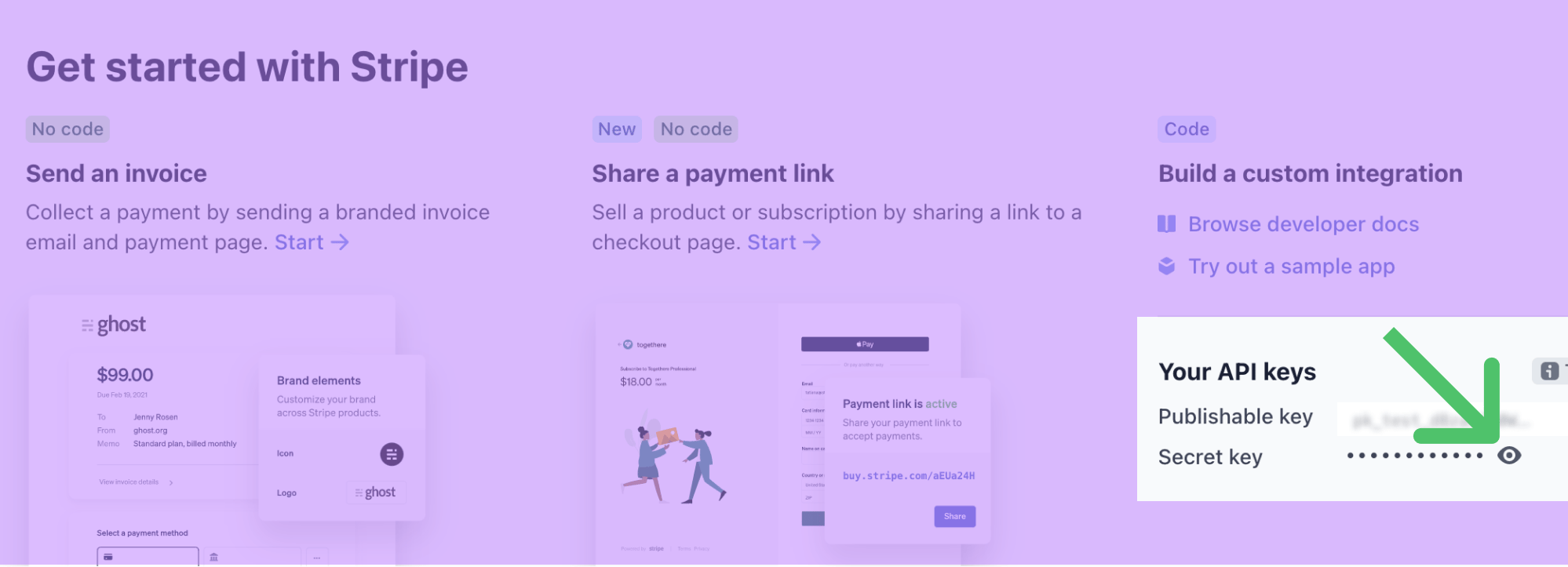
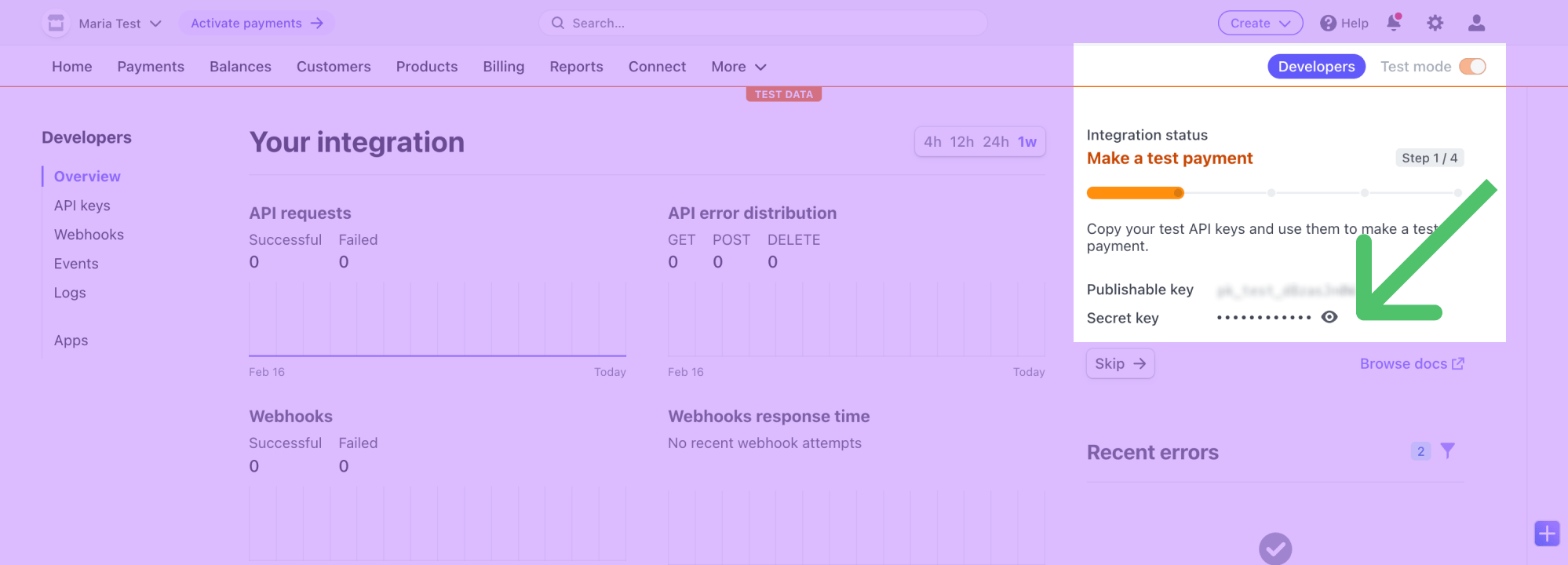
Go to the Destinations overview page and click the Add destination button. Select Stripe and click Continue. You can then authenticate Hightouch to Stripe with an API key. You can retrieve your an API key by following these steps:- Log in to Stripe.
- Visit your Account Dashboard Homepage.
- Copy your Secret key.
Sync configuration
Once you’ve set up your Stripe destination and have a model to pull data from, you can set up your sync configuration to begin syncing data. Go to the Syncs overview page and click the Add sync button to begin. Then, select the relevant model and the Stripe destination you want to sync to. Your sync configuration options depend on the Stripe object you are syncing to:Customers
Record matching
In Upsert mode, you can match customer records from your source to your Stripe workspace on the Customer Email field. In Update mode, you can match customer records from your source to your Stripe workspace on either Customer ID or Customer Email.Field mapping
You can sync columns from your source to Stripe default and custom fields. If you send data for a custom field that doesn’t exist, Hightouch adds the field and automatically detects its type. Refer to the inline mapping docs to see an example of how to map nested objects like a customer’s shipping address.Delete behavior
The delete behavior defines how the sync behaves when the Hightouch sync engine recognizes that a record has been removed from your source. The Stripe integration only supports deletions in Upsert mode.Products
Record matching
You can match rows in your model with products in Stripe on the following fields on the Product ID field.Field mapping
You can sync columns from your source to Stripe default and custom fields. If you send data for a custom field that doesn’t exist, Hightouch adds the field and automatically detects its type. Refer to the inline mapping docs to see an example of how to map nested objects like a products’s metadata.Delete behavior
The delete behavior defines how the sync behaves when the Hightouch sync engine recognizes that a record has been removed from your source. The Stripe integration only supports deletions in Upsert mode.Prices
Record matching
You can match rows in your model with prices in Stripe on the following fields on the Price ID field.Field mapping
You can sync columns from your source to Stripe default and custom fields. If you send data for a custom field that doesn’t exist, Hightouch adds the field and automatically detects its type. Refer to the inline mapping docs to see an example of how to map nested objects like a price’srecurring object.
Delete behavior
The Stripe integration doesn’t suppport deleting prices.Subscriptions
Record matching
You can match rows in your model with subscriptions in Stripe on the following fields on the Subscription ID field.Field mapping
You can sync columns from your source to Stripe default and custom fields. If you send data for a custom field that doesn’t exist, Hightouch adds the field and automatically detects its type. Refer to the inline mapping docs to see an example of how to map nested arrays like a subscription’s items.Associations
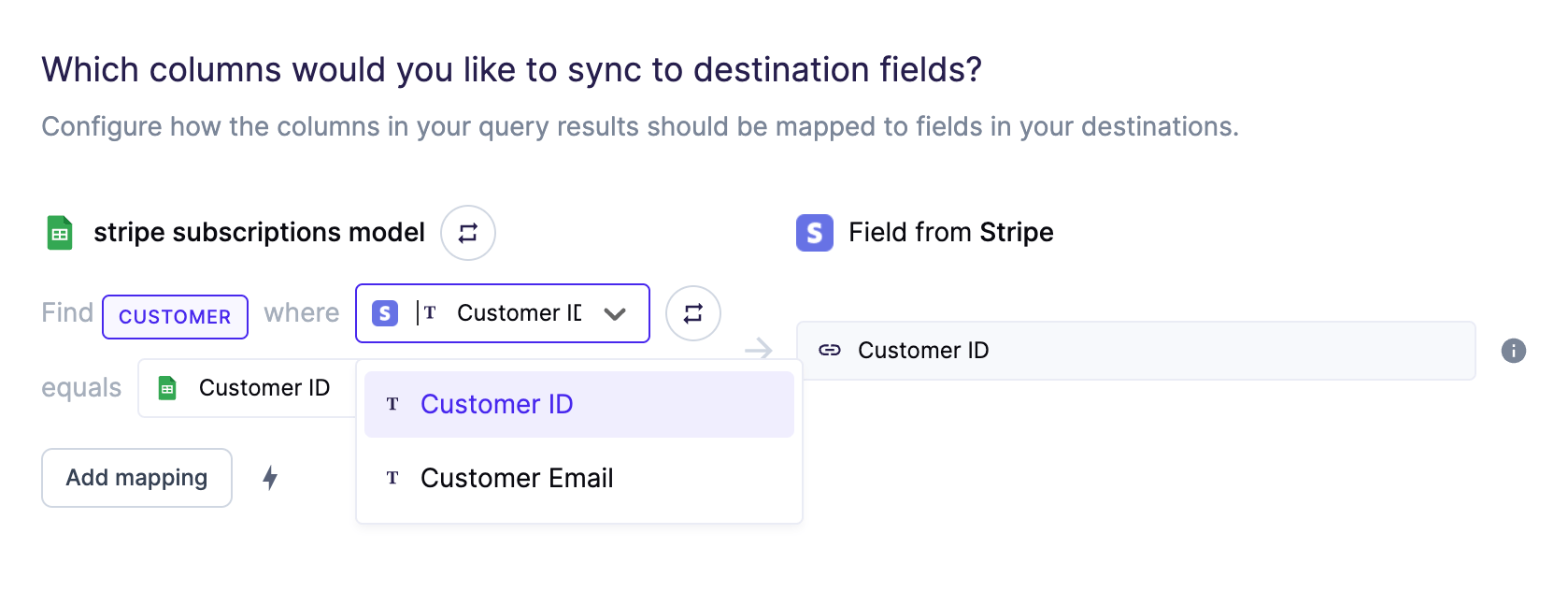
Hightouch can perform a reference look-up to associate a subscription to a customer. After selecting the Customer ID Stripe field to map, a reference input appears. Similar to the Customer sync type, Hightouch can conduct a look-up using a Customer Email. Hightouch then sends the respective Customer ID in the request to Stripe.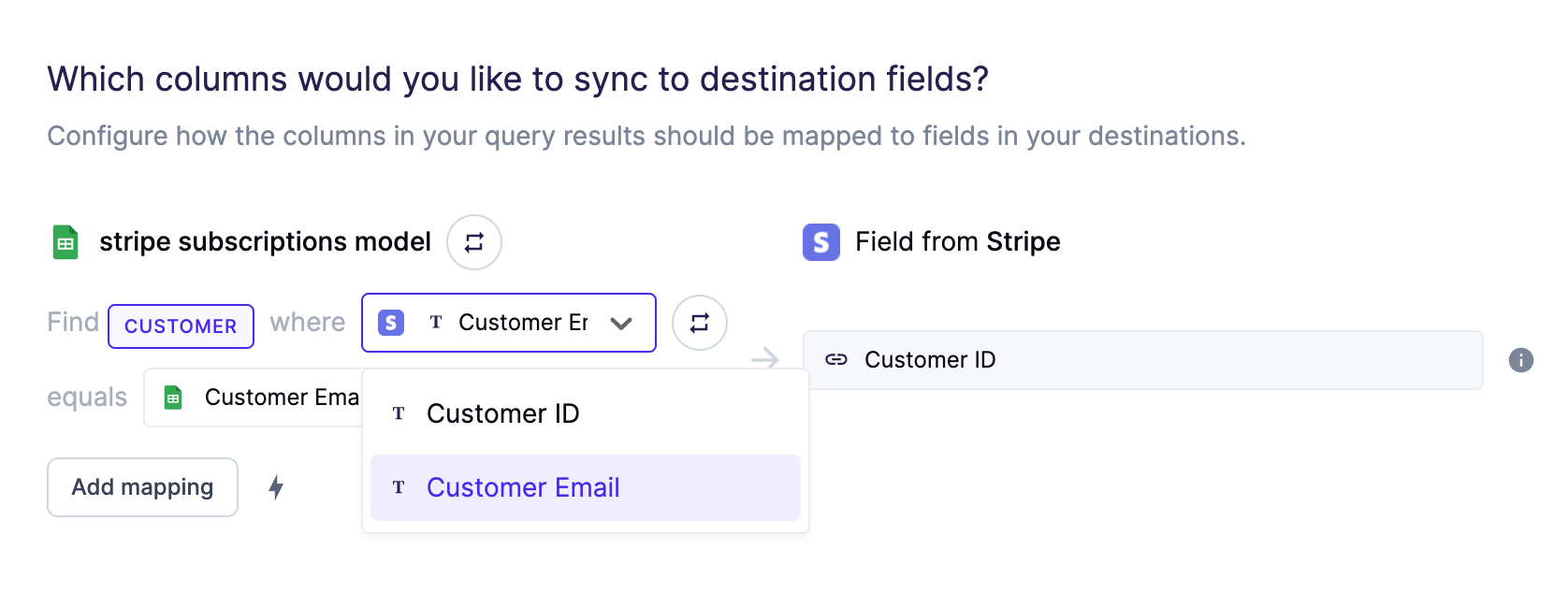
Delete behavior
The delete behavior defines how the sync behaves when the Hightouch sync engine recognizes that a record has been removed from your source. The Stripe integration only supports deletions in Upsert mode.Invoices
Record matching
You can match rows in your model with invoices in Stripe on the following fields on the Invoice ID field.Field mapping
You can sync columns from your source to Stripe default and custom fields. If you send data for a custom field that doesn’t exist, Hightouch adds the field and automatically detects its type. Refer to the inline mapping docs to see an example of how to map nested objects like an invoice’scustomer address object.
Associations
Hightouch can perform a reference look-up to associate an invoice to a customer. After selecting the Customer ID Stripe field to map, a reference input appears. Similar to the Customer sync type, Hightouch can conduct a look-up using a Customer Email. Hightouch then sends the respective Customer ID in the request to Stripe.Delete behavior
The delete behavior defines how the sync behaves when the Hightouch sync engine recognizes that a record has been removed from your source. The Stripe integration only supports deletions in Upsert mode.Invoice items
Record matching
You can match rows in your model with invoice items in Stripe on the following fields on the Invoice Item ID field.Field mapping
You can sync columns from your source to Stripe default and custom fields. If you send data for a custom field that doesn’t exist, Hightouch adds the field and automatically detects its type. Refer to the inline mapping docs to see an example of how to map nested arrays like invoice items.Associations
Hightouch can perform a reference look-up to associate an invoice item to a customer. After selecting the Customer ID Stripe field to map, a reference input appears. Similar to the Customer sync type, Hightouch can conduct a look-up using a Customer Email. Hightouch then sends the respective Customer ID in the request to Stripe.Delete behavior
The delete behavior defines how the sync behaves when the Hightouch sync engine recognizes that a record has been removed from your source. The Stripe integration only supports deletions in Upsert mode.
*Deletion is only supported if the associated invoice item is not attached to an invoice or if it’s attached to a draft invoice, otherwise, Hightouch will do nothing to the existing invoice item in Stripe.
Quotes
Record matching
You can match rows in your model with quotes in Stripe on the following fields on the Quote ID field.Field mapping
You can sync columns from your source to Stripe default and custom fields. If you send data for a custom field that doesn’t exist, Hightouch adds the field and automatically detects its type. Refer to the inline mapping docs to see an example of how to map nested objects like a quote’scomputed object.
Delete behavior
The delete behavior defines how the sync behaves when the Hightouch sync engine recognizes that a record has been removed from your source. The Stripe integration only supports deletions in Upsert mode.Meter events
Meter events report customer usage against a billing meter and are the recommended way to send usage-based billing data now that Stripe has deprecated usage records. Meter events only support Insert mode.Field mapping
If your meter is configured with custom payload keys, map those columns under custom fields — they are added to the event payload alongside the customer and value.