

Overview
Sprig is a product experience platform that helps teams collect in-context user feedback through surveys, session replays, heatmaps, and AI-powered analysis. Use Hightouch to sync user attributes from your data warehouse to Sprig so you can target studies to the right audiences, filter responses by user properties, and keep your Sprig user profiles enriched with up-to-date data.Supported syncing
For more information about sync modes, refer to the sync modes docs.
Connect to Sprig
Go to the Destinations overview page and click the Add destination button. Select Sprig and click Continue.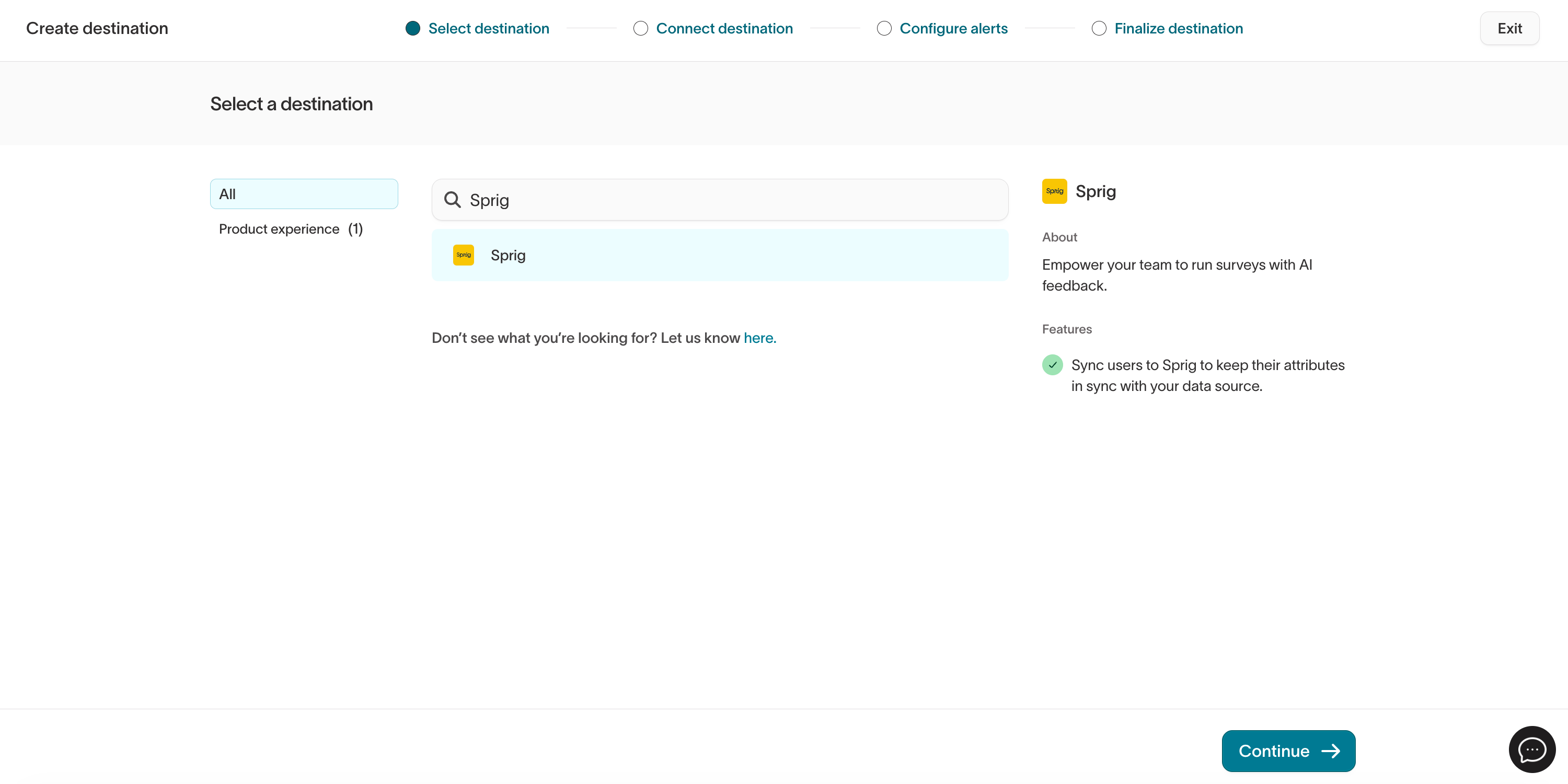
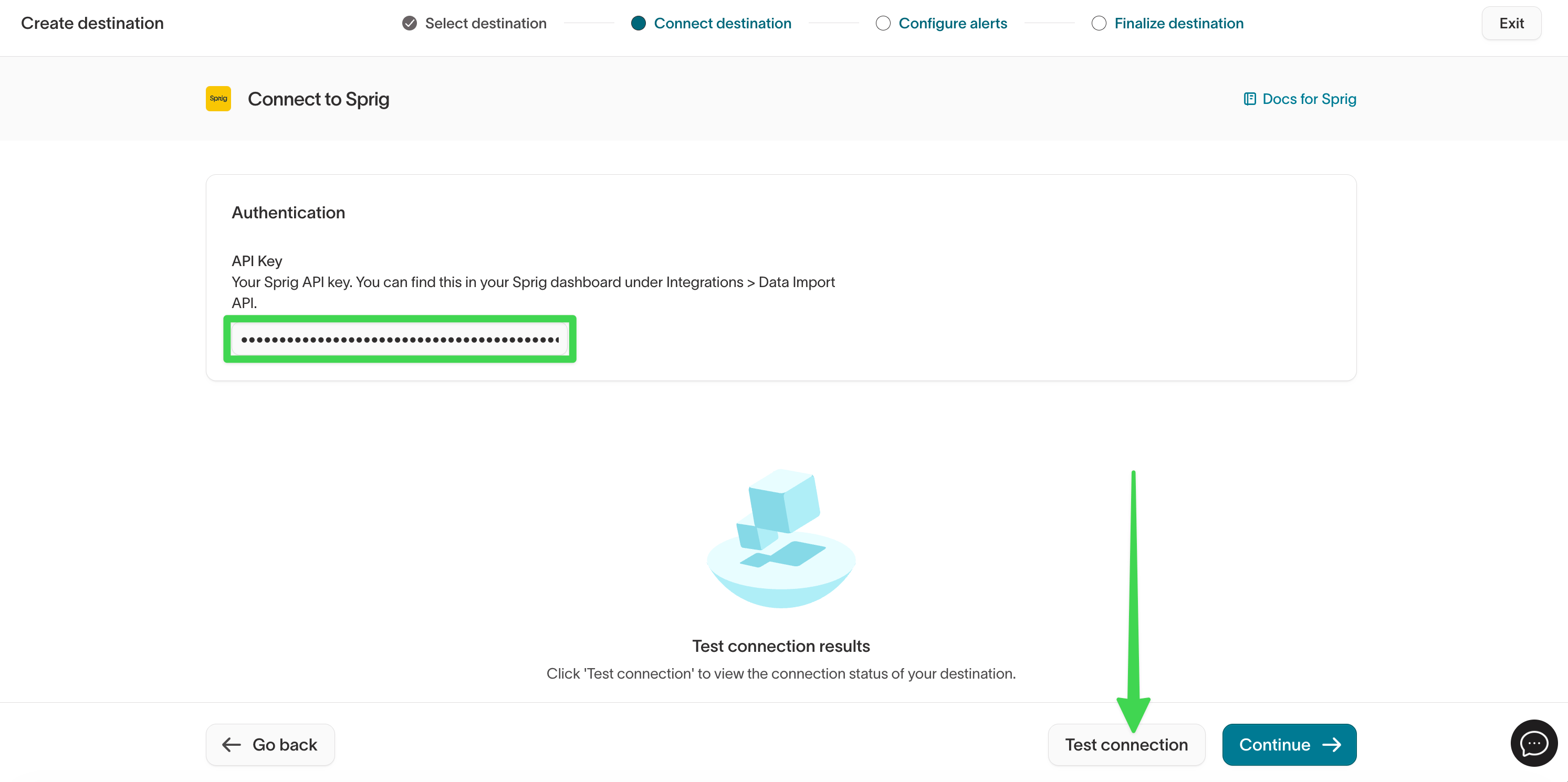
API key
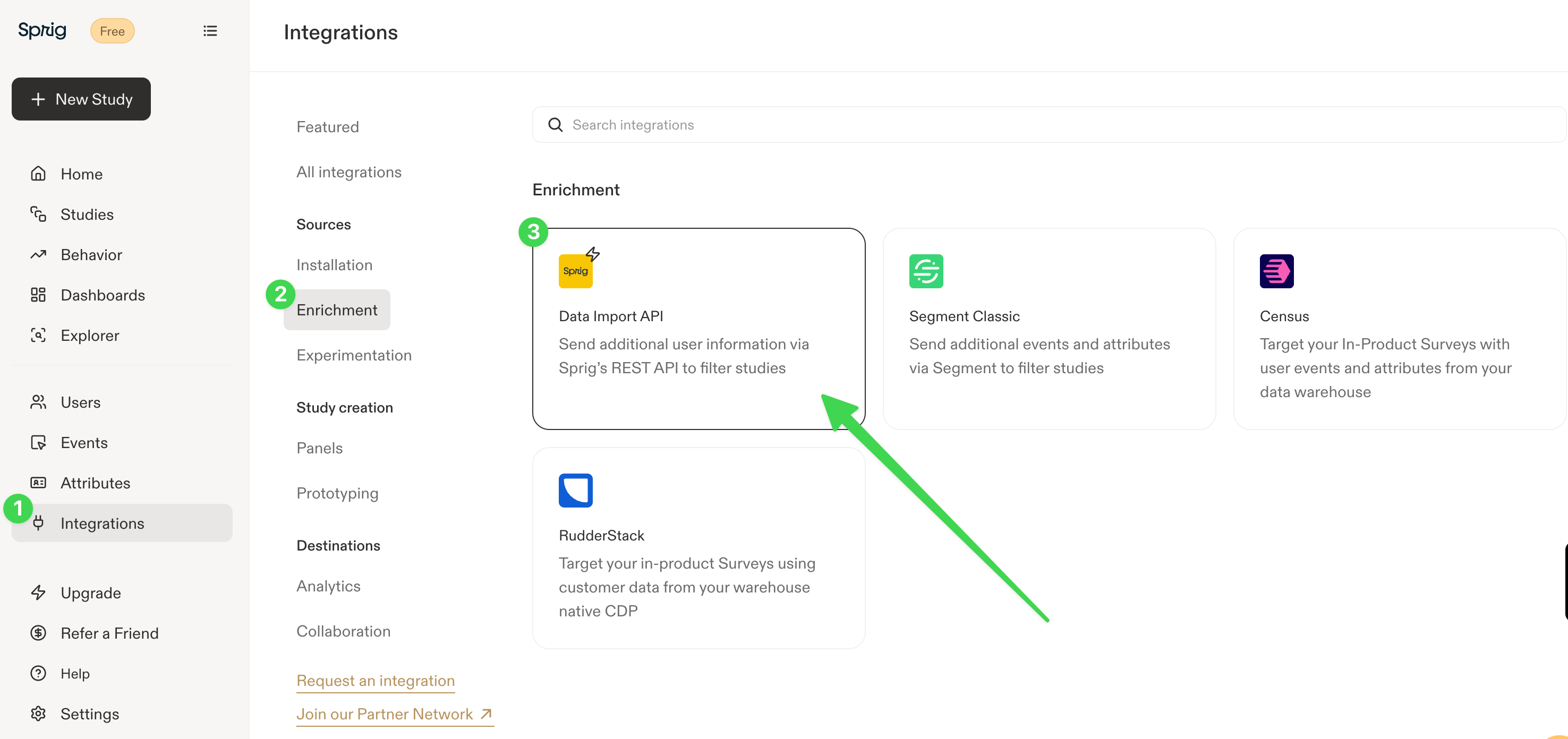
To authenticate, you need a Sprig API key. Sprig uses the Data Import API key for server-side integrations. To find your API key in Sprig:- In the Sprig navigation pane, click Integrations.
- Under Sources, click Enrichment.
- Click Data Import API.
- Copy the API key for the environment you want to sync to (Production or Development).
Sync configuration
Once you’ve set up your Sprig destination and have a model to pull data from, you can set up your sync configuration to begin syncing data. Go to the Syncs overview page and click the Add sync button to begin. Then, select the relevant model and the Sprig destination you want to sync to.Syncing users
Sync user profiles and attributes to Sprig. Hightouch uses the Sprig V2 Users API to upsert user records. When a matching user exists in Sprig, Hightouch updates their attributes. When no match is found, Hightouch creates a new user profile.Record matching
To match rows from your model to users in Sprig, select a model column to map to the Sprig User ID field. This is the unique identifier Sprig uses to track individual users across your product. The User ID should be a stable, unique identifier for each user, such as an internal user ID or database primary key. This must match the User ID you use in your Sprig SDK installation so that synced attributes are associated with the correct user profiles.Field mapping
Hightouch lets you sync user attributes via field mapping. You can map data from any of your model columns to Sprig user attributes. Sprig supports attributes with string, numeric, and boolean values. Attributes synced through Hightouch appear in Sprig and can be used to:- Filter study audiences: Target surveys and feedback prompts to users with specific attribute values.
- Filter study responses: Drill into collected responses based on user attributes.