

Overview
This integration lets you send server-to-server events to Singular without writing a custom pipeline. Whether you’re calculating cross-device attribution, analyzing ROI, or using Singular for fraud prevention, including event data helps you have a more complete analytics view.Supported syncing
Connect to Singular
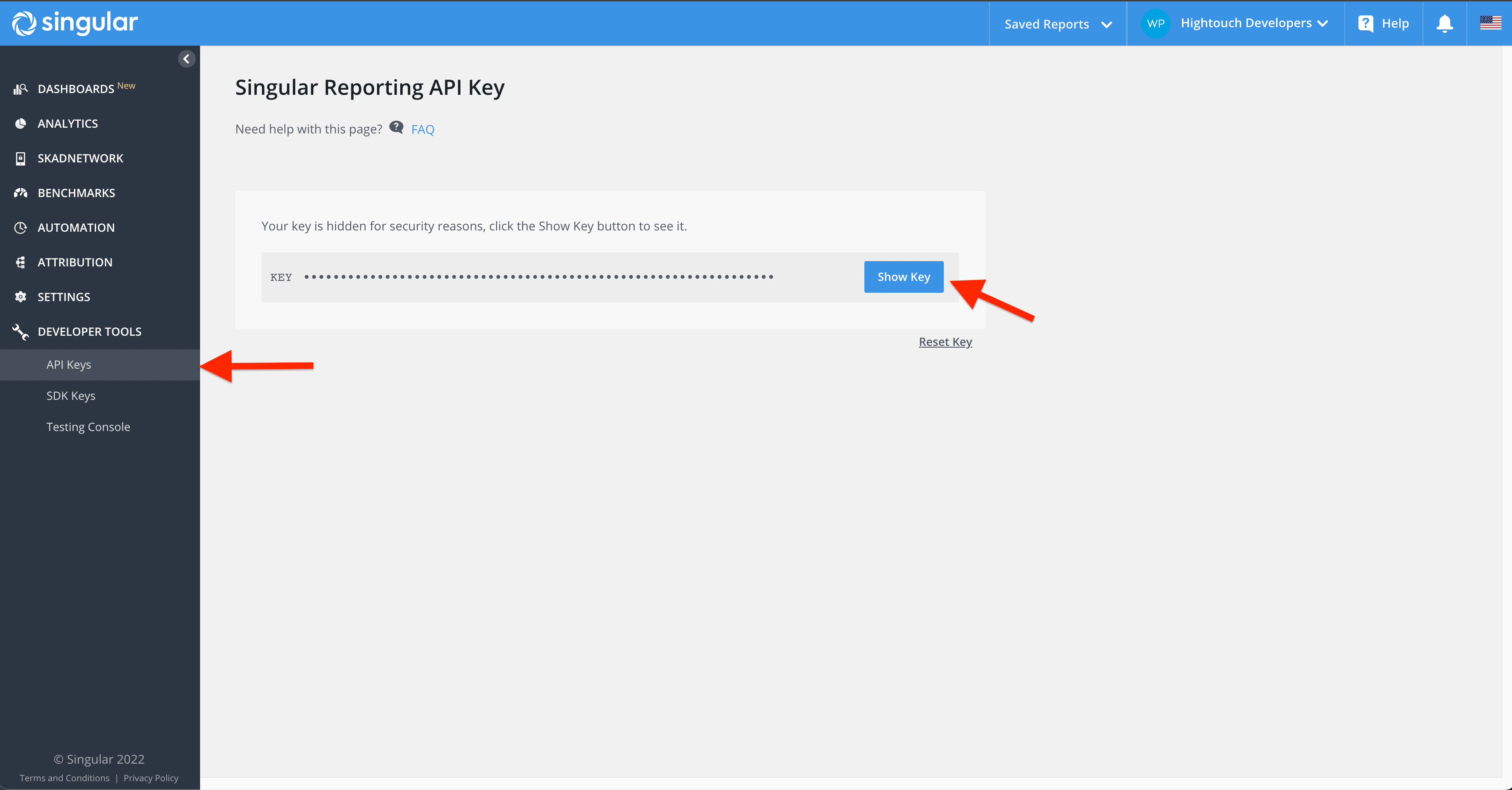
Start by creating an instance of Singular destination in Hightouch. Upon creating your instance, you must enter a Singular API key for authentication.Authenticating with an API key
To get your API key, navigate toDeveloper Tools > API Keys and copy your API key into Hightouch.
Syncing data
Events
Any records added to your source are treated as new events and are sent to Singular when your sync runs.Select API version
Singular’s EVENT endpoint has two versions. V2 identifies devices with the Singular Device ID (SDID). V1 uses legacy device identifiers such as IDFA, IDFV, AIFA, and ASID. For standard event syncs, choose the version under Which Singular EVENT API version should this sync use?:
V2 requires mapping the
sdid field. Rows with an empty SDID value are rejected with an error instead of being sent to V1. New syncs default to V2.
Custom ID event syncs always use V1. Singular doesn’t document a V2 equivalent
for custom ID events.
Platform,Package Name, and OS Version fields are the minimum required fields to make the API call to Singular. For a richer analytics, we recommend that you provide all relevant fields in your use case.
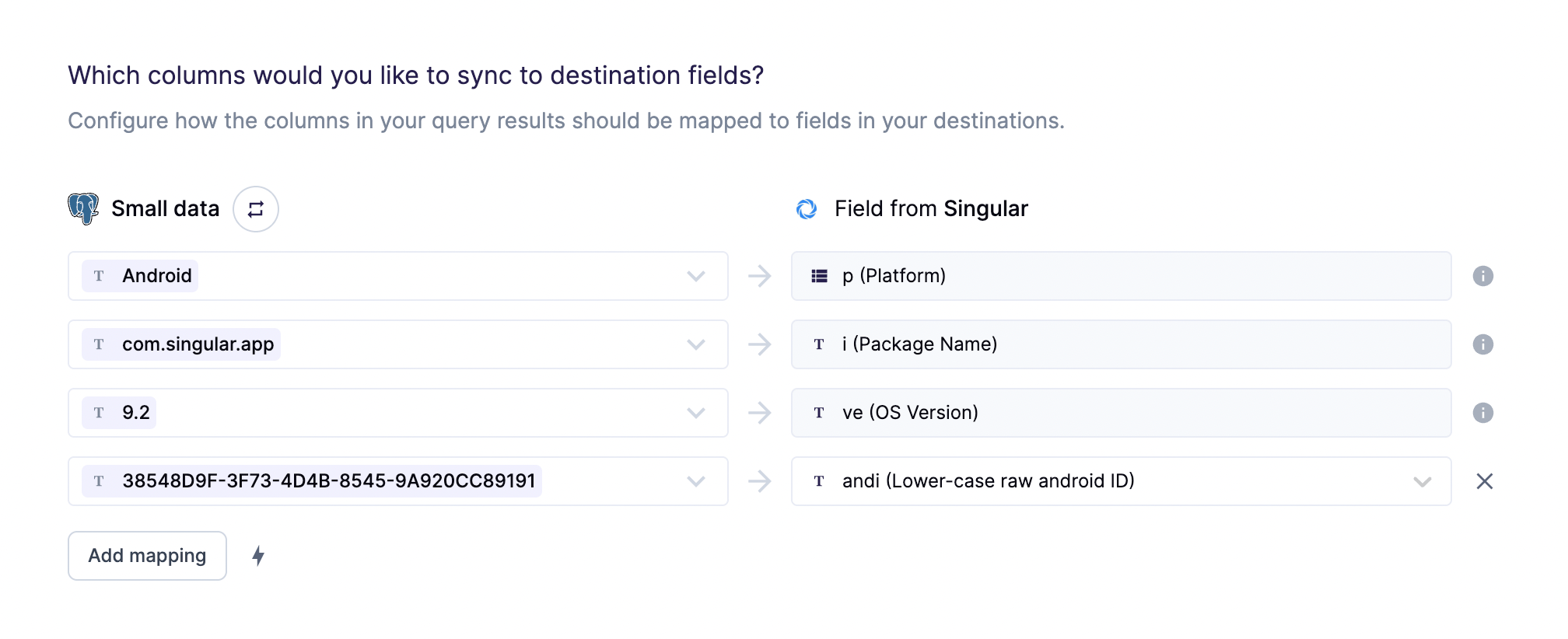
The supported platforms are
iOS and Android, case sensitive. If the
platform is Android, andi field is also required.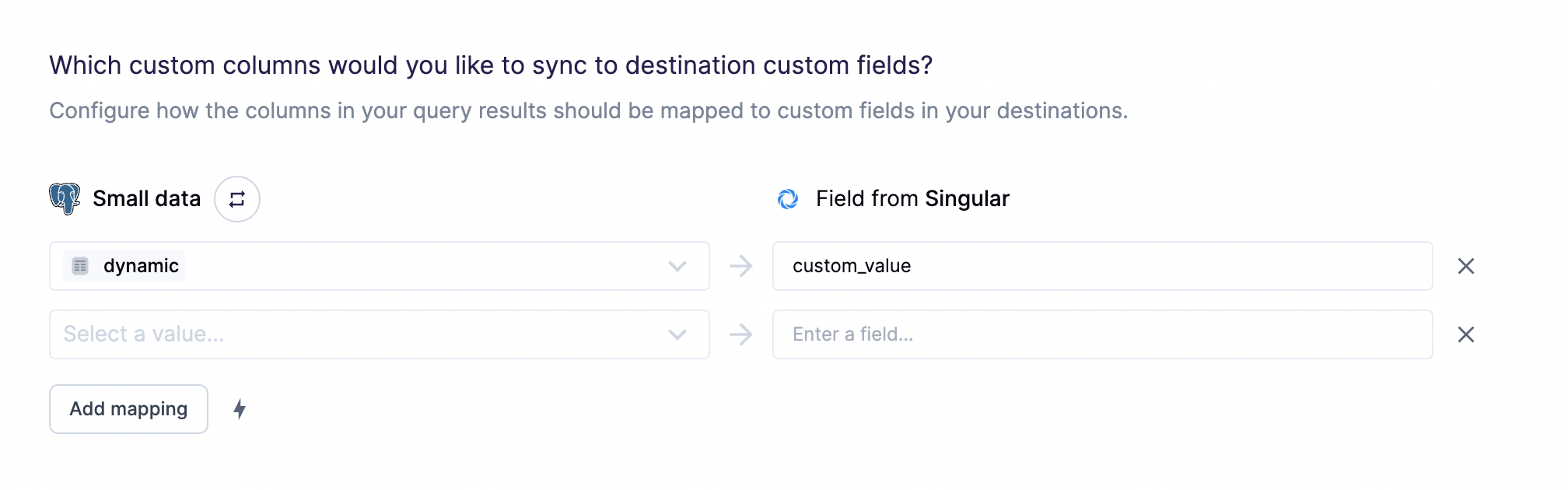
Custom mappings are included as the
e
parameter
of the API request payload.Tips and troubleshooting
To see the exact API requests and responses from each sync run, use the live debugger. To get notified by Slack, PagerDuty, SMS, or email when a sync fails, set up sync alerts. If you run into an issue this page doesn’t cover, . If you receive errors, ensure that your including all of Singular’s required fields:Platform, Package Name, OS Version and andi if your Platform is Android.