

When to use Meta Conversions API
Use this destination to improve Meta campaign performance and measurement by sending offline or server-side conversion events (for example, purchases, form fills, or calls) to Meta. Use Meta Conversions API when you want to:- Attribute conversions that happen outside the browser (for example, in your CRM or POS system)
- Improve ad delivery and targeting with more complete conversion data
- Measure performance when cookies or browser signals are limited
Supported syncing
See Sync modes for more information.
Connect to Meta Conversions API
Go to the Destinations overview page and click the Add destination button. Select Meta Conversions and click Continue. You can then authenticate Hightouch to the Meta Conversions API by entering the following required fields into Hightouch:- In Hightouch, go to Destinations and click Add destination.
- Select Meta Conversions API and click Continue.
- Enter the following credentials:
- Pixel ID or Database ID
- Access Token
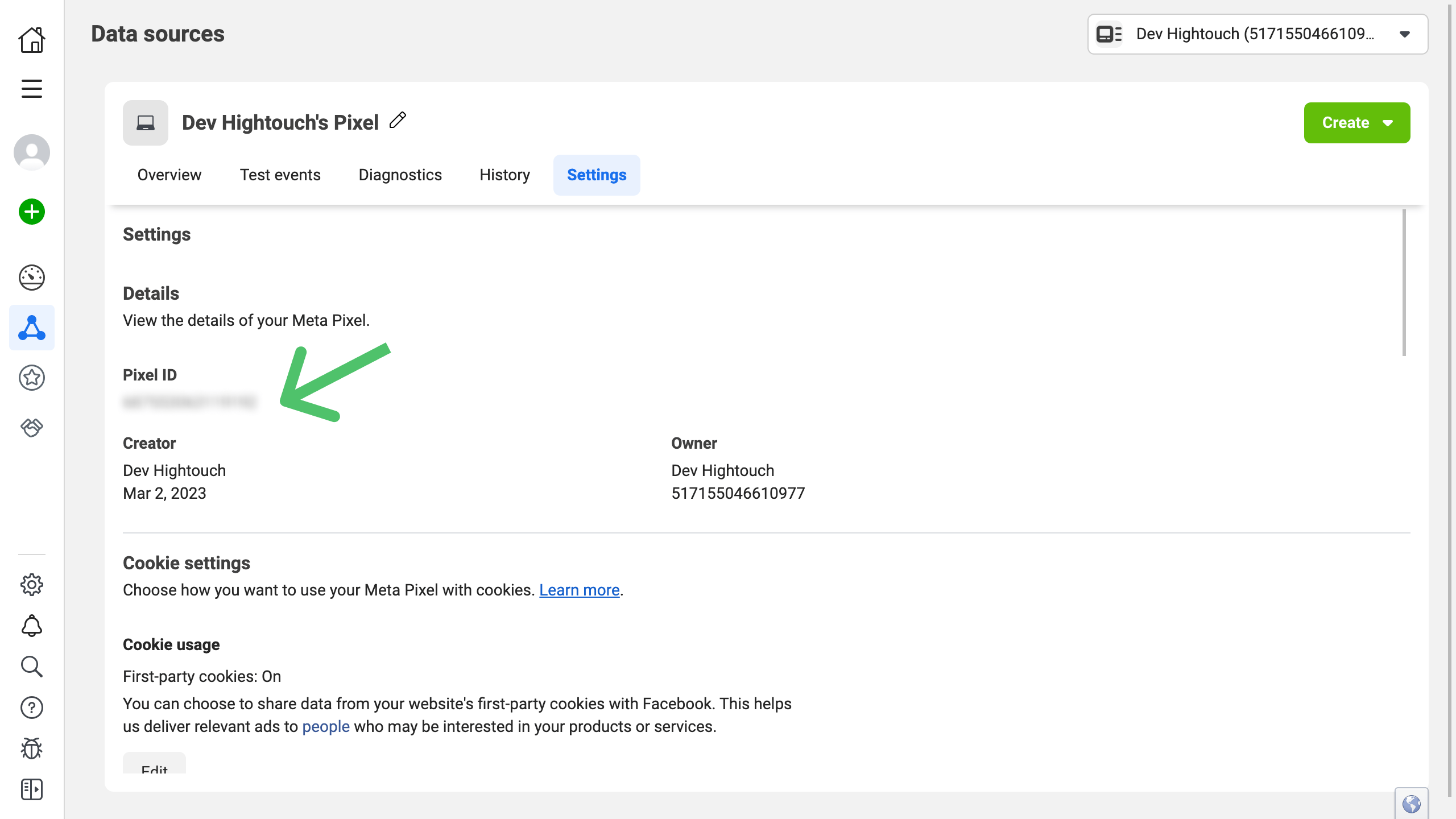
- Open the Data Sources tab and select your Pixel.
- Under Settings, find your Pixel ID in the Details section.
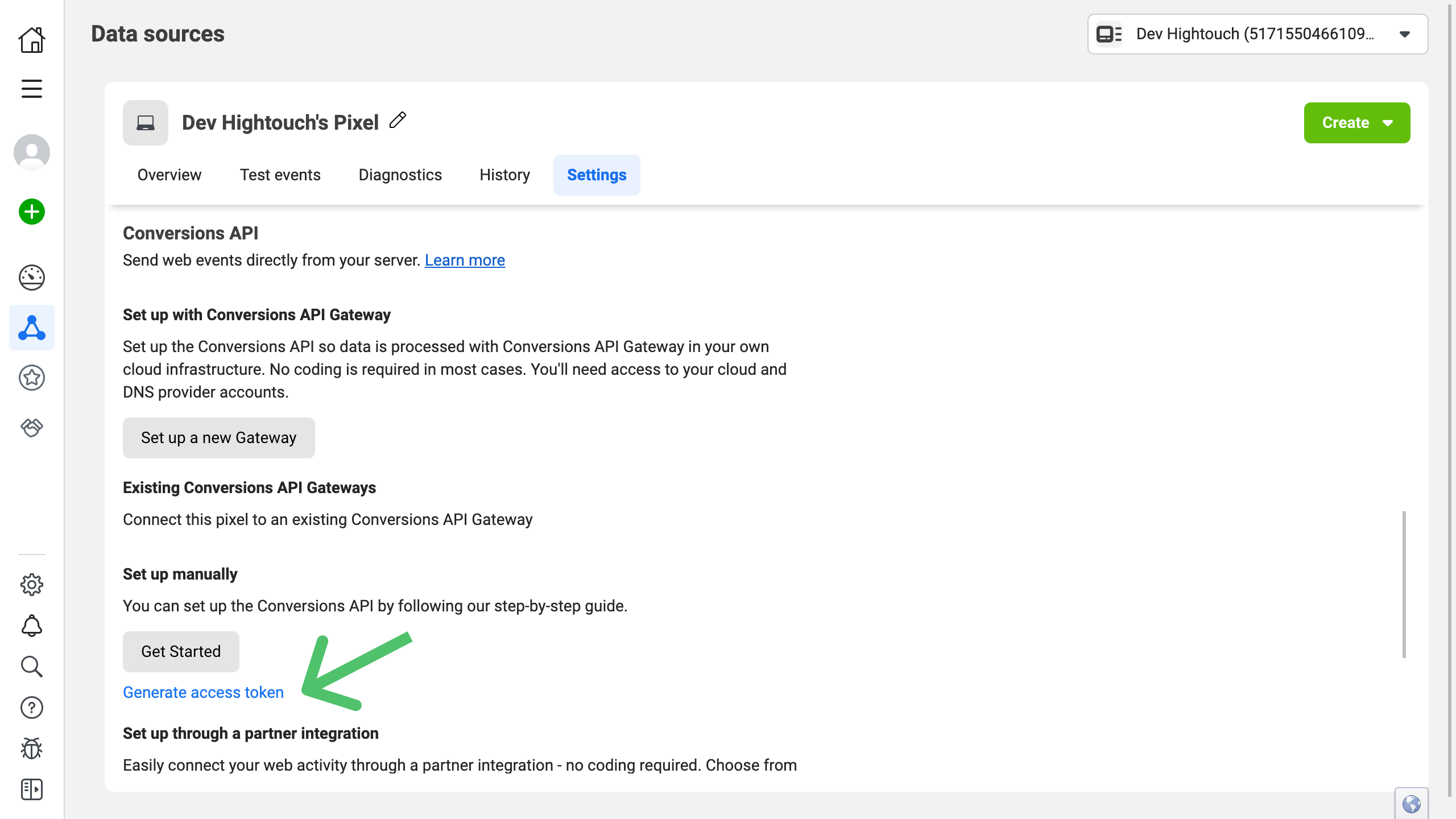
- To create an Access Token, scroll to Conversions API and click Generate access token.
Configure the sync
After connecting Meta Conversions API and selecting a model, create a sync to start sending data.- Go to Syncs.
- Click Add sync, choose your model, and select Meta Conversions API as the destination.
Required event fields
The Meta Conversions API requires the following event parameters:event_nameevent_time- At least one customer information (
user_data) field
Event name
Providing an event name is required to send an event to the Meta Conversions API. You can either provide a static value or select to use a column from your model. Hightouch syncs the static or column value as theevent_name parameter that the Conversions API requires.
Use Meta’s Standard Events when possible (for example, Purchase, Lead, or AddToCart) to improve reporting accuracy.
Event time
You can optionally select a column that contains timestamps of when events occurred. If this field is empty, Hightouch uses the time the event arrives at the server. Hightouch syncs the timestamp as theevent_time parameter the Conversions API requires.
If you select a column, it should be in ISO 8601 format. Hightouch will then automatically convert the data into the format that Meta expects.
Action source
Theaction_source parameter specifies where your conversions occurred (e.g., web, app, email).
Knowing where your events took place helps Meta optimize delivery and attribution.
Certain source types require specific fields:
- Web events must include
event_source_urlandclient_user_agent. - App events must include
advertiser_tracking_enabled,application_tracking_enabled, andextinfo.
Field mappings
Map your customer information and event parameters here. The Meta Conversions API requires at least oneuser_data parameter for attribution.
Include as many user_data fields as possible to improve Event Match Quality.
If using a Standard Event (like Purchase), ensure you include all required fields (e.g., value, currency) and any relevant optional ones.
Custom fields are sent in the custom_data parameter.
Advanced analytics
To send data through the Conversions API to the Advanced Measurement API (AMAPI), map the following fields:data_processing_options: an array of strings like["AMO"]advanced_measurement_table: a string
Test event codes
Test event codes are special codes you can include in your event payload to simulate conversion events. This allows you to test your API implementation without actually recording real conversion data. You can optionally enter a test event code as part of your sync configuration. You can find your test event code in your Meta Events Manager in the Test events tab.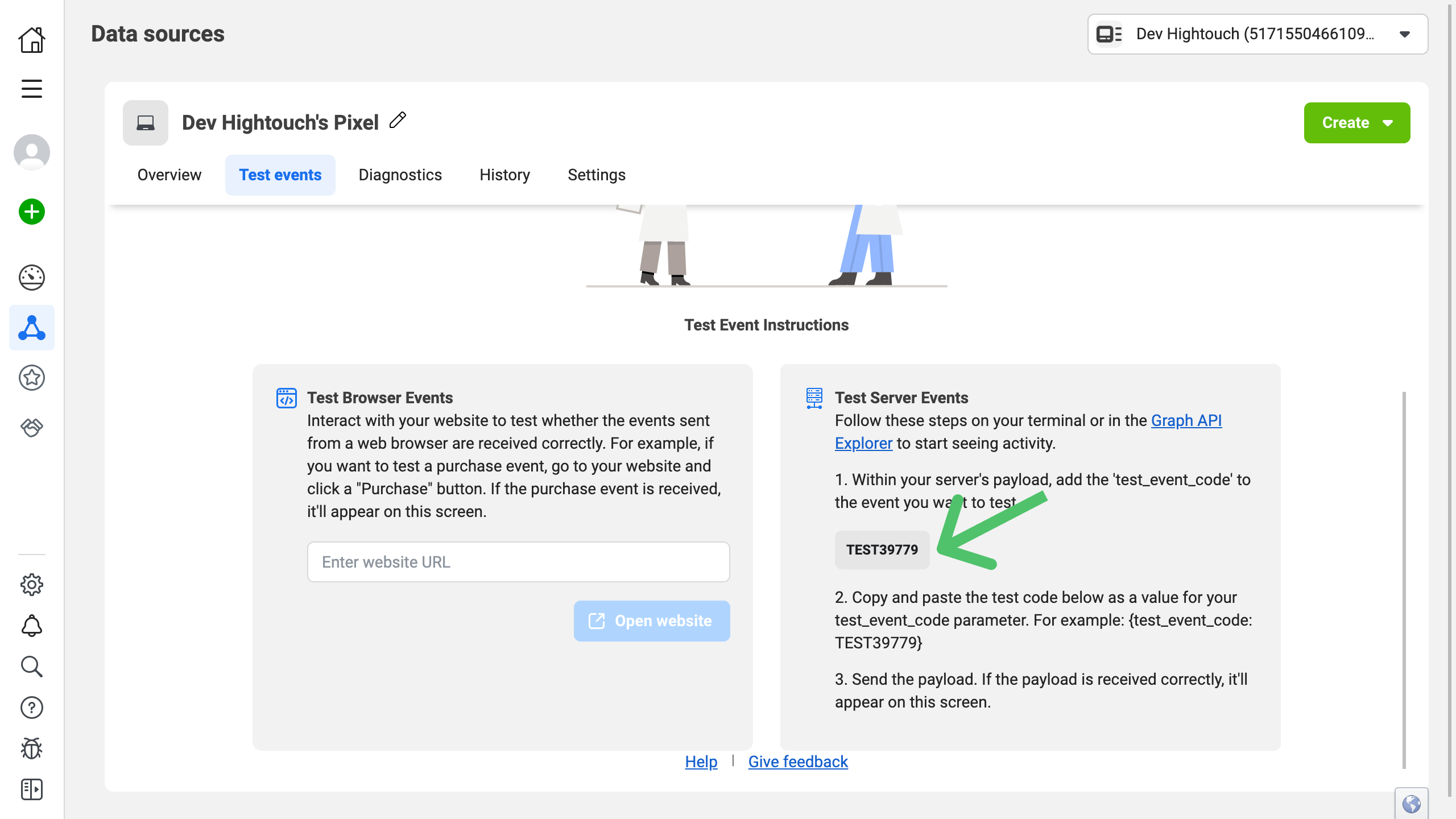
Hashing
By default, Hightouch automatically hashes the following fields:- phone
- gender
- dob
- last name
- first name
- city
- state
- zip
- country
Event Data Quality
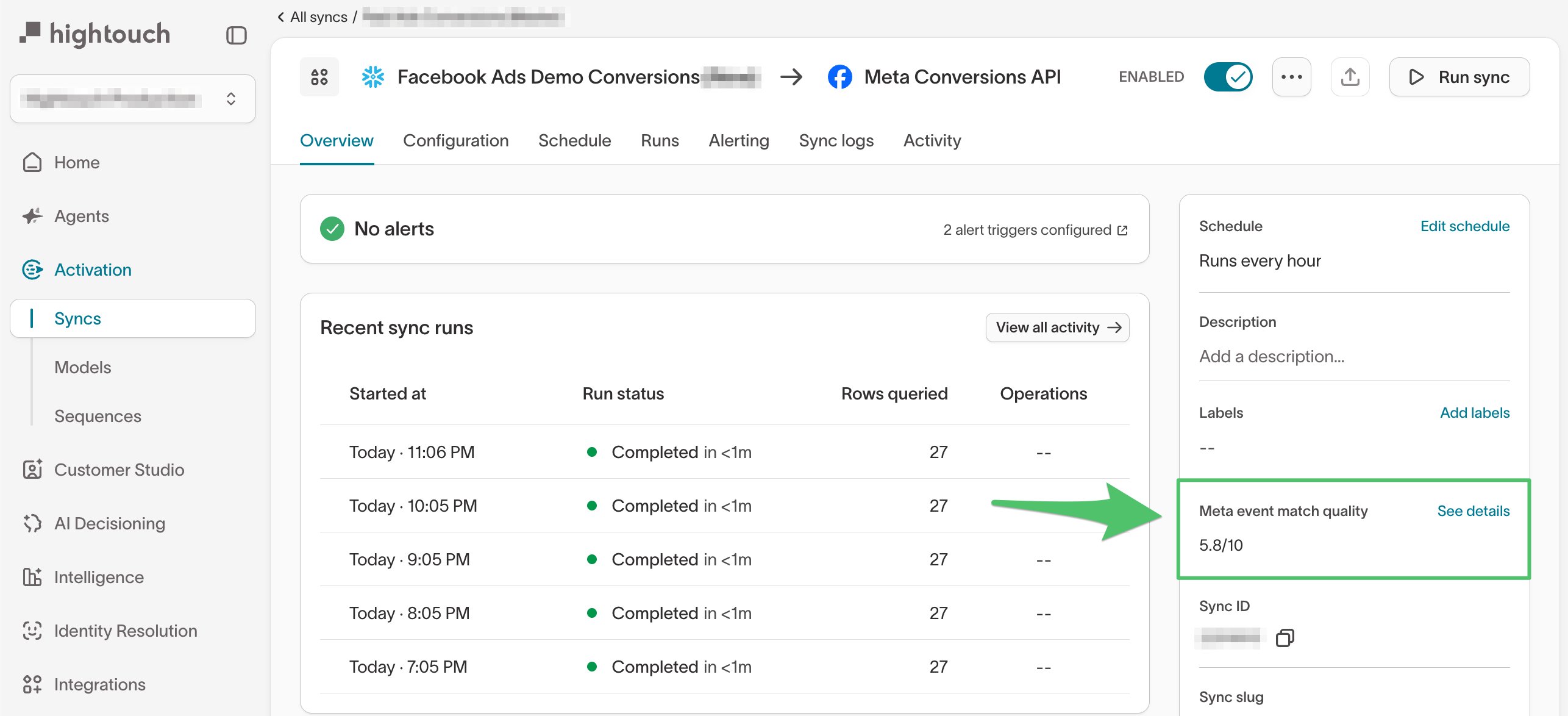
Hightouch provides insight into the effectiveness of your conversion API implementation by reporting on Event Match Quality (EMQ) and Additional Conversions Reported. Data quality metrics appear in the Overview tab of your Meta Conversions API sync.Your access token must include Data Quality API permissions. If metrics don’t appear, generate a new token in Meta Events Manager.
Event Match Quality (EMQ)
The EMQ score estimates how well your conversion events match to Meta users, ad clicks, and impressions. It’s based on the “fill rate” of keyuser_data values you send with each conversion event.
- Collect and sync more
user_datafields with each event. - Use Match Booster to supplement user data with Hightouch’s third-party identity graph.