

Overview
Gladly is a customer service platform that enables businesses to communicate with their customers across various channels, such as phone, email, chat, social media, and more. Syncing data to Gladly means integrating your customer data with the Gladly platform so that your customer service team can access and use this data to provide better and more personalized support to your customers.Supported syncing
Connect to Gladly
Go to the Destinations overview page and click the Add destination button. Select Gladly. You can then authenticate Hightouch to Gladly by entering:- A Gladly API Token
- Email on your Gladly account
- Gladly domain
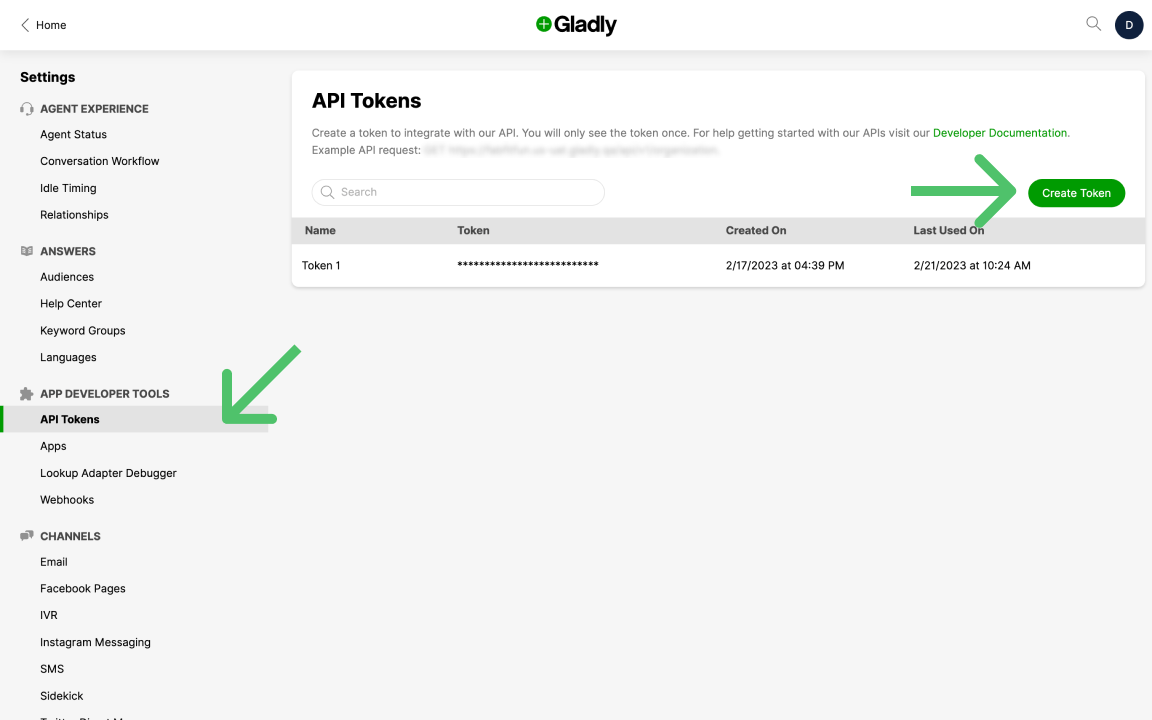
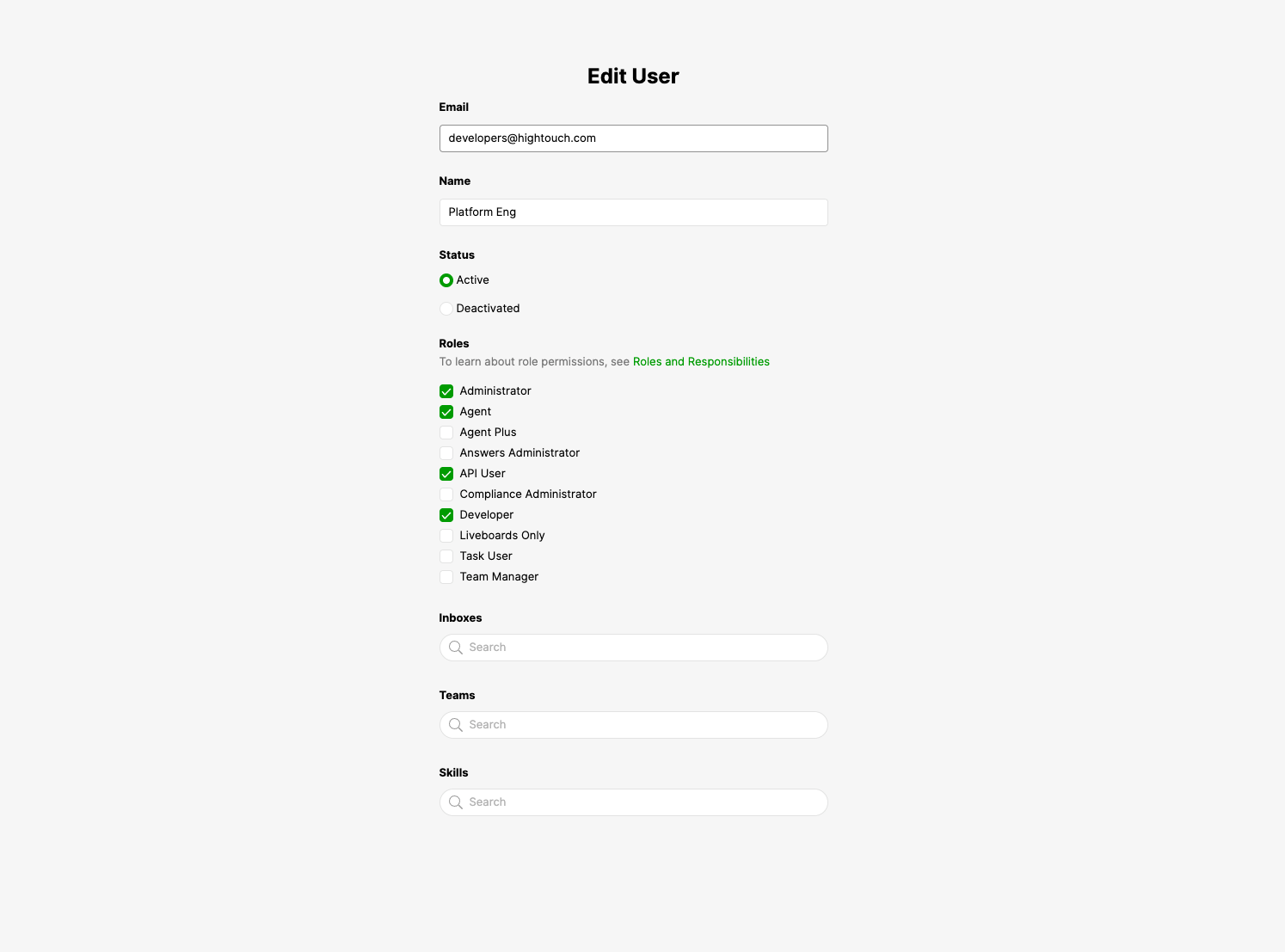
Administrator, Agent, API User, and Developer.
To check the roles, you select Users under the People section. Hover over the row with the Email you provided to Hightouch. Click on the icon with three dots that appear and select Edit.
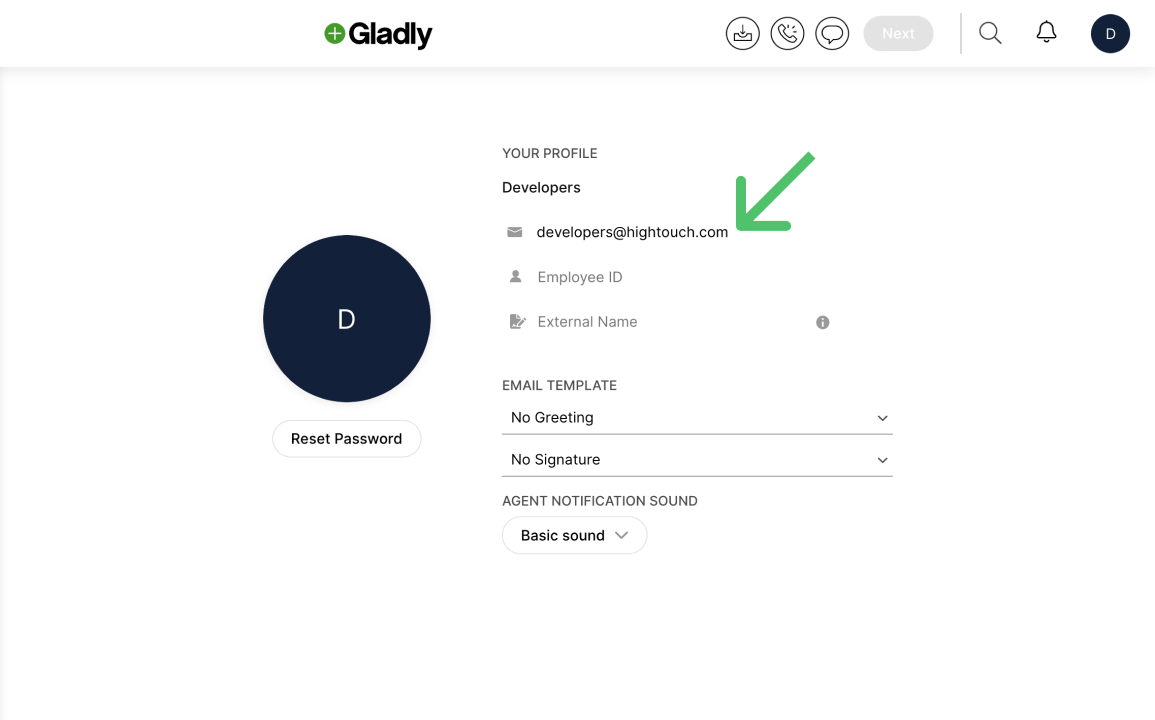
https://{organization}.gladly.com. You only need to provide this portion: {organization}.gladly.com.
Sync configuration
Once you’ve connected your Gladly destination and have a model to pull data from, you can set up your sync configuration to begin syncing data. Go to the Syncs overview page and click the Add sync button to begin. Then, select the relevant model and the Gladly destination you want to sync to.Customers
Hightouch supports inserting, upserting and updating customers.Record matching
You can match rows in your model with customers in Gladly on Email, External Customer ID, or Phone Number.Field and custom mappings
You can sync any columns from your source to both default properties or custom attributes.Make sure that if you are creating a new custom attribute, please inform Gladly Customer Support before or after running the sync in order for this attribute to be seen/used on Gladly. If the custom attribute already exists, then you are all set.