

Setup
Navigate to your Profile Settings and select the API Key on the right most column.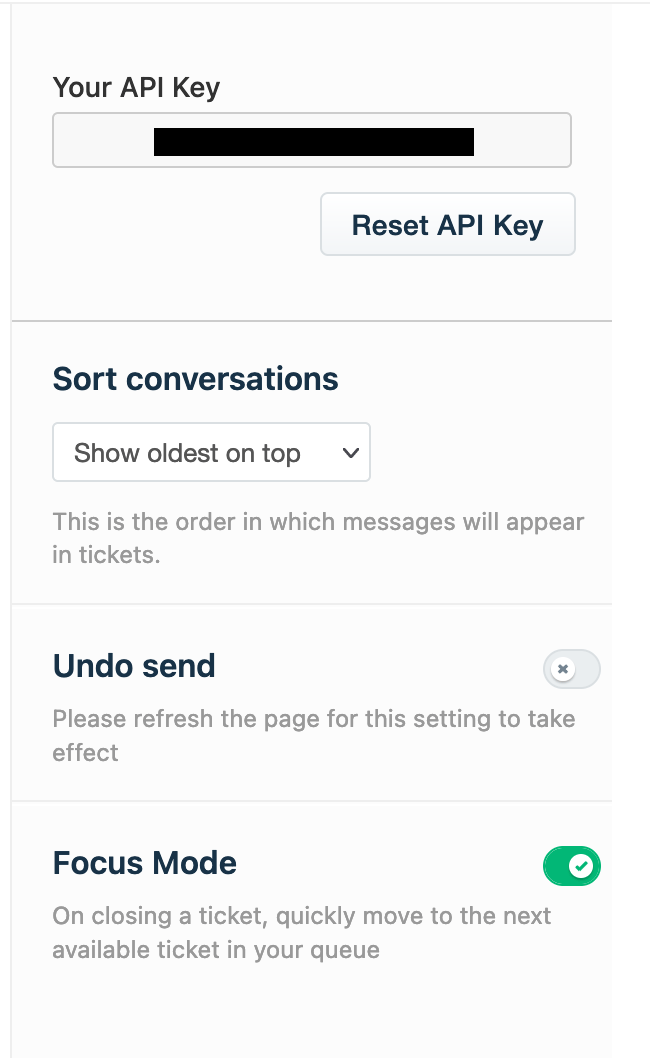
- API Key: token from Freshdesk
- Freshdesk Subdomain: subdomain for your Freshdesk support site, https://hightouch.freshdesk.com
Syncing
This integration support syncing the following objects:- Contacts
- Companies
- Tickets
Sync modes
This integration supports both Update, Upsert, and Insert mode. In Update mode, users and organizations can be matched based on the Freshdesk ID or the external ID and updated by Hightouch with the latest sync data. In Upsert mode, users and organizations can be matched based on the Freshdesk ID or the external ID and updated or inserted by Hightouch with the latest sync data. In Insert mode, any new tickets will be inserted by Hightouch with the latest sync data.Field mapping
You can sync columns from your source to Freshdesk’s default fields, as well as custom fields.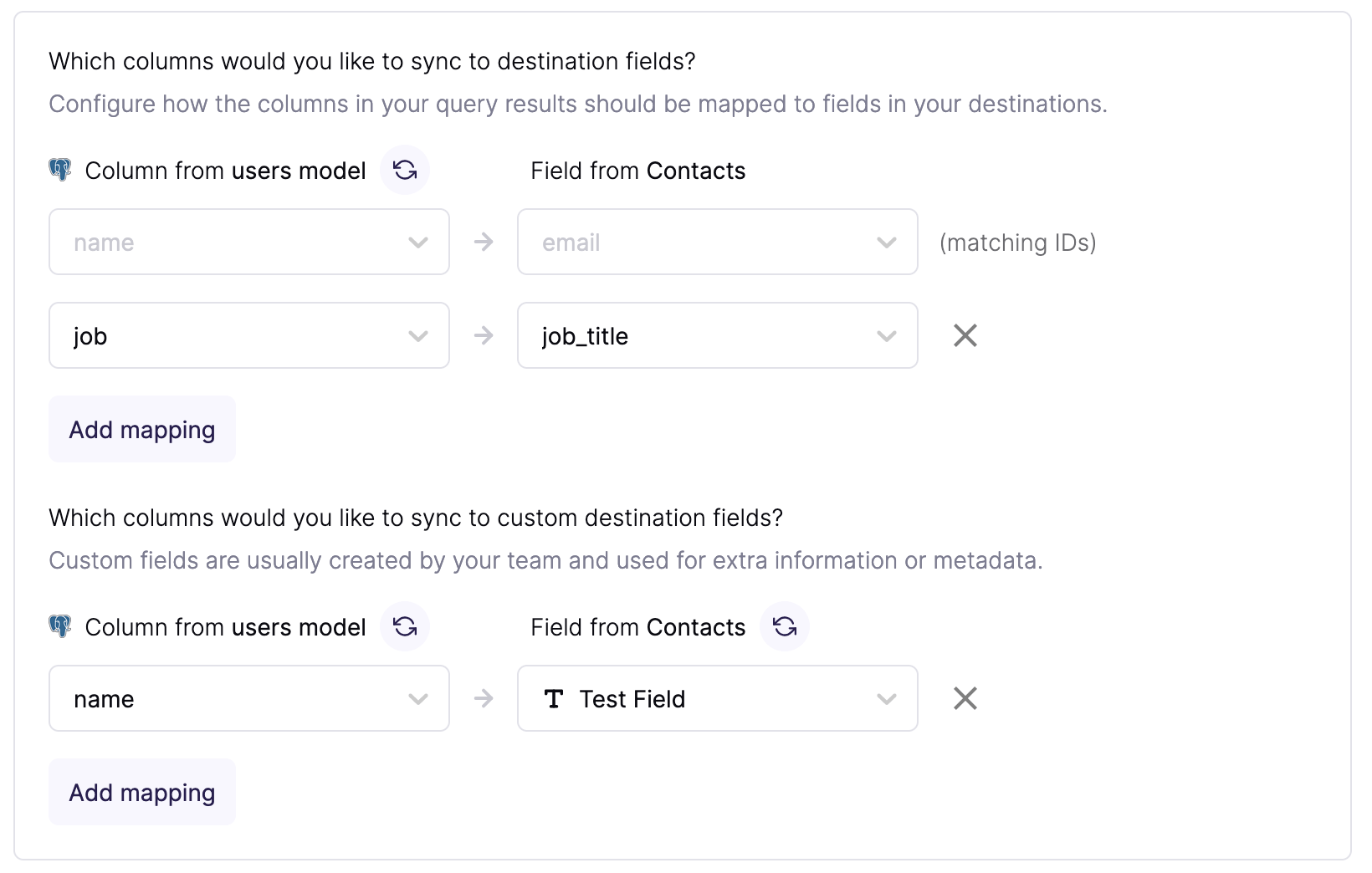
Tips and troubleshooting
To see the exact API requests and responses from each sync run, use the live debugger. To get notified by Slack, PagerDuty, SMS, or email when a sync fails, set up sync alerts. If you run into an issue this page doesn’t cover, .For Hightouch platform error codes related to Freshdesk, see Error codes: Freshdesk.