

Overview
Hightouch lets you pull data stored in MySQL and push it to downstream destinations. Most of the setup occurs in the Hightouch UI, but you need access to MySQL for information like your hostname, port, and credentials. Hightouch unofficially supports backwards compatible MySQL forks such as TiDB by Pingcap.You may need to allowlist Hightouch’s IP addresses to let our systems connect to your MySQL instance. Reference our networking docs to determine which IP addresses you need to allowlist.You can also securely connect to your MySQL instance using AWS PrivateLink or GCP Private Service Connect. AWS PrivateLink and GCP Private Service Connect are Business Tier features.
MariaDB support
Hightouch supports using MariaDB as a source via the MySQL source. Follow the instructions below, substituting MySQL information and credentials with your MariaDB ones.Connection configuration
To get started, go to the Sources overview page and click the Add source button. Select MySQL and follow the steps below.Choose connection type
Hightouch can connect directly to true over the public internet or via an SSH tunnel. Since data is encrypted in transit via TLS, a direct connection is suitable for most use cases. You may need to set up a tunnel if your true instance is on a private network or virtual private cloud (VPC).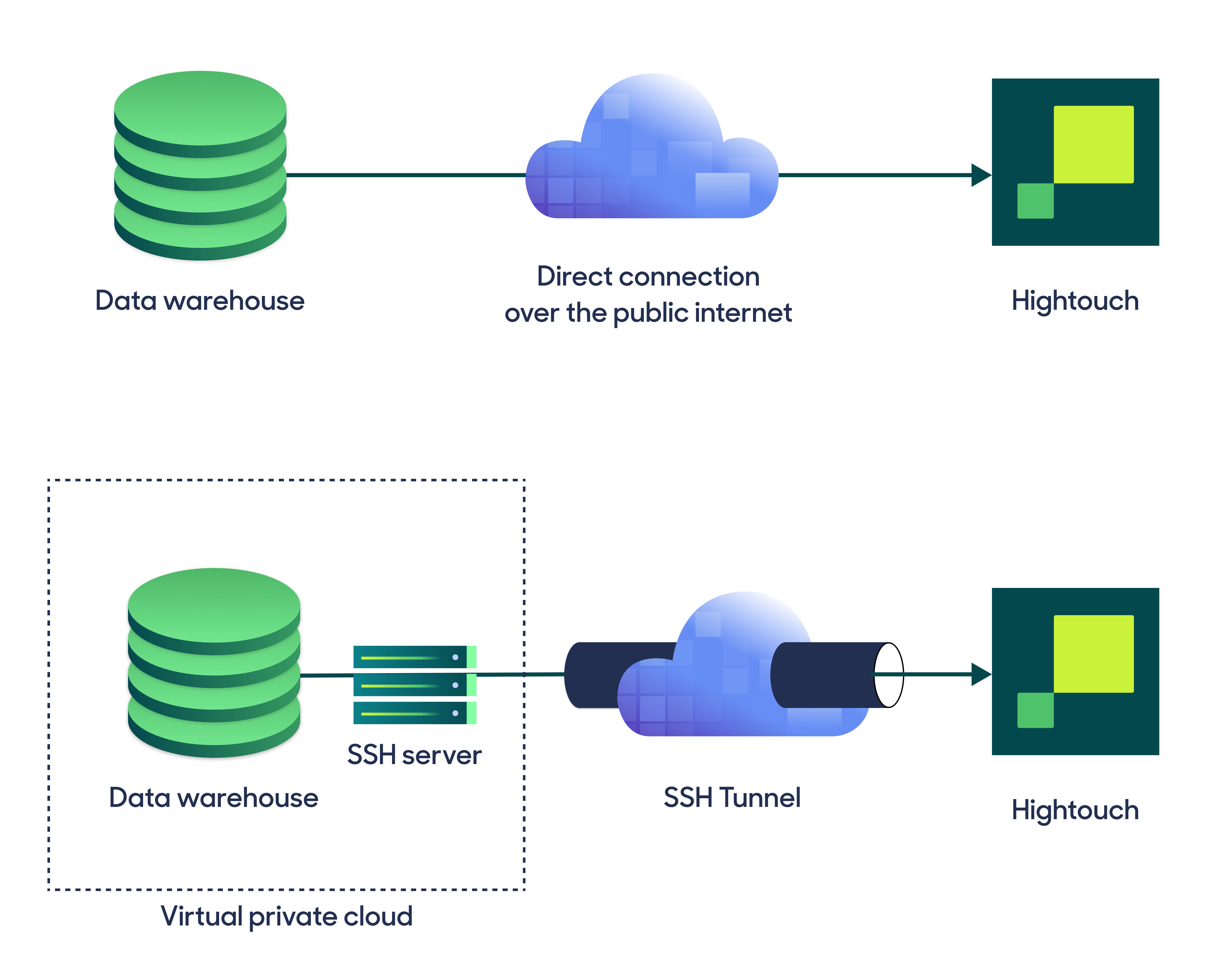
Configure your source
Enter the following required fields into Hightouch:- Host: The hostname or IP address of your MySQL.
- Port: The port number of your MySQL. The default is 3306, but yours may be different.
- Database: The name of the database in your MySQL.
Provide your credentials
Enter the following fields into Hightouch:- User: This can be your personal MySQL login or a dedicated user for Hightouch.
- (Optional) Password: The password for the user specified above.
Test your connection
When setting up MySQL as a source for the first time, Hightouch validates your credentials and access to your database. Once the test passes, click Continue to finish setup.Create models
Once your source configuration has passed the necessary validation, you’ve completed setting up MySQL as a source. Next, you can set up models to define which data you want to pull from MySQL. The MySQL source supports these modeling methods:- writing a query in the SQL editor
- using the visual table selector
- leveraging existing dbt models