

Overview
Hightouch lets you send data from your warehouse into Google BigQuery to join it with Google’s Ads Data Hub. Connecting Hightouch to BigQuery requires some setup in both platforms. It’s recommended to set up a service account with the correct permissions in BigQuery before configuring the connection in Hightouch.Supported syncing
BigQuery credential setup
Create a project and enable BigQuery API
- Login to the Google Developers Console.
-
Configure the Cloud Platform:
- If you don’t have a project already, create one.
- Once you have a project, enable the BigQuery API for it.
- Copy your Project ID for later use.
-
Find the location of your BigQuery dataset or sets. You can find this by querying the
INFORMATION_SCHEMA.SCHEMATAview or by visiting the Google Cloud web console and clicking on a BigQuery dataset in the Explorer panel. You need both Project ID and Data location when connecting Hightouch to BigQuery.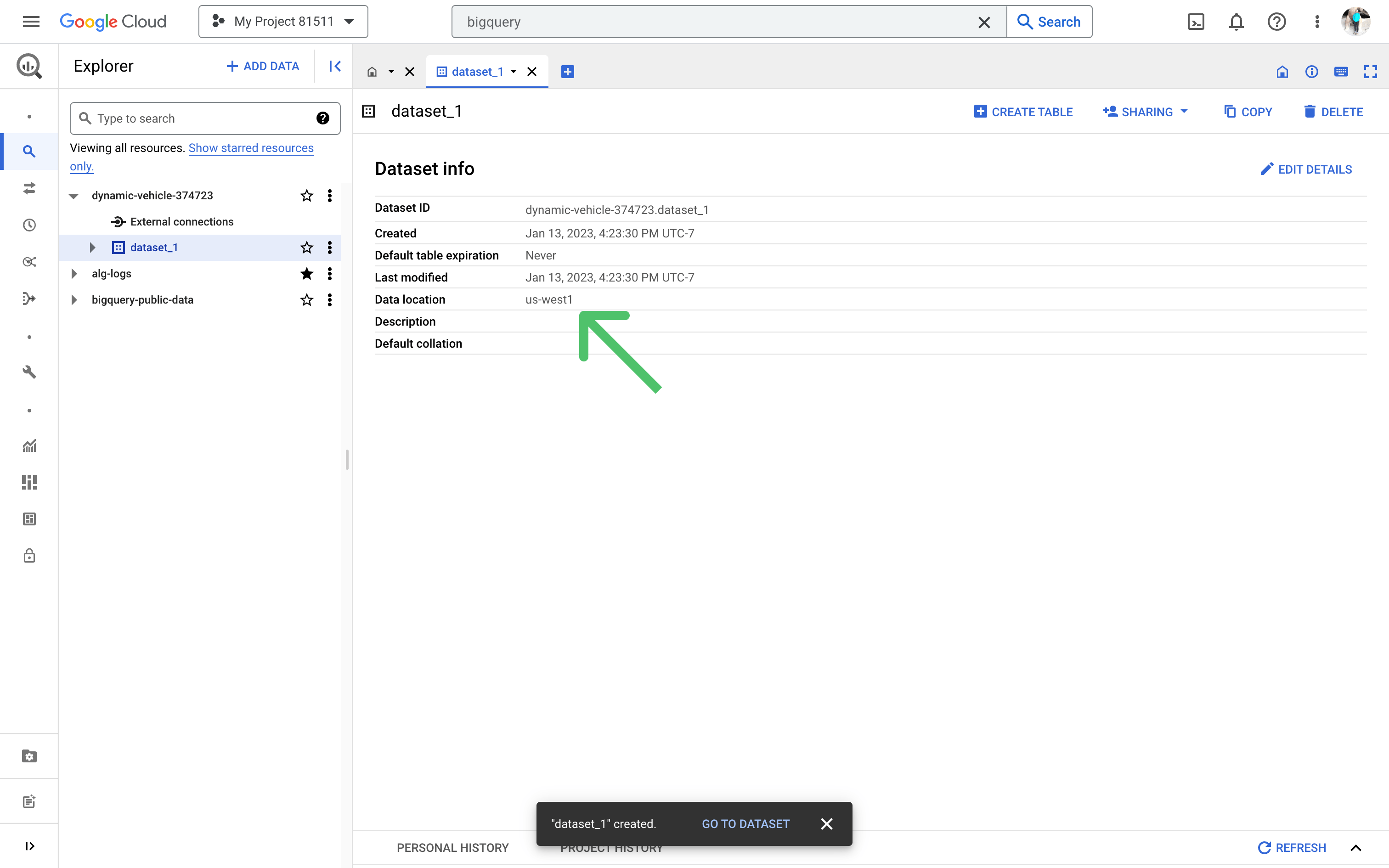
Make sure billing is
enabled on
your project, otherwise Hightouch can’t write into the cluster.
Create a service account
To create a service account, follow the setup instructions in our Google Cloud Platform (GCP) documentation.
Grant access
Your GCP service account will need permission to read and write data to BigQuery.
You can set up your service account to have full access to your project using a predefined role.
Otherwise, you can create a custom role and provide limited access according to a user-specified list of permissions.Grant permission to read data from tables and views:Grant permission to write data to tables and views:
Grant full access
You can grant full access by assigning thebigquery.user, bigquery.dataViewer, and bigquery.dataEditor roles to your service account.
You can do this in the Google Cloud web console or by running these snippets in the Cloud Shell.Grant permission to read metadata and list tables:Grant limited access
If you don’t want to grant full access to your BigQuery service account, you can opt to grant limited access instead. You can do this by assigning thebigquery.dataViewer and bigquery.dataEditor roles only to the specific datasets, tables, or views you want to use in Hightouch.Since you are assigning these roles only to specific resources, you need to assign the bigquery.user role and grant the bigquery.tables.get permission at the project level.
For this, you can create a custom role in the Google Cloud web console based on an existing predefined role (bigquery.user), which you can name custom.bigquery.user.
When setting up the custom role, click Add permissions to add the bigquery.tables.get permission to this custom role.Then assign this role to your service account at the project level.
You can do this in the Google Cloud web console or by running this snippet in the Cloud Shell:Hightouch needs to be able to list the schemas and tables in your BigQuery
project when setting up your sync configuration.