

Overview
Sync to segments and events from your warehouse to Statsig to analyze product performance and run experiments.Supported syncing
For more information about sync modes, refer to the sync modes docs.
Connect to Statsig
Go to the Destinations overview page and click the Add destination button. Select Statsig and click Continue. You can then authenticate Hightouch to Statsig by entering your credentials. Enter the following fields into Hightouch based on the types of syncs you plan on creating:- Console API key: required for syncing segments
- Client-SDK API key: required for syncing events
Sync configuration
Once you’ve set up your Statsig destination and have a model to pull data from, you can set up your sync configuration to begin syncing data. Go to the Syncs overview page and click the Add sync button to begin. Then, select the relevant model and the Statsig destination you want to sync to.Segments
Sync data from any source to Statsig segments. Hightouch only supports syncing to the ID list segment type.Record matching
Hightouch matches rows from your model to Statsig segments by segment id. Select the model column that contains these values.Create a segment
To create a new segment list, select Create a new audience. You can provide a name for this segment, or Hightouch defaults to the name of the model used to create the sync. Then, select the ID type of the segment list you want Hightouch to create. Hightouch supports user ID and stable ID types. You can change the ID type to a custom ID on the segment’s page in Statsig.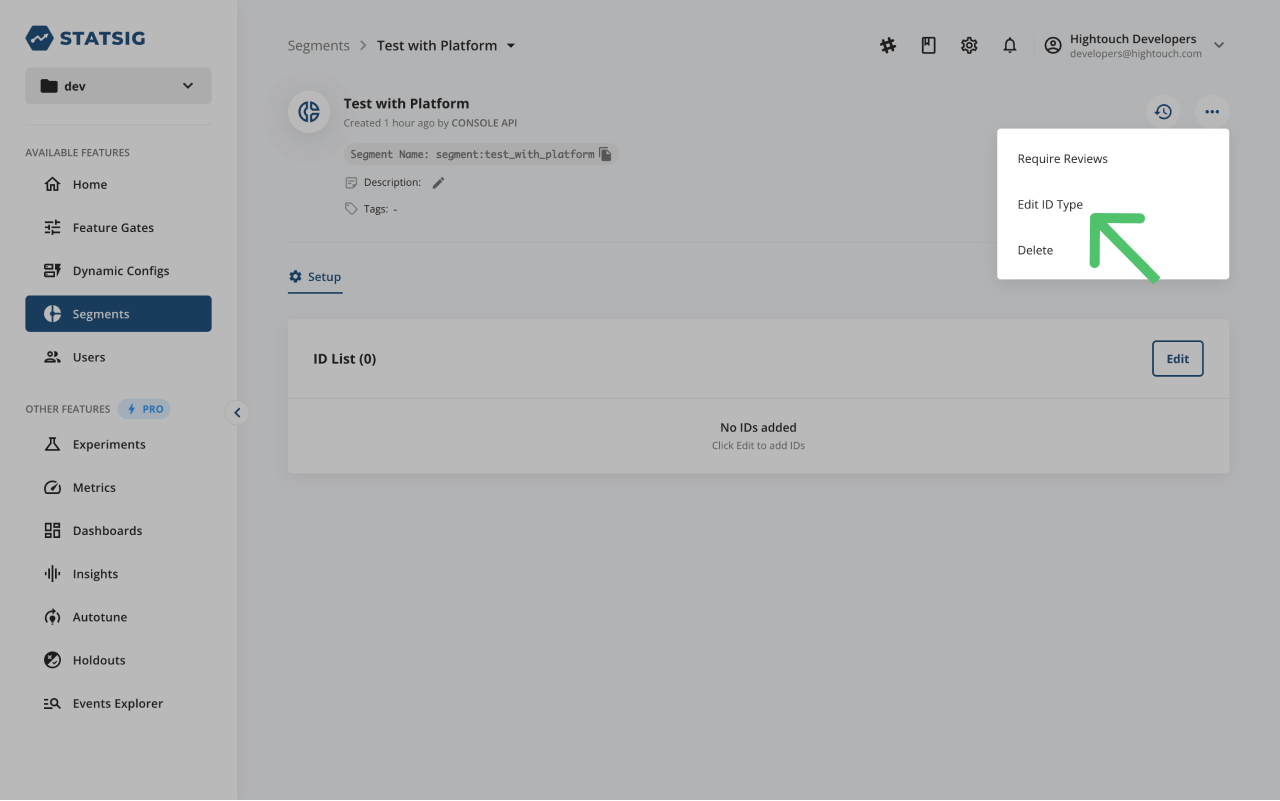
Use an existing segment
To use an existing segment list, select Use existing segment. You can select any of your existing Statsig segments from the drop-down select menu. All available options are of the ID list type.Events
Sync data from any source to events in Statsig.Statsig’s event explorer requires you to be on a Pro Plan. You won’t be able to view events you send via Hightoucht in the Statsig app without it.
Event name
Providing an event name is required to log an event in Statsig. You can either provide a static value or select to use a column from your model.Event timestamp
You can optionally select a column that contains timestamps of when events occurred. If this field is empty, Hightouch uses the time the event arrives at the server. Hightouch converts anyDateTime values from your source to Unix timestamp as expected by Statsig.