

Overview
You’ve recently built a great digital experience but need to gather information to improve upon the current iteration. How can you know what works and what doesn’t? With Hightouch’s FullStory integration, you can sync your most recent user properties data to better analyze who is interacting with your product and how. This allows you to make product improvements driven by meaningful data and optimized to enhance retention rates.Supported syncing
For more information about sync modes, refer to the sync modes docs.
Connect to FullStory
Go to the Destinations overview page and click the Add destination button. Select FullStory and click Continue. You can then authenticate Hightouch to FullStory with your FullStory API key. You can find your API key within your FullStory account by clicking the dropdown button on the top left of the page, and opening Settings > API Keys under the Integrations section.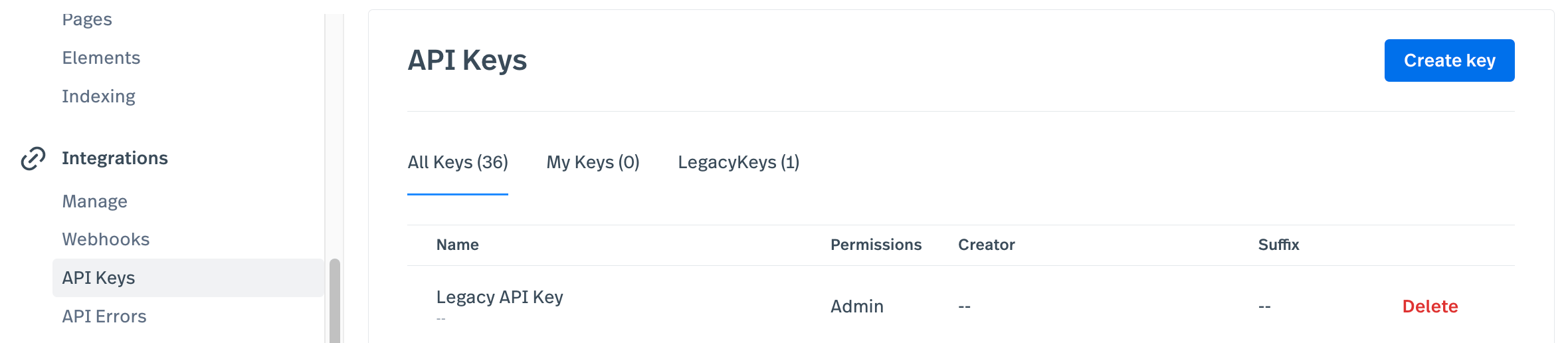
Sync configuration
Once you’ve set up your FullStory destination and have a model to pull data from, you can set up your sync configuration to begin syncing data. Go to the Syncs overview page and click the Add sync button to begin. Then, select the relevant model and the FullStory destination you want to sync to.Users
Sync data from any source to Users in FullStory.Record matching
Hightouch matches rows from your model to FullStory users by User ID. Select the model column that contains these values.Field mapping
You can sync columns from your source to the following FullStory user fields:- Display Name
Custom mapping
You can sync to existing FullStory custom fields or create them via field mapping. When entering new custom fields, ensure the field is named using the patternident_type,
where ident is a sequence of alphanumeric characters A-Z, a-z, or 0-9 and type is a short suffix that denotes the field type. Custom field names must start with an alphabetic character (A-Z or a-z).
Example acceptable field names includes nickname_str, PasswordResets_int, and amtAbandonedInCart_real.
Refer to the FullStory docs for more details.
Delete behavior
Hightouch can only clear fields of type
_str, _real, and _int. Hightouch sets the
cleared result of _str field type to an empty string ("") and the
cleared result of _real and _int to 0.