Emarsys is a premium destination and is only available on Business tier plans.
Setup
Hightouch supports two ways to authenticate with Emarsys:- OpenID Connect (recommended): uses a client ID and client secret with the Emarsys v3 API.
- WSSE: uses a username and API secret with the Emarsys v2 API. Emarsys is retiring WSSE authentication. It stops supporting WSSE on February 1, 2027, and may turn off WSSE-based APIs at any time after that date.
OpenID Connect
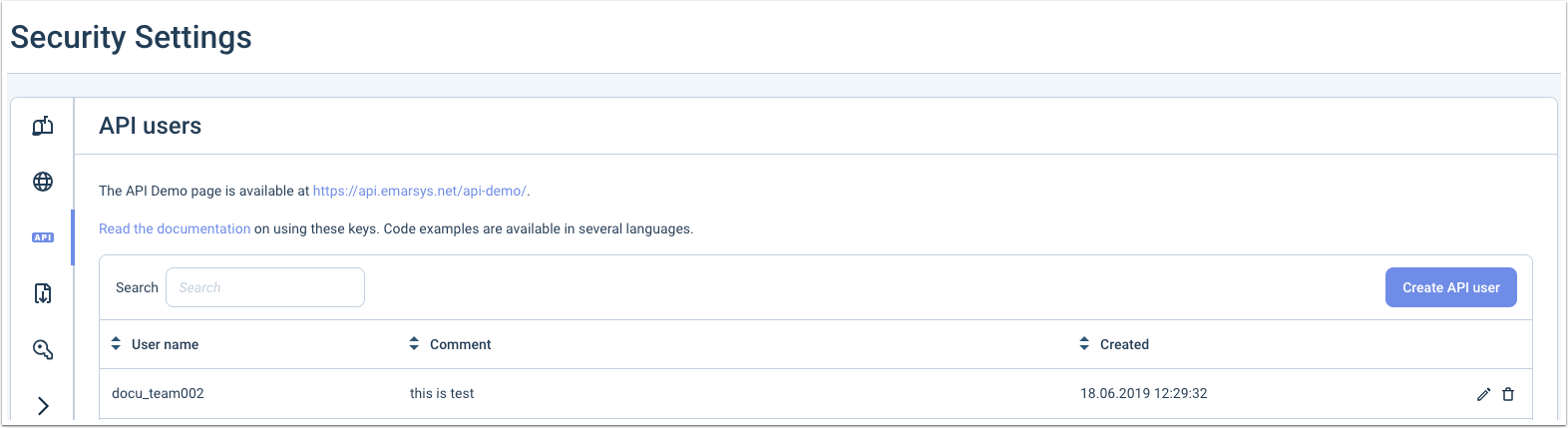
An Emarsys account owner can create OpenID Connect API credentials under Management > Security Settings. Copy the client ID and client secret into Hightouch. OpenID Connect credentials always use the default Emarsys API host,api.emarsys.net, even if your account is on a regional instance.
WSSE
You will need your username, usually in the format ofaccount_name00X where X is a digit, and the API secret.
To get the API secret, you can create a new API user for Hightouch under Management > Security Settings.
suite6.emarsys.net) in the API host field. Leave it blank to use the default, api.emarsys.net.
Endpoint permissions
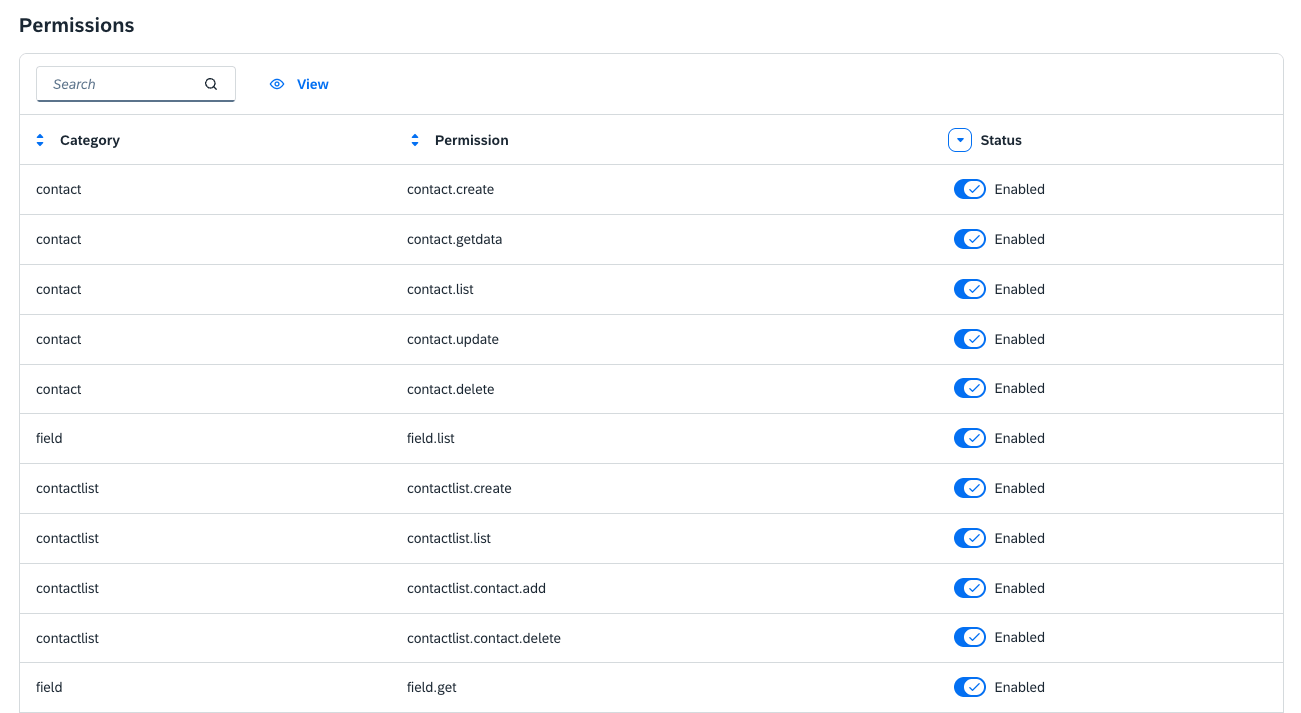
Whichever authentication method you use, you need to enable the necessary endpoints for your API credentials. The endpoints Hightouch requires depend on how you configure your syncs.Always required
field.get— Used during the connection test and to load available contact fields for mapping. Without this endpoint enabled, the connection test will fail with a 403 error.
Contact syncs
contact.create— Required for upsert sync mode (creates new contacts).contact.update— Required for upsert and update sync modes.contact.delete— Only required if you plan to remove contacts when data leave your warehouse.
Contact list syncs
contactlist.list— Required to load available contact lists for selection.contactlist.contact.add— Required to add contacts to a list.contactlist.contact.delete— Only required if you plan to remove contacts from a list.contactlist.create— Only required if you plan to create new contact lists from Hightouch.
Syncing
Hightouch supports syncing contacts and contact lists.Sync modes
Here are the possible modes for the Emarsys contacts:- Upsert: pushes new contacts to Emarsys and updates existing contacts with the fields that change in your warehouse.
- Update: updates particular fields on existing contacts in Emarsys. It doesn’t add new objects.
Record matching
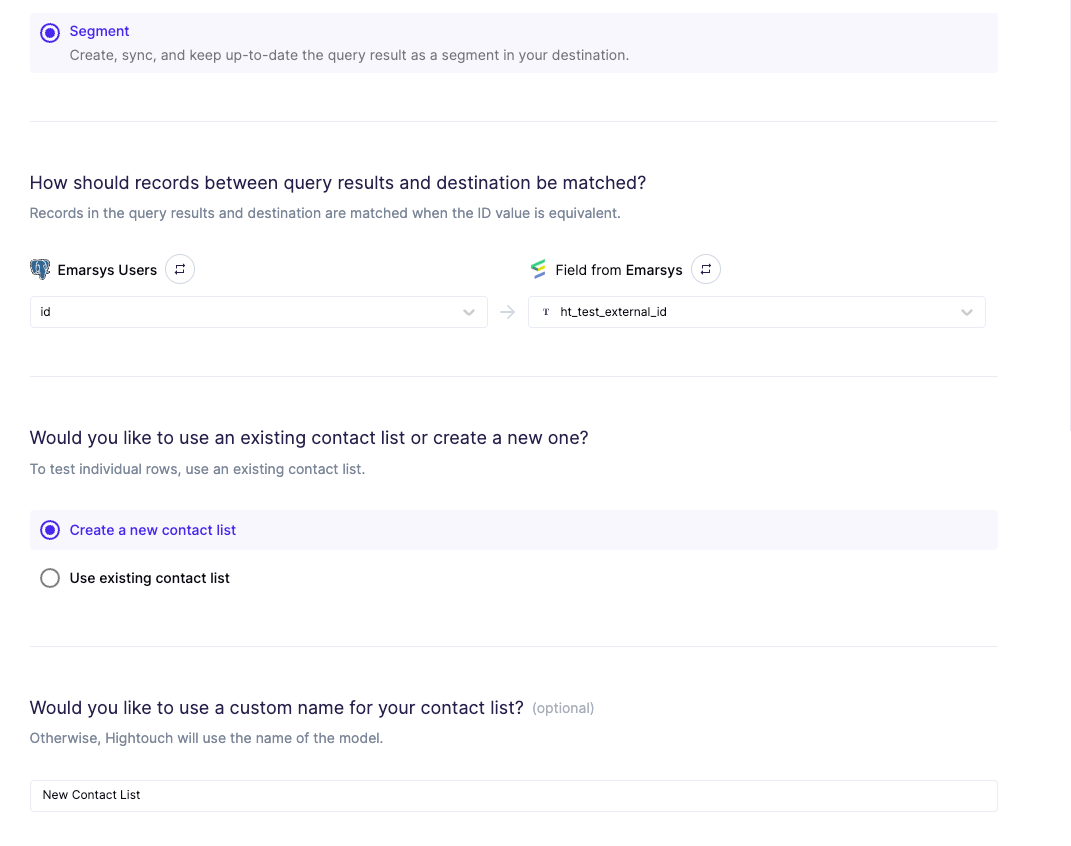
Records can be matched from your source to Emarsys by any default and custom fields. However, it’s important to make sure that the field you are using is unique to ensure the best results. For example, Emarsys will throw an error if it detects duplicate values in an attempt to update or remove a batch of contacts. We recommend usingemail or creating a custom unique field, like an external_id (make sure to set it as unique).
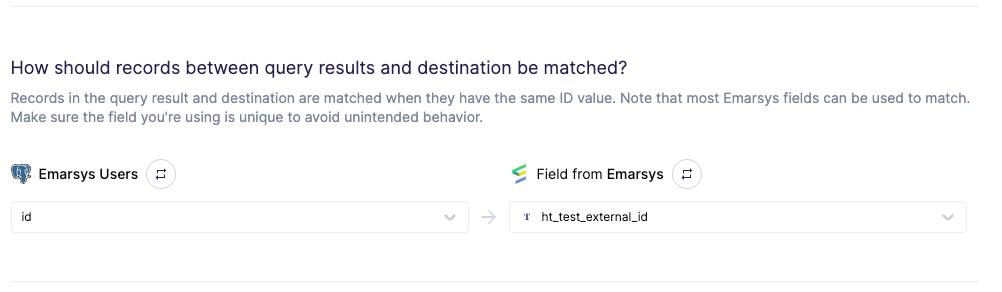
Fields mapping
You can also map to any updatable fields in Emarsys, including your custom fields.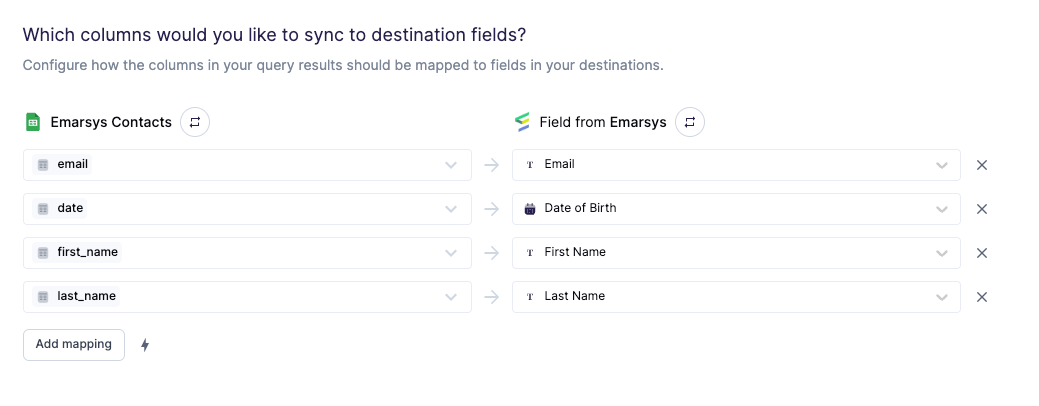
- The Emarsys API uses the field’s ID when making requests so if you need to use the JSON editor, you will not see any named fields. Instead, you will only see the field ids. You can use this table to cross reference the field ids. You can also view your settings to reference your custom fields.
- Any fields with a date type are formatted: YYYY-MM-DD. You can have your date values be a string in this format (for example, “2020-11-30”).
- You must use the Emarsys accepted values for any choice fields (that is,
gender,title, etc.).
Debugging
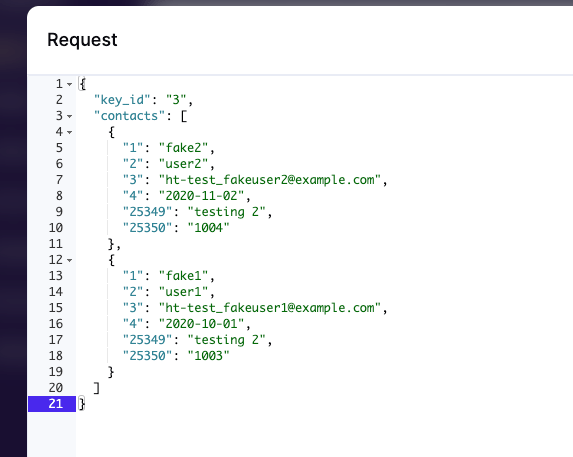
Similarly to the fields mapping in the sync configuration, the request will only show the fields’ ids unless it’s Emarsys’ internalid and uid.
Please refer to this table and your custom fields settings to cross reference
the ID to the field’s name.