

Overview
The ServiceNow Platform is a scalable cloud service that offers a range of applications, workflows and processes. Sharing common architecture and data, the platform incorporates a variety of ready-made suites catering for specific business areas.Supported syncing
For more information about sync modes, check out the sync modes docs.
Connect to ServiceNow
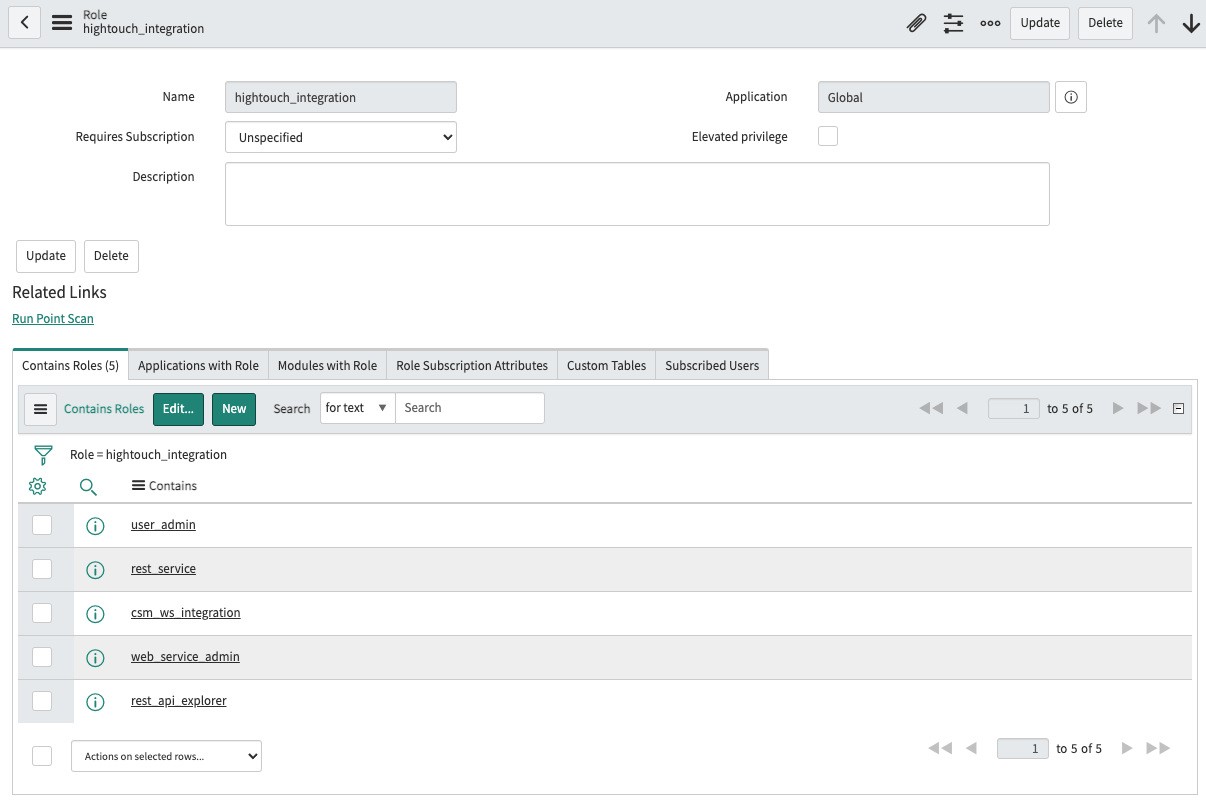
Go to the Destinations overview page and click the Add destination button. Select ServiceNow and then enter the name of your ServiceNow instance and credentials for an integration user. Your integration user should have the following roles:rest_serviceweb_service_adminrest_api_explorer- Read access to the
sys_db_objecttable - Read access to the
sys_glide_objecttable - Read access to the
sys_dictionarytable - Create/Write/Read access to the table being synced to
Syncing data
Once you’ve set up your ServiceNow destination and have a model to pull data from, you can set up your sync configuration to begin syncing data. Go to the Syncs overview page and click the Add sync button to begin. Then, select the relevant model and the ServiceNow destination you want to sync to.Record matching
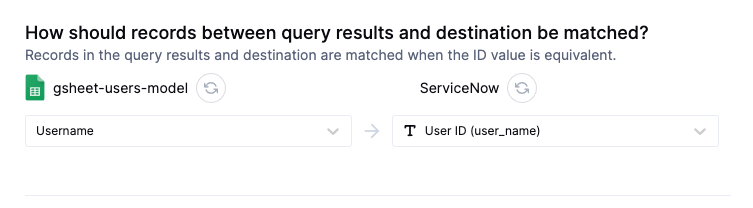
You can match records from your source to your ServiceNow instance using any unique field in ServiceNow. This can be a custom field or an out-of-box field, as long as it’s guaranteed to be unique. If the selected field isn’t unique, the incorrect record may be updated. If you’re using thesys_id field, the value from the source must be a 32-character, lowercase, alphanumeric string.
Field mapping
You can also sync columns from your source to any of the fields in the selected ServiceNow table.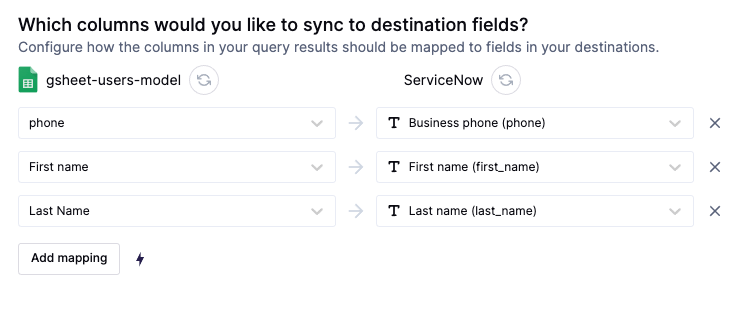
Tips and troubleshooting
To see the exact API requests and responses from each sync run, use the live debugger. To get notified by Slack, PagerDuty, SMS, or email when a sync fails, set up sync alerts. If you run into an issue this page doesn’t cover, .Maximum exection time exceeded
ServiceNow has some default request limits that can be configured in theTransaction Quota Rules (sysrule_quota) table.
If you’re seeing Transaction cancelled: maximum execution time exceeded try decreasing the batch size in your sync configuration, or increasing the timeout duration of REST Batch API request timeout and REST Table API request timeout in the Transaction Quota Rules table.