

Overview
With the Asana destination, Hightouch can upsert or update tasks, or update projects. For the task object, the destination supports:- Upsert: Upsert mode creates new tasks and updates existing tasks based on an external ID.
- Update: Update mode updates existing or newly created tasks based on the Asana GID. The update mode can also update tasks created with Hightouch using the external ID.
- Update: Update mode updates existing projects based on the Asana GID.
Setup
Connect Asana via OAuth by granting permission to the Hightouch Asana Connect app.
Tasks
Upsert
Hightouch can upsert tasks based on an external ID in Asana. This means it will update the task in Asana if it was previously created by Hightouch, otherwise it will create a new task. The external ID is unique to Hightouch thus in this mode it will only update tasks created via Hightouch.Update
Hightouch can update tasks based on the Asana GID. Hightouch can also update tasks based on an external ID if the task was created using Hightouch.Projects
Hightouch can update projects on the Asana GID. Unfortunately, Hightouch can’t upsert projects or update based on external ID because Asana doesn’t yet support external metadata for objects other than projects.Array properties
Array properties can be passed to Asana by returning the data as either a comma delimited string or an array in your SQL query. Examples of array properties are:- Tasks: projects, followers, tags
- Projects: followers
taskFollowerscontaining a string such as '1199948419683571,1185085322202311' can be mapped to the followers field of tasks in Asana.

- Add all followers that are present in
taskFollowersand not present in Asana - Remove all followers that are present in Asana and not present in
taskFollowers.
Subtasks
Asubtask is an Asana task object that is associated with a parent task object.
To create a subtask, select the column from your source that references parent tasks, then map it to the parent field in
the Mappings section.
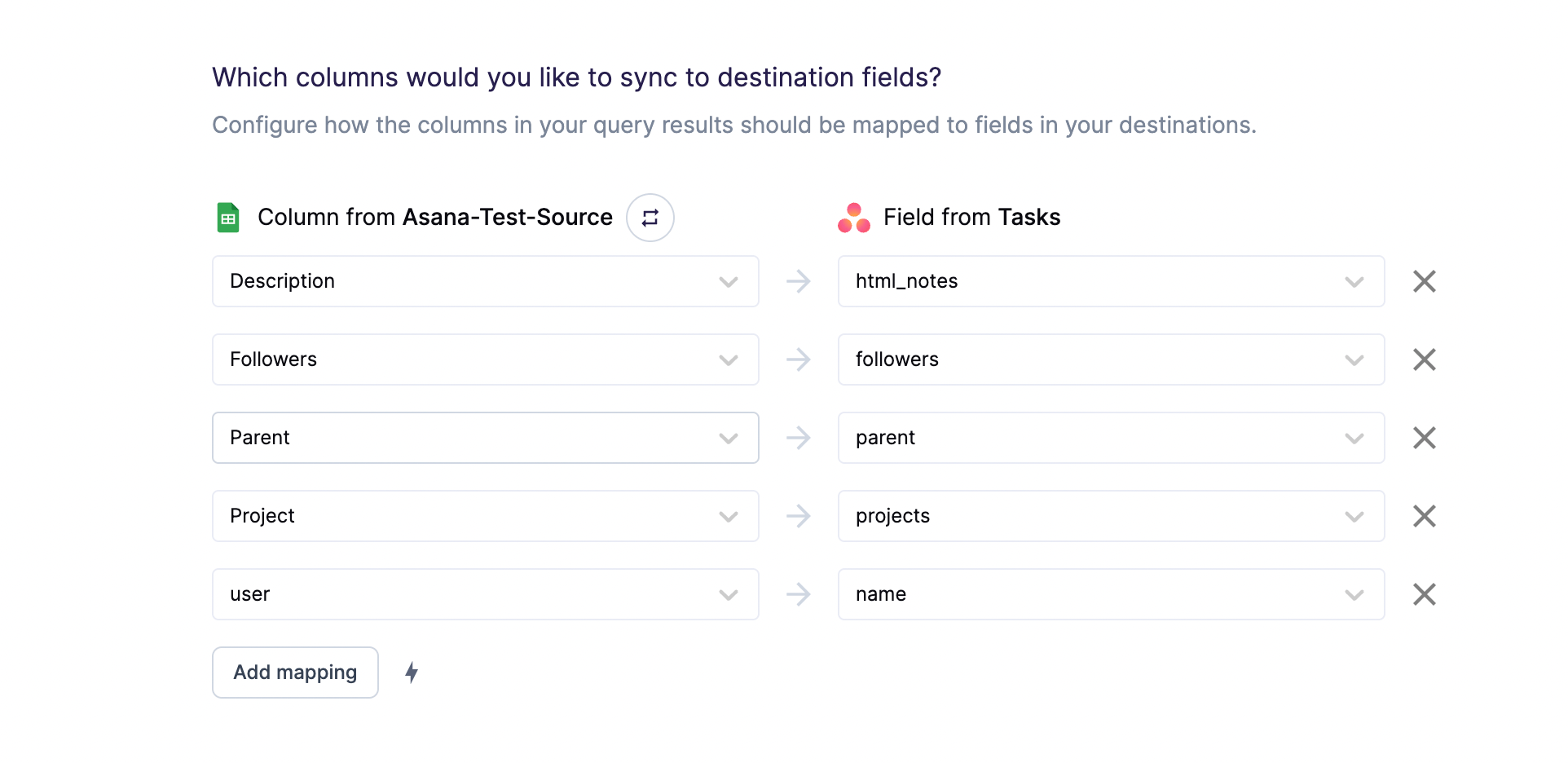
parent task either by the external ID or the Asana GID. The external ID or the Asana GID should
be a string. Not passing any value in for the parent field will remove an existing parent-subtask association - the task will simply be considered a normal task instead of a subtask.
Custom fields
Custom fields are complex in Asana because they can be associated with both tasks and projects, and they can be restricted to only tasks in certain projects. To start, Hightouch supports custom fields that are available on a workspace level, which can be done by adding the field to the workspace’s field library in Asana.
Delete behavior
For the task object, you can choose what Hightouch’s behavior is when rows leave your query results. The default is doing nothing. In Upsert mode, you have the following options:
In Update mode, you have the following options: