

Before you begin
- A saved sync.
Schedule types
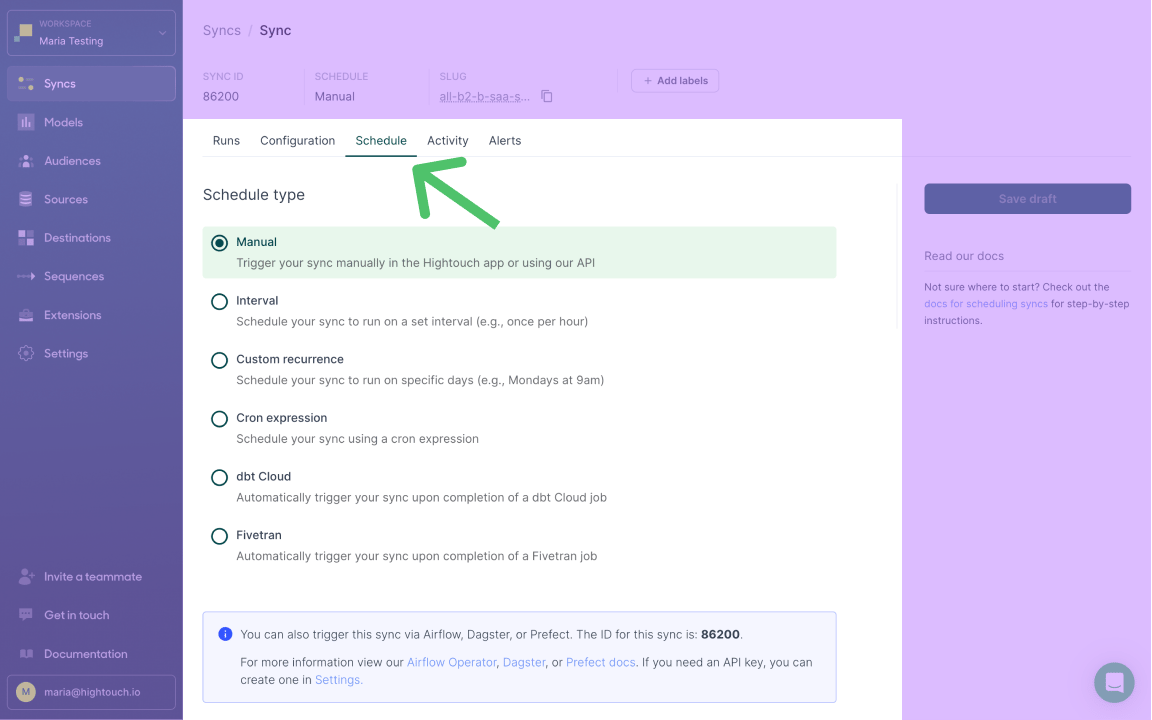
Choose the schedule type that matches how the sync should be triggered:Manual runs
A Manual sync runs only when something triggers it. Click Run on the sync’s page to start a run.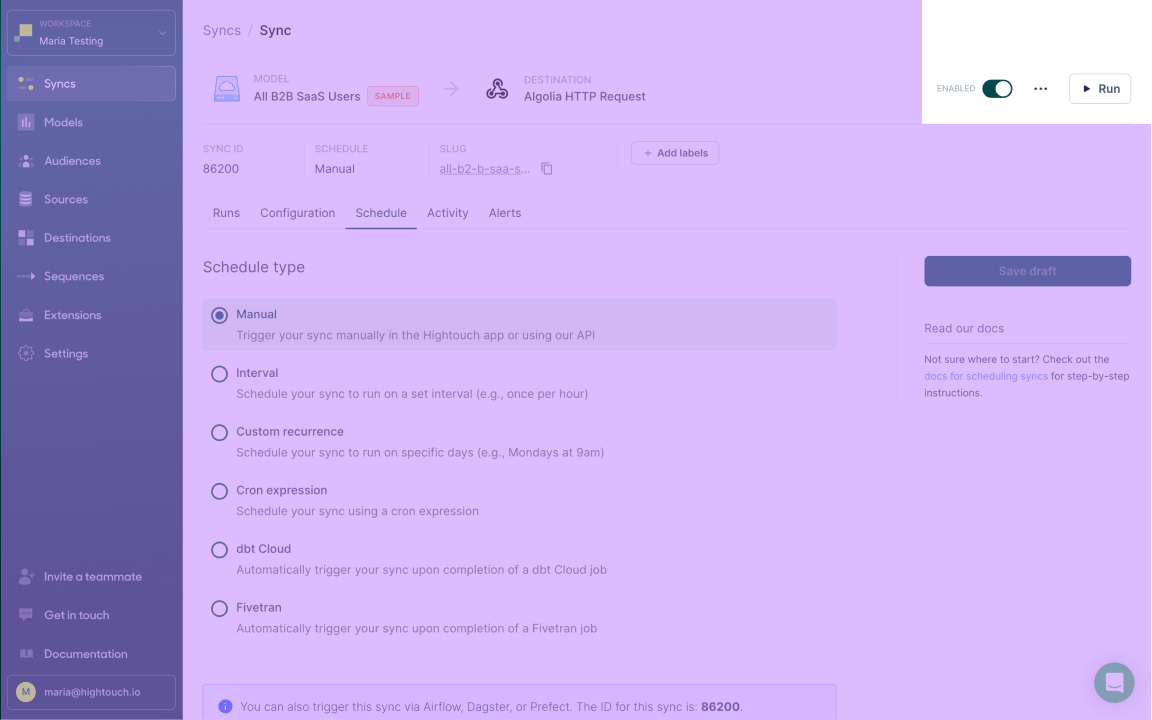
Interval schedules
Run the sync every n minutes, hours, days, or weeks.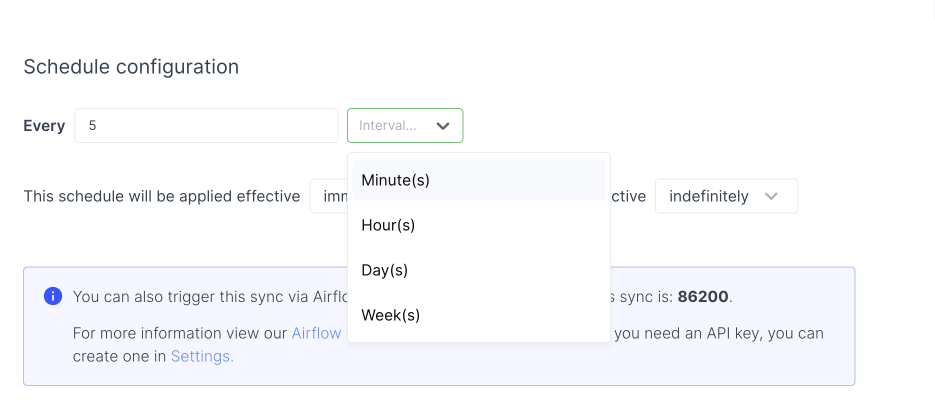
Custom recurrence schedules
Run the sync on specific days and times in your local timezone. Click Add recurrence to add each day and time.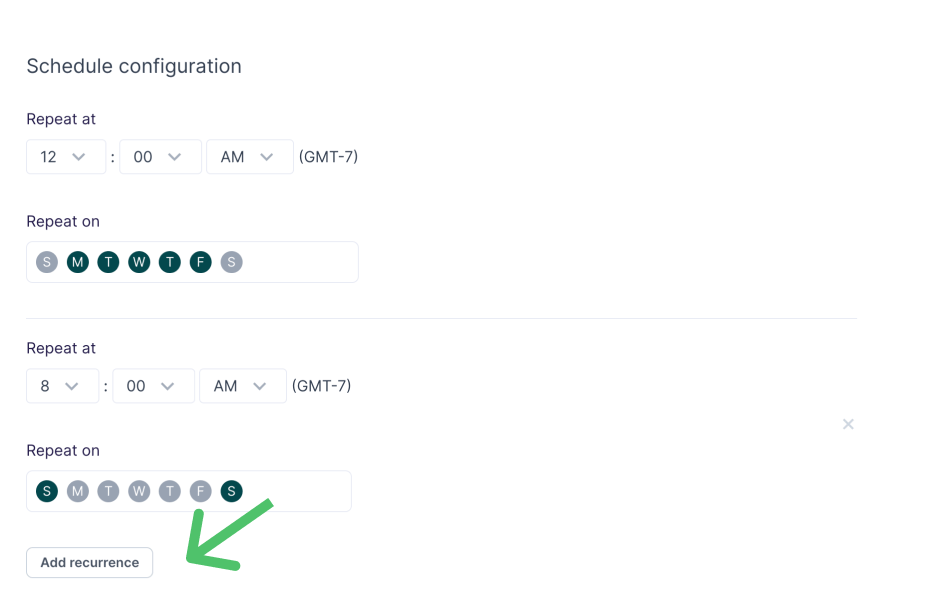
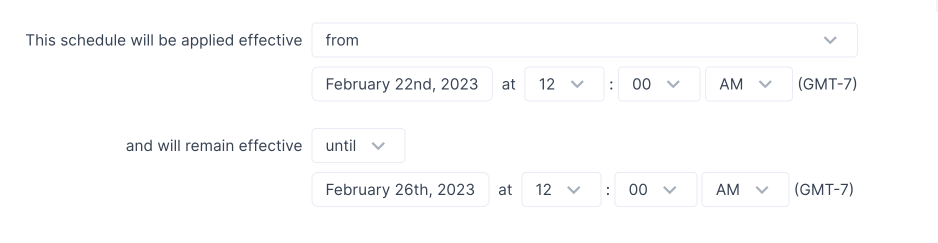
Set when a schedule starts and ends
Scheduling a start and/or end time is only available on Business tier plans.
Cron expression schedules
Schedule the sync with a cron expression when you need precise control. Use five fields, not six: the smallest interval Hightouch supports is one minute, not one second.
Use a cron expression generator to build an expression that fits your needs.
dbt Cloud
Run the sync when a dbt Cloud job finishes. See trigger a sync with dbt Cloud for setup. Scheduling with dbt Cloud requires a paid dbt plan.Fivetran
Run the sync when a Fivetran job finishes. See trigger a sync with Fivetran for setup.Verify the schedule
After you save, the sync’s page shows its schedule and the next scheduled run. Confirm the next run time matches what you expect, remembering that UI times are local and cron is UTC. To confirm the sync itself works, click Run and check the result in the live debugger.Tips and troubleshooting
Daylight Saving Time (DST)
Daylight Saving Time affects schedules differently depending on the schedule type:- Cron expression schedules are evaluated in UTC, so the UTC run time stays fixed while the local wall-clock time shifts by one hour when DST starts or ends.
- Custom recurrence schedules run at the local time shown in the UI, so they follow the wall-clock time through DST changes.
- Define your SLA in UTC and keep the schedule fixed.
- Accept a one-hour local-time shift, and monitor the sync around DST transitions.
- For a strict local time year-round (for example, 7:00 AM local), use an external timezone-aware scheduler and trigger the sync with the REST API. Common options include Airflow, Dagster, Prefect, a cloud scheduler, or your own application scheduler.