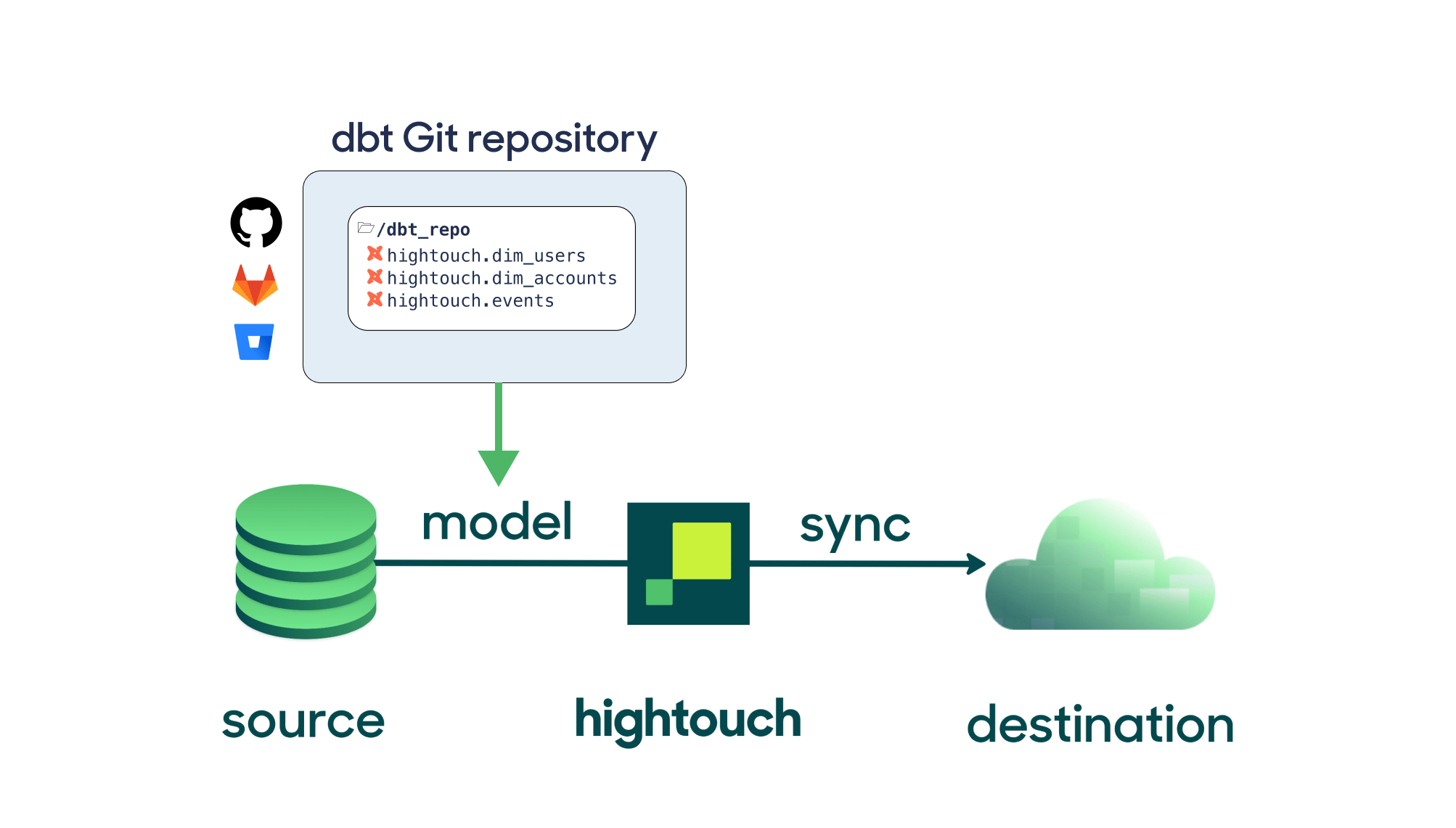
Now you can sync models from dbt Cloud.
This extension requires a paid Hightouch plan
Supported dbt versions
Hightouch supports dbt Core 1.10 and newer. You can set the version on the dbt setup page. If you need support for a version not listed, .If you update your dbt version, return to Hightouch to update your dbt version selection. Once you’ve made the update, it may take up to 15 minutes for the changes to take effect.
Connect to your Git repository
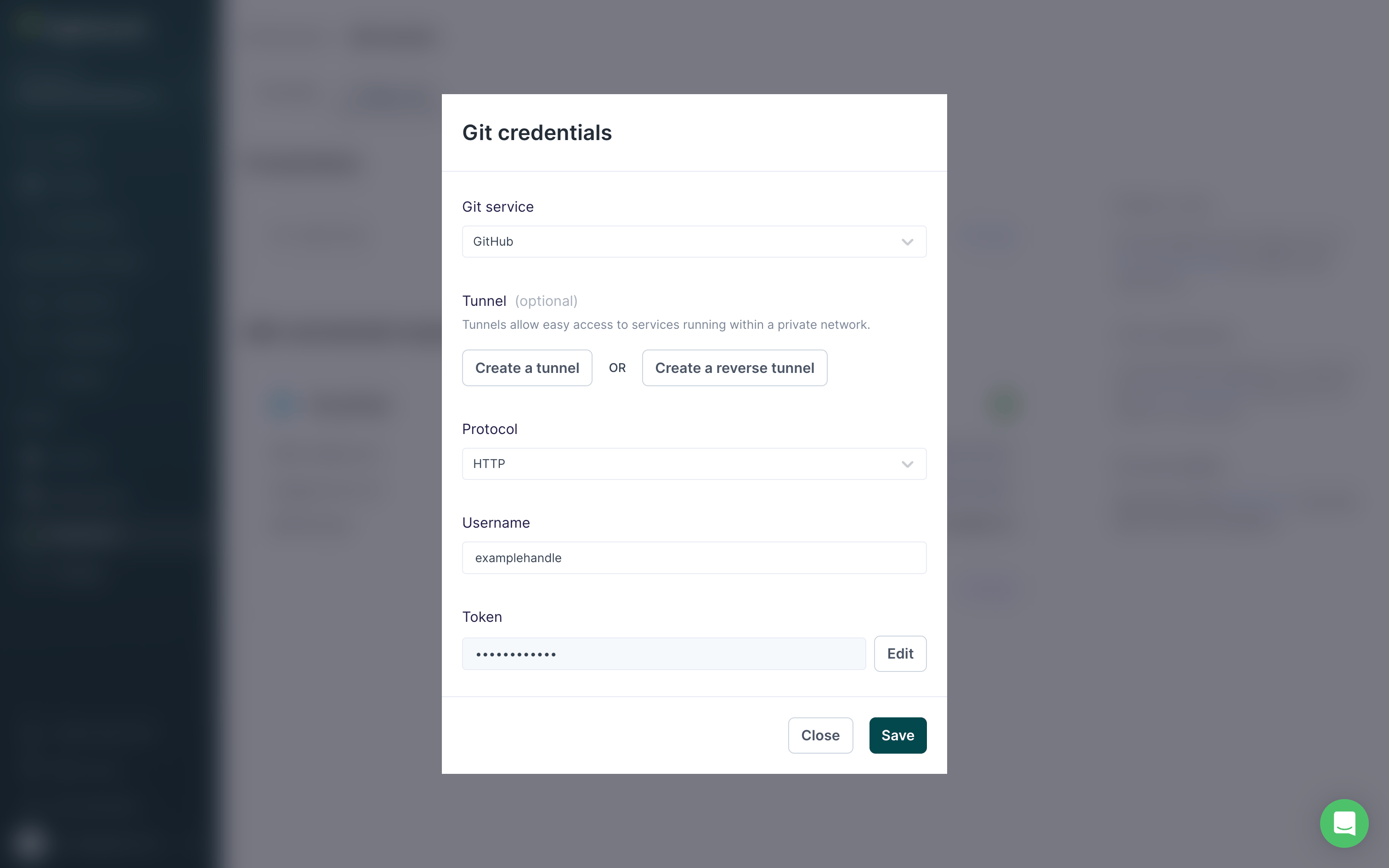
Navigate to the dbt extension configuration page and enter your Git credentials under Credentials. If you’re using GitHub, it’s best to use Hightouch’s GitHub App for the most up-to-date feature support. To set it up, choose GitHub App as the Git Service, and then select Configure GitHub App.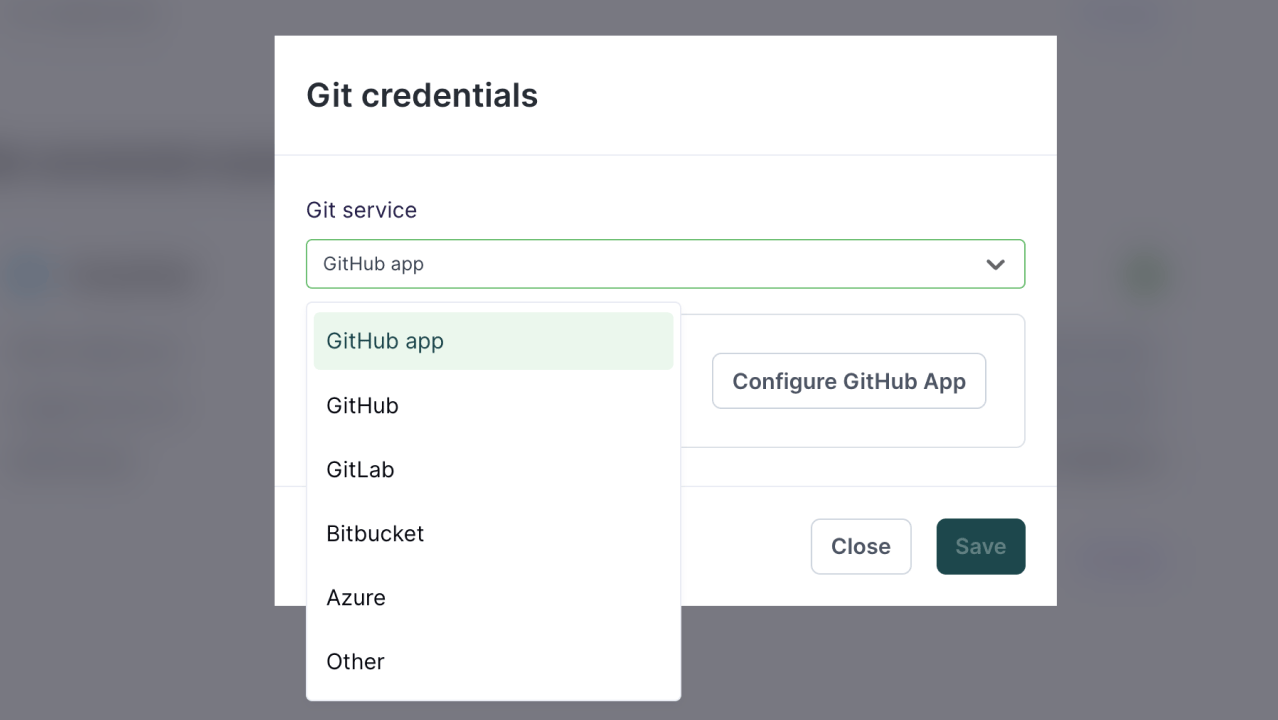
Connecting a source
You can use dbt models and analyses from your Git repository for any source in Hightouch. On the extensions configuration page, there is a list of sources from your workspace within Hightouch that can be connected to dbt models. Choose one that you would like to configure and click “Connect to dbt.”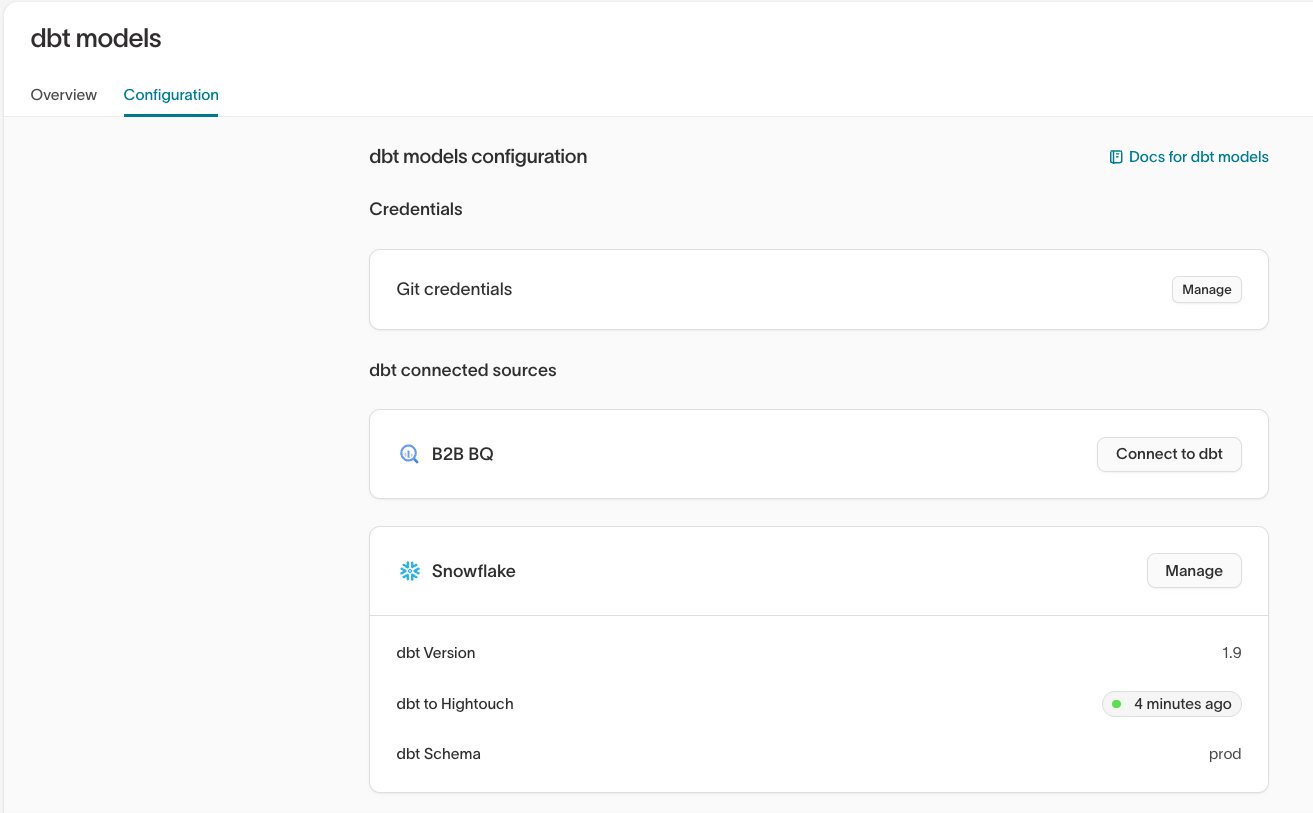
Configure dbt model selector
The default schema is the schema where dbt materializes your tables to unless otherwise specified in project file. Some common examples arepublic, production, dbt_production.
Hightouch lets you optionally specify dbt selectors like tag:hightouch. Otherwise, we use * and sync all dbt models to Hightouch.
You can also specify which version of dbt you want to use. By default, Hightouch uses the most recent version available in the drop-down menu.
Hightouch’s dbt integration automatically looks for your dbt_project.yml file in the repository directory. If your project file is named something else, for example, dbt_project.yaml, or you have multiple dbt_project.yml files, you can specify a relative path to your project file, for example, ./hightouch/dbt/dbt_project.yaml.
After saving your settings, it may take a one to two minutes for Hightouch to sync your dbt models and for the sync status to turn green.
Select a model
Once you’ve configured the dbt model selector, you can use dbt models and analyses in the Hightouch model creation process. Select the dbt model tab in the query explorer to view all your available dbt models and analyses.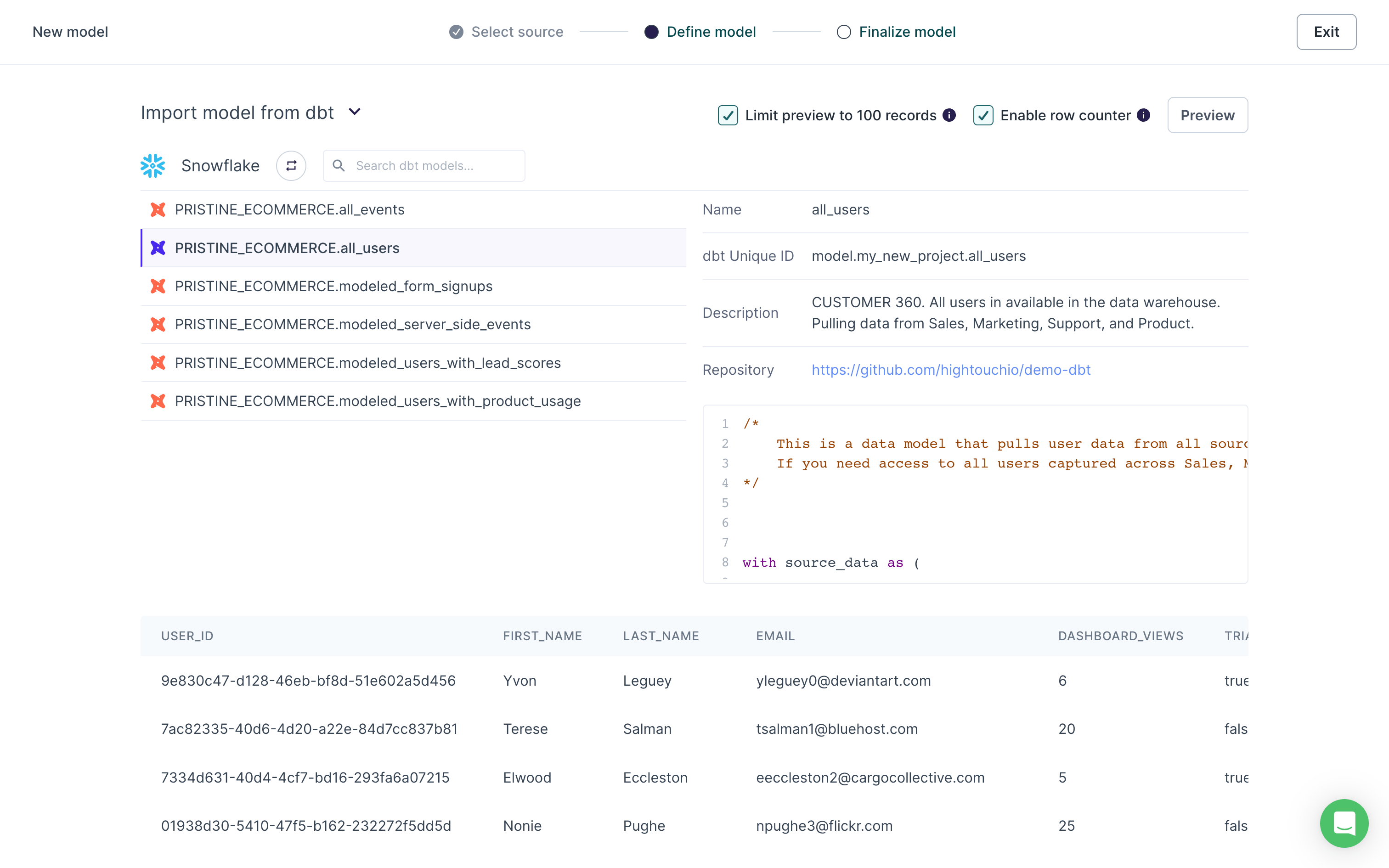
Model column descriptions
Hightouch pulls in column descriptions from dbt. You can see them in the Columns tab of a model’s overview page.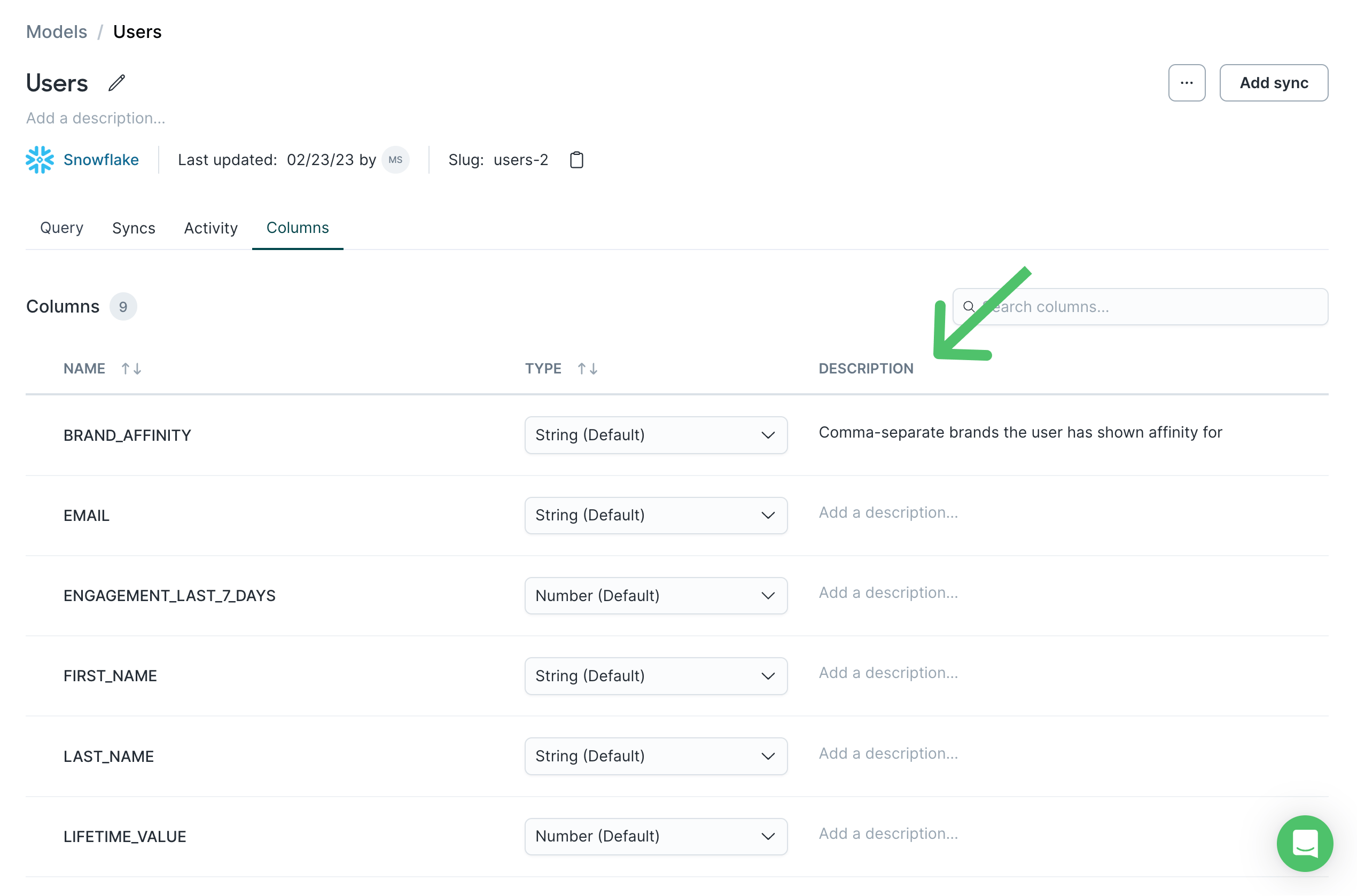
Unsupported features
Hightouch doesn’t support the following features:- Private dependency packages
- Pre- and post-hooks (limited support, this may work depending on the hook)
- Python models
dbt compile to resolve your data warehouse’s schema and generate compiled SQL for preview purposes. When running the model in Hightouch, we query the materialized table directly.
dbt model advantages
When deciding between Hightouch’s table selector and our dbt model selector, the advantages of leveraging dbt models might not be immediately clear, since many dbt models are often materialized as tables and views in a Source. However, there are a few key benefits of building Hightouch Models using the dbt model selector:- It provides a clean, information-rich modal with metadata about the underlying model, including its unique ID, description, and repository link.
- It allows you to automatically pull in column descriptions into Hightouch for data governance/organization.
- It allows you to leverage our dbt observability layer, which includes dbt exposures and CI checks.
- Not all dbt resources materialize as tables/views in the warehouse. For example, dbt analyses will not form tables/views at all.
dbt observability layer
Hightouch lets you validate dbt model changes as they relate to Hightouch syncs and observe how Hightouch syncs are using your dbt models. Check out our dbt observability layer documentation for more information.Tips and troubleshooting
If you run into an issue this page doesn’t cover, .Credential errors
If your Git credentials are out of date, you won’t be able to connect your dbt models and analyses. We recommend using Hightouch’s GitHub app for your credentials if you’re using GitHub.Duplicated mapping key error
You may receive aduplicated mapping key error under your dbt model sync status if there are duplicate keys in your dbt_project.yml file.
To resolve the error, you can either remove the duplicates or rename duplicated keys.
The YAML property file is missing a version tag
This dbt compilation error can occur if you use the same Git repository for Git Sync and dbt models sync. To solve this, make sure that you’re using two different Git repositories for these extensions. Otherwise, if you would like to use the same repository, you can specify a custom path in the Git Sync configuration.