

This extension requires a paid Hightouch plan
- Schedule Hightouch syncs to run as soon as a dbt Cloud job completes. Relying on dbt Cloud for sync scheduling ensures that Hightouch performs syncs when fresh data is available.
- Sync models from dbt into Hightouch
Connect to dbt Cloud
Open the dbt Cloud configuration page in your workspace and enter the dbt Cloud URL. Depending on your setup, you need to insert:- for regular dbt Cloud setups, a default access URL
- for accounts with cell-based account prefixes, you can find the custom unique access URL in dbt on the Account settings page (below the Account information pane)
https://cloud.getdbt.com, for the UShttps://emea.getdbt.com, for EMEA
A Member-level or higher service account token is required.
Read-only tokens are no longer supported because the dbt Cloud integration uses webhooks, which require elevated permissions.
Read-only tokens are no longer supported because the dbt Cloud integration uses webhooks, which require elevated permissions.
If you previously used a read-only dbt Cloud token, you must update to a Member token (or higher). Without this change, Hightouch syncs triggered by dbt Cloud will fail.
Configure sync schedules
When creating or modifying a sync you can select dbt Cloud as a schedule type.- Go the Schedule tab of overview page of the sync to schedule. Select dbt Cloud as the schedule type.
- Select the appropriate dbt Account and Job.
- Click Save.
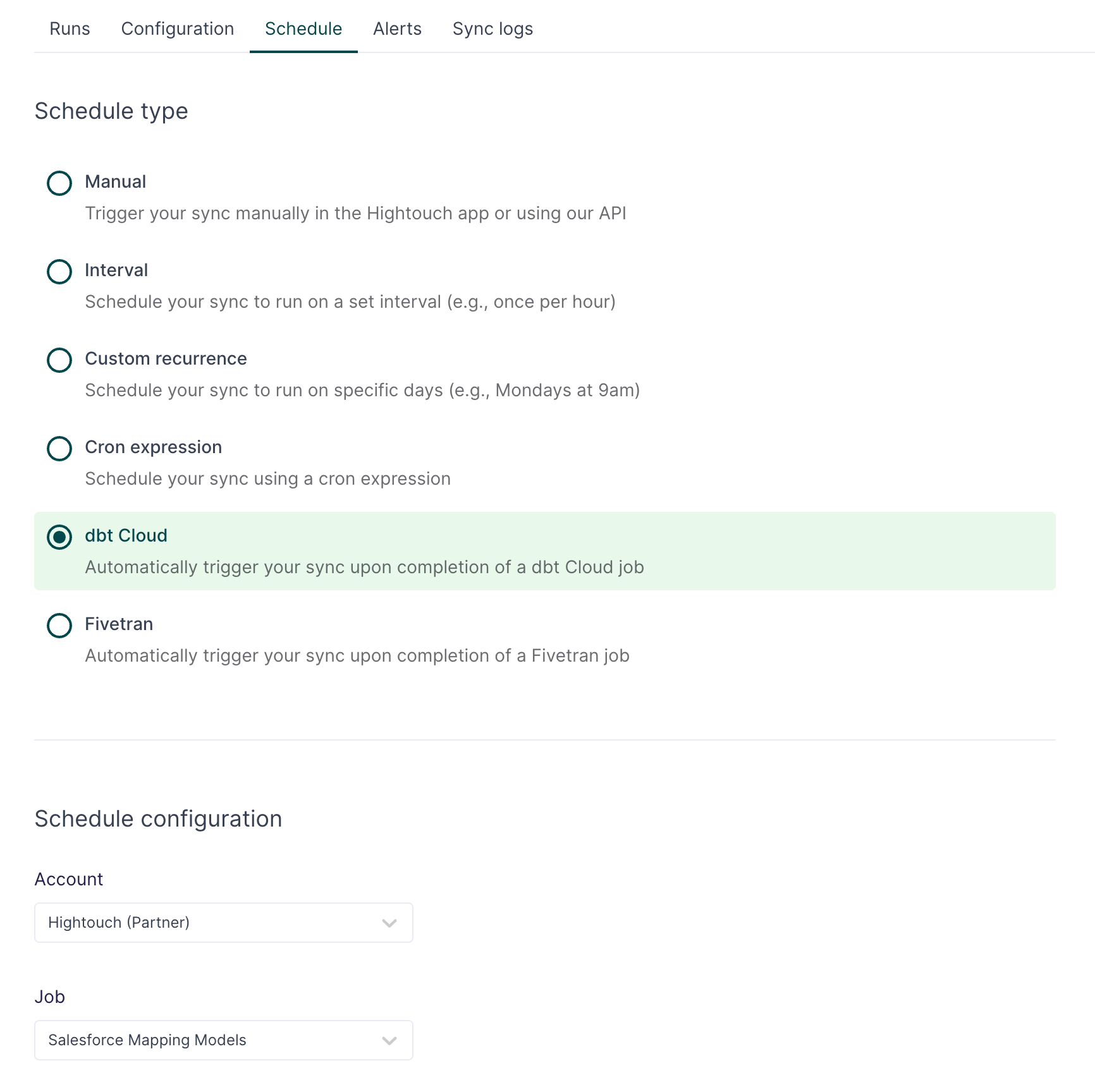
The sync won’t get triggered if your dbt Cloud job fails.
dbt Cloud model sync
To sync models from dbt Cloud to Hightouch, the extension requires a Member-level or higher service account token as described in the preceding section. A webhook ID should display next to your account status.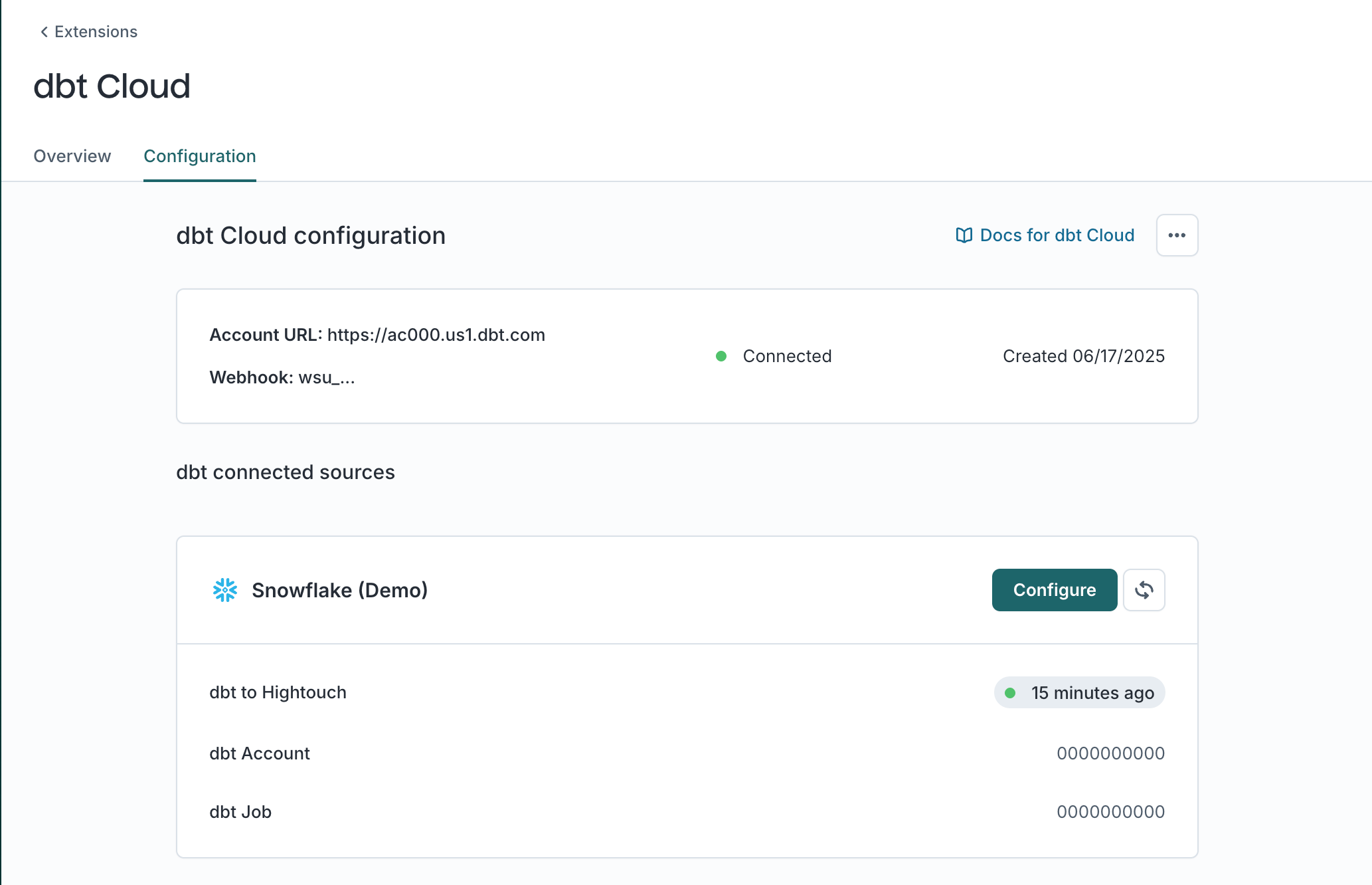
Connecting a source
On the extension configuration page there is a list of sources from your workspace within Hightouch that can be connected to dbt Cloud. Choose one that you would like to configure and click “Connect to dbt.”
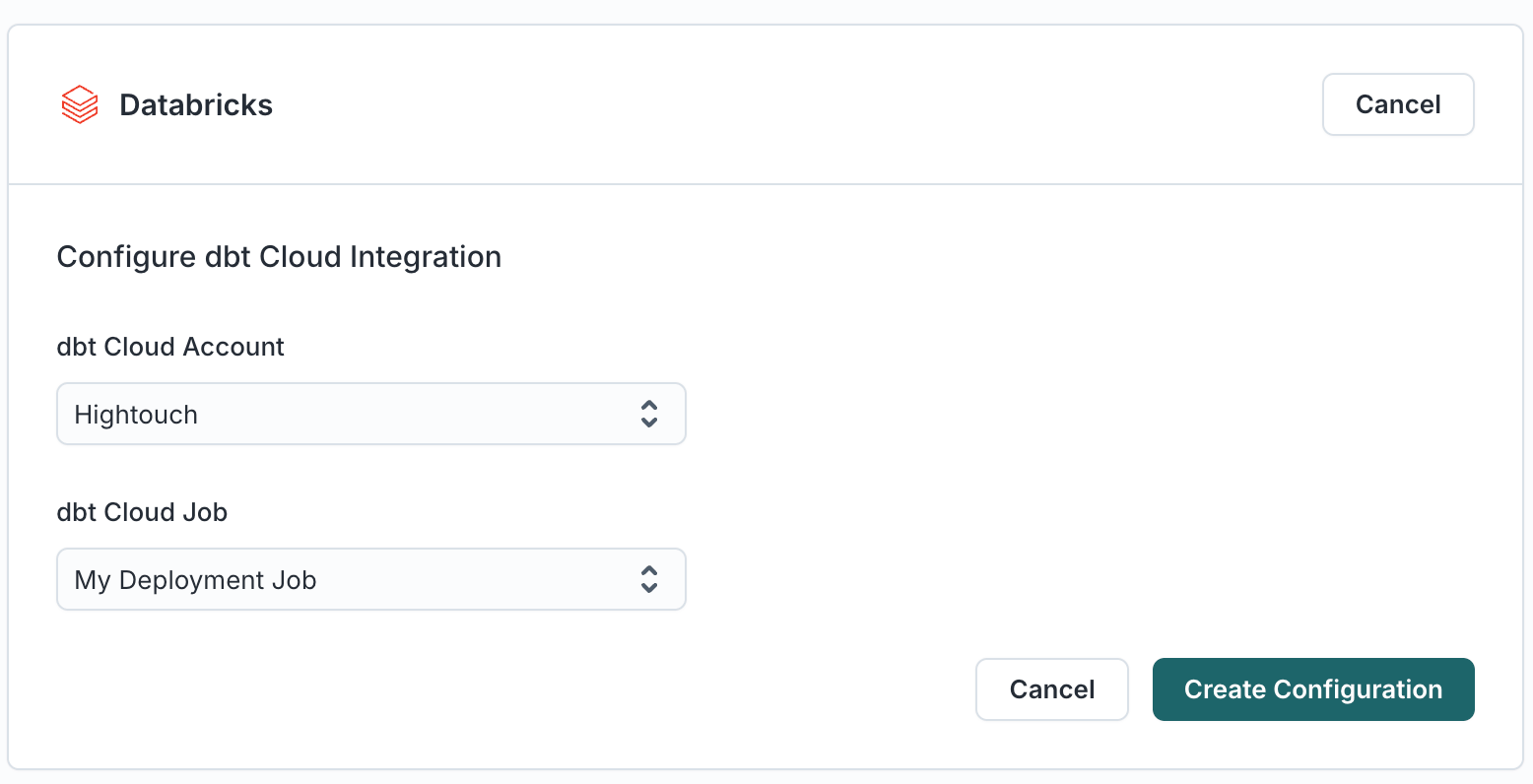
Syncing models
Once configured, the “dbt to Hightouch” status shows “Waiting to be synced.” If your job in dbt Cloud has previous runs you can click the “refresh” button to manually sync models from the job’s result. Otherwise, run the job within dbt Cloud and the result should trigger the update in Hightouch. After a successful run, dbt Cloud models are available within Hightouch.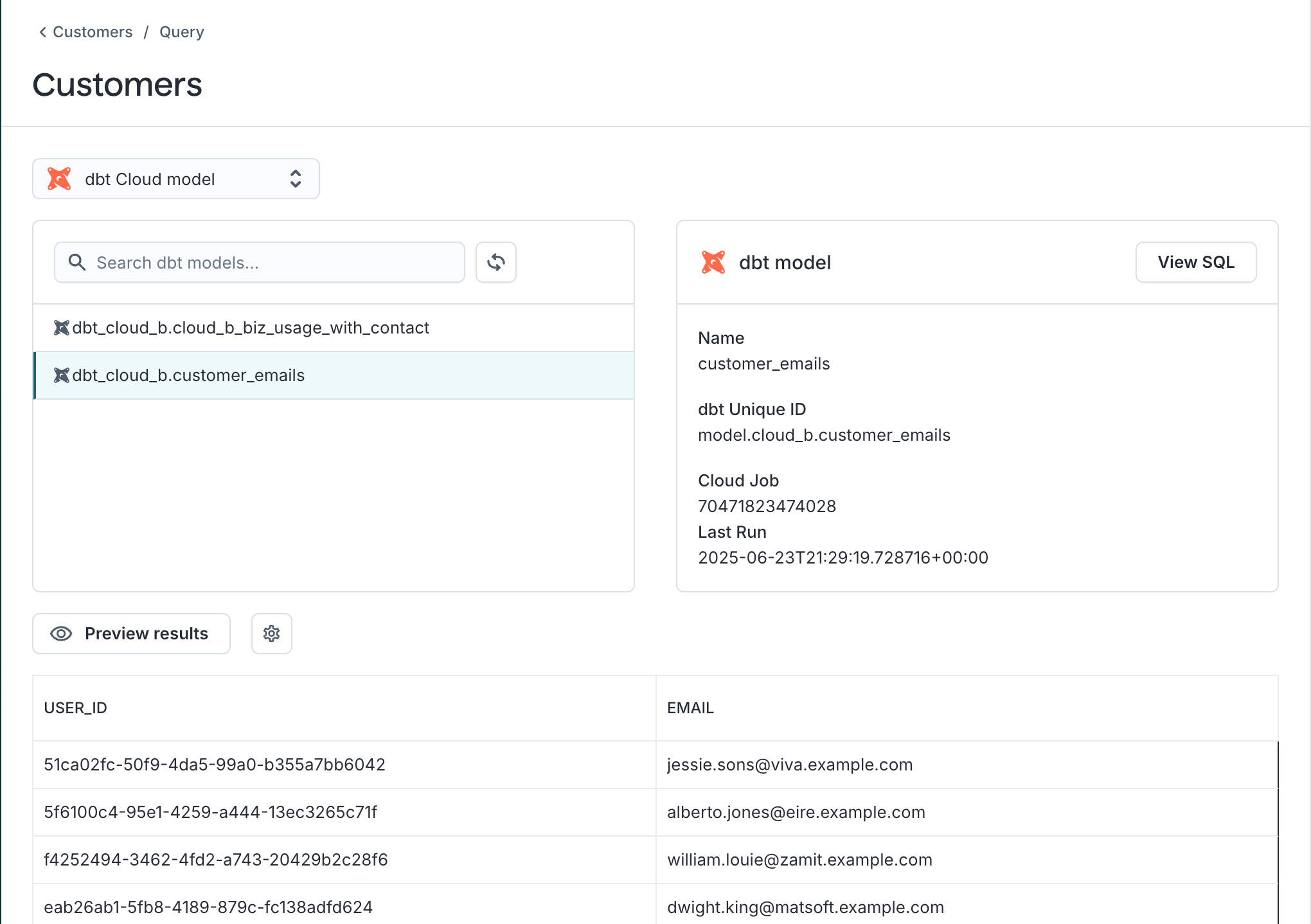
dbt Cloud model sync advantages
Along with the advantages of using dbt models that dbt Core brings, dbt Cloud brings more helpful features:- dbt Mesh: reference models in other projects (
{{ ref('customers', 'contact_info') }}) - “Versionless” (now called “Latest”) - always runs your compile job with the latest dbt version
- Private dependencies
- Database adapters that Hightouch doesn’t support for dbt Core (such as Fabric)