

Experiments were previously called Splits.
Before you begin
Overview
An experiment assigns the members of an audience to distinct, randomized groups. You apply a different treatment to each group — a promotional email to one group and nothing to a holdout, or a different creative to each — and then compare outcomes to see what actually moved the metric. Randomization is what separates a real effect from a coincidence. Without it, you’re left guessing:- Correlation — “Purchases went up after the campaign, but was it the campaign?”
- Attribution — “This user converted after seeing the ad, but would they have converted anyway?”
Create an experiment
You build an experiment on the audience you want to test.- Open a saved audience and go to the Experiment tab.
- Select Create experiment.
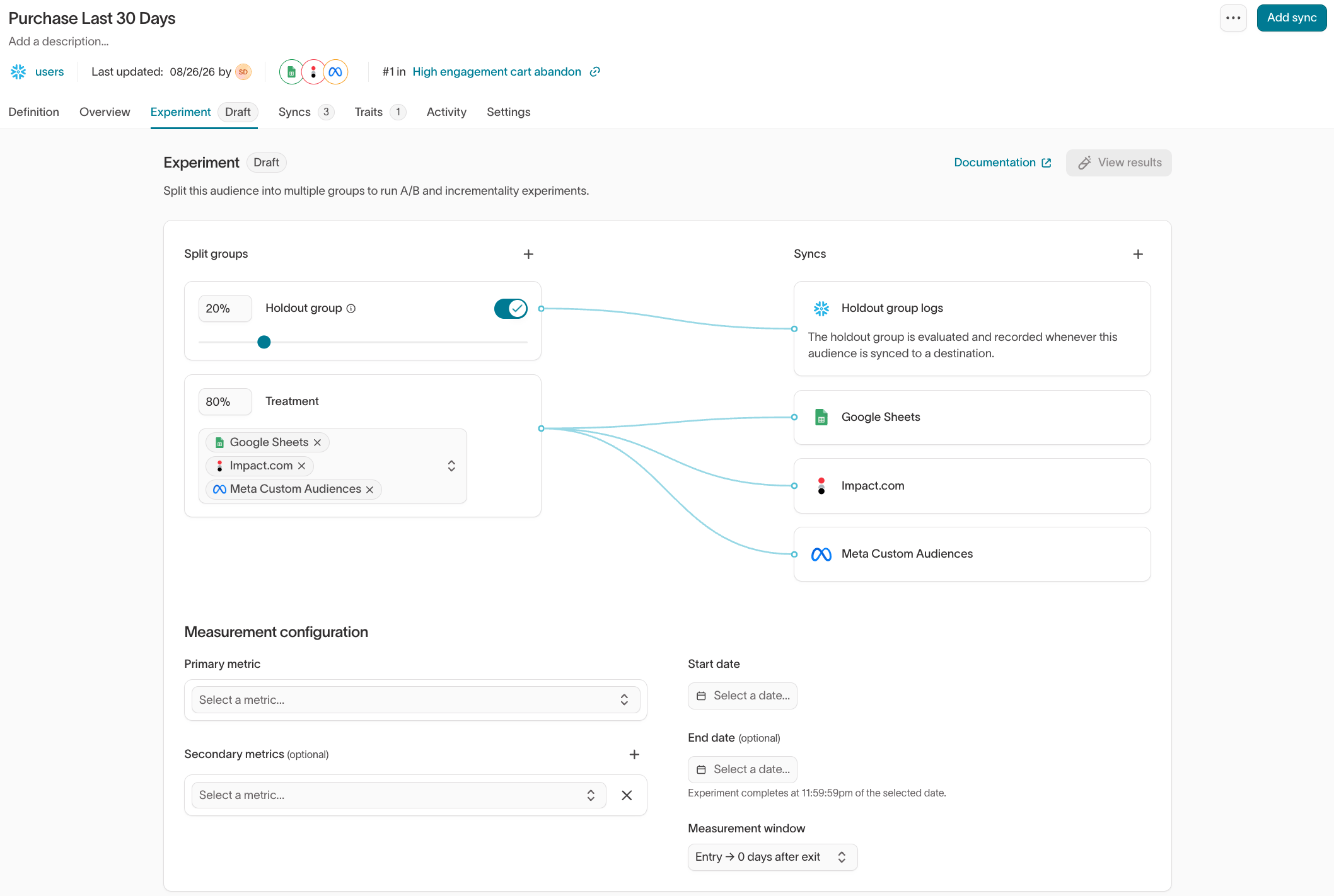
- Under Split groups, select Add split group for each group you want, then set each group’s name and its share of the audience. Use two groups for a simple A/B test, or three or more for A/B/n tests.
- To measure incremental lift, make one group a Holdout group. A holdout receives no treatment and acts as the control you compare the others against.
- Under Syncs, assign each non-holdout group the syncs that deliver its treatment. A group synced to multiple destinations sends all of its members to every destination — the group isn’t subdivided between them.
Configure measurement
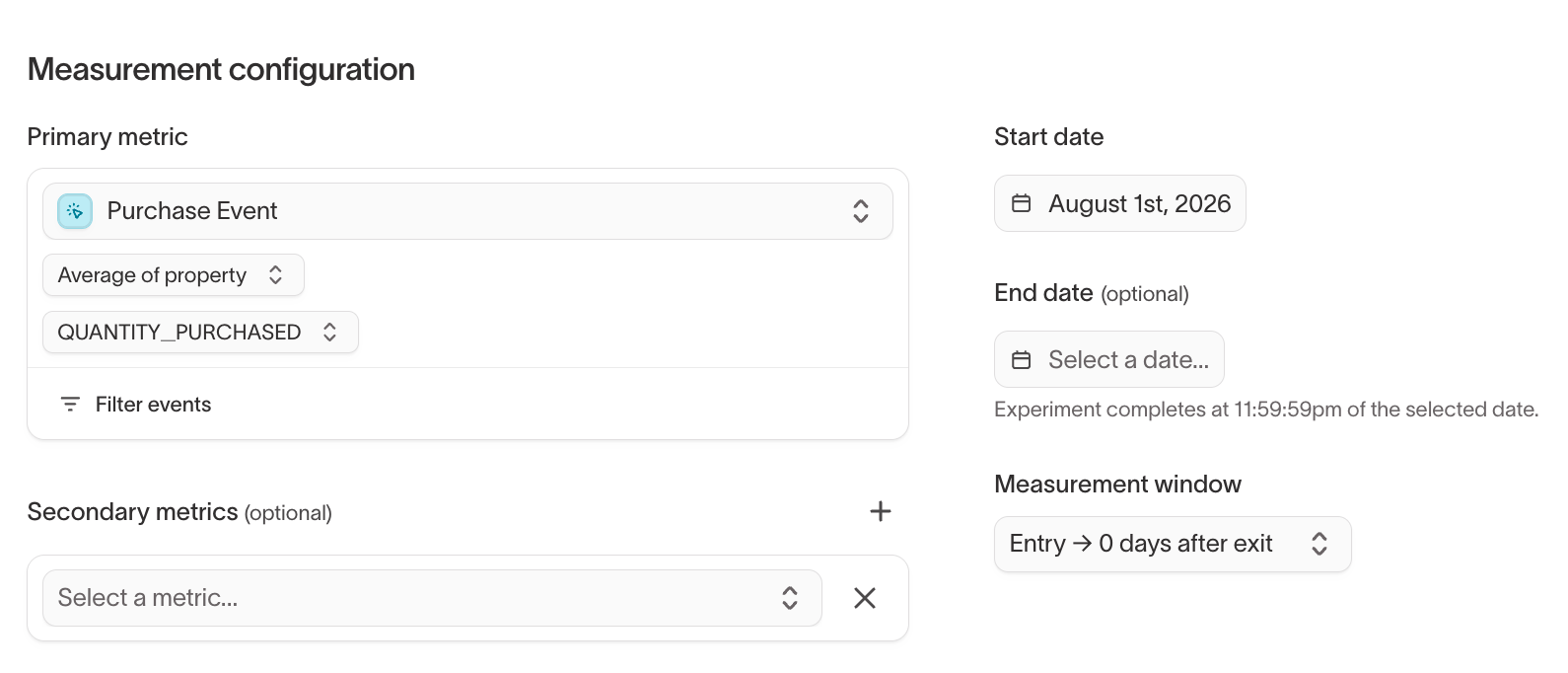
Under Measurement configuration, define how Hightouch scores the experiment. You set this on the same Experiment tab, below the groups.- Primary metric — The event and value that define success, such as the average
QUANTITY_PURCHASEDon a purchase event. This is the outcome compared across groups. - Secondary metrics — Optional additional outcomes to track alongside the primary metric.
- Start date and End date — The window the experiment measures. An experiment completes at 11:59:59pm on the end date. Leave the end date empty to keep measuring until you set one.
- Measurement window — How long after a member enters (or exits) the audience their outcomes still count toward the experiment.
Measure results
Once the audience has at least one sync involving experiment groups, Hightouch generates a matching Experiment. Select View results on the Experiment tab to open it. You can also reach every experiment under Intelligence > Experiments.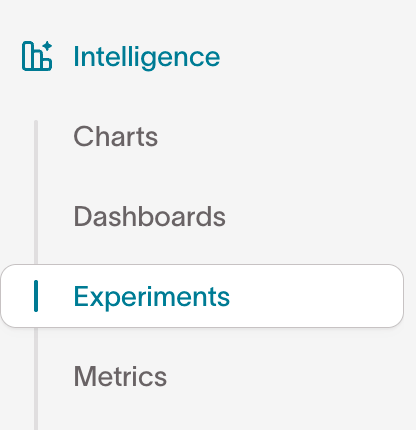
- Compare lift across groups.
- Check statistical significance.
- Analyze results by primary or secondary metric.
- Normalize results per member or against a baseline.
Balance groups with stratified sampling
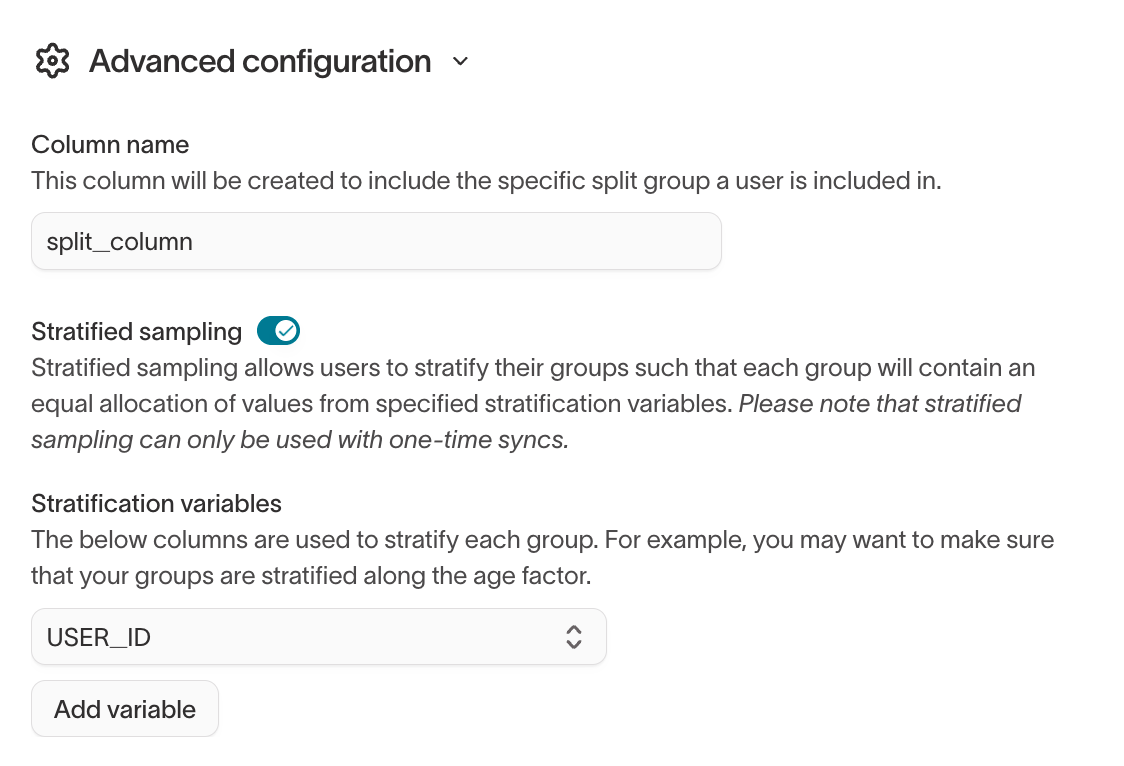
Simple randomization can produce unbalanced groups when your audience spans distinct segments — for example, different regions or loyalty tiers. Stratified sampling keeps those segments proportionally represented across groups, so a difference in outcomes reflects the treatment rather than an uneven split.Stratified sampling is available only for one-time syncs.
- On the audience’s Experiment tab, expand Advanced configuration.
- Turn on Stratified sampling.
- Under Stratification variables, select one or more columns to balance across (for example,
loyalty_tier). - Save your changes.
Holdout group logs
Holdout group logs must be enabled by Hightouch. to turn it on.
- The Lightning sync engine.
- A destination with write access to your warehouse.
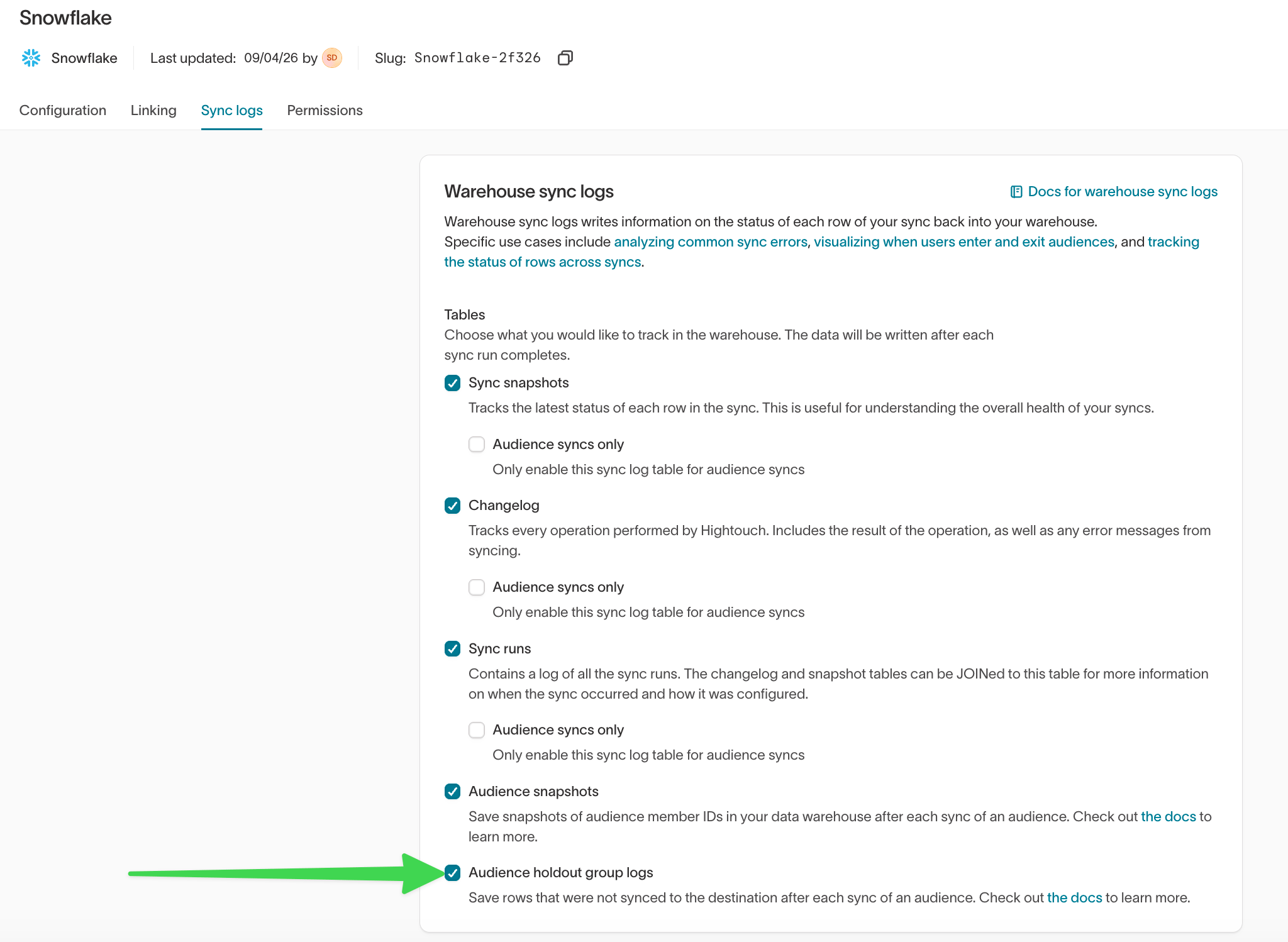
- Go to Integrations > Sources and select a source.
- Open the Sync logs tab.
- On the Warehouse sync logs card, turn on Audience holdout group logs.
hightouch_audit.audience_holdout table.
Next steps
- Experiments in Intelligence to configure and interpret the results view in depth.
- Sync audiences to deliver each group’s treatment to a destination.
- Audience snapshots to freeze group membership before you launch.
- Journey tiles to run an A/B split inside a journey instead of an audience.