

Data extraction must be enabled by Hightouch. to turn it on.
Before you begin
- A Lightning sync engine source on Snowflake, BigQuery, Postgres, or Microsoft Fabric, plus a connected supported ad destination.
What data extraction does
Ad platforms hold audience metadata — such as the estimated size of each audience — that otherwise lives only in the platform’s own UI. Data extraction pulls that metadata on a daily schedule and writes it to your warehouse. From there, you can join it to your other data, track it over time, and report on it. Today it produces one report: the Audience size report, a daily snapshot of each audience’s estimated size in the ad platform.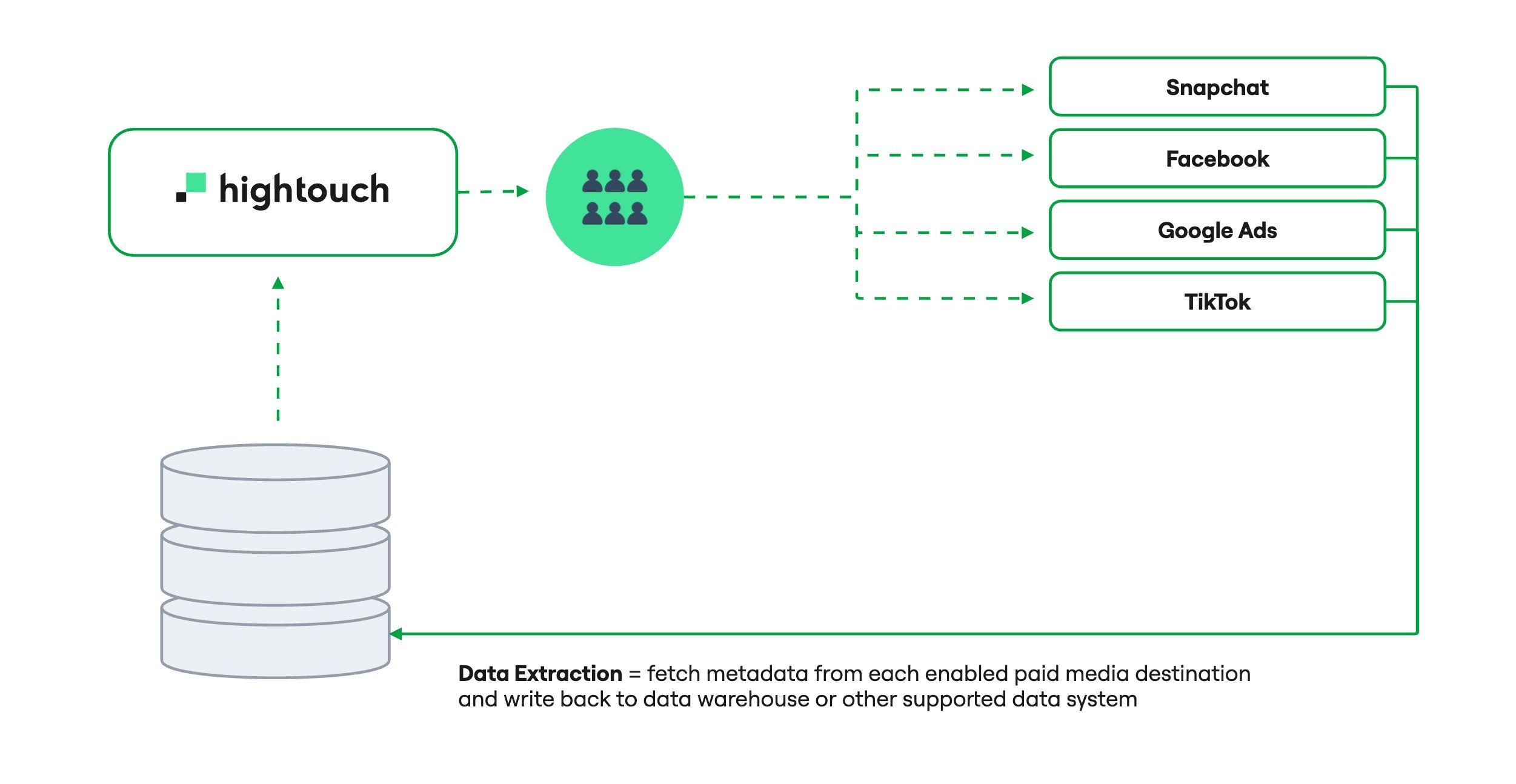
Enable data extraction
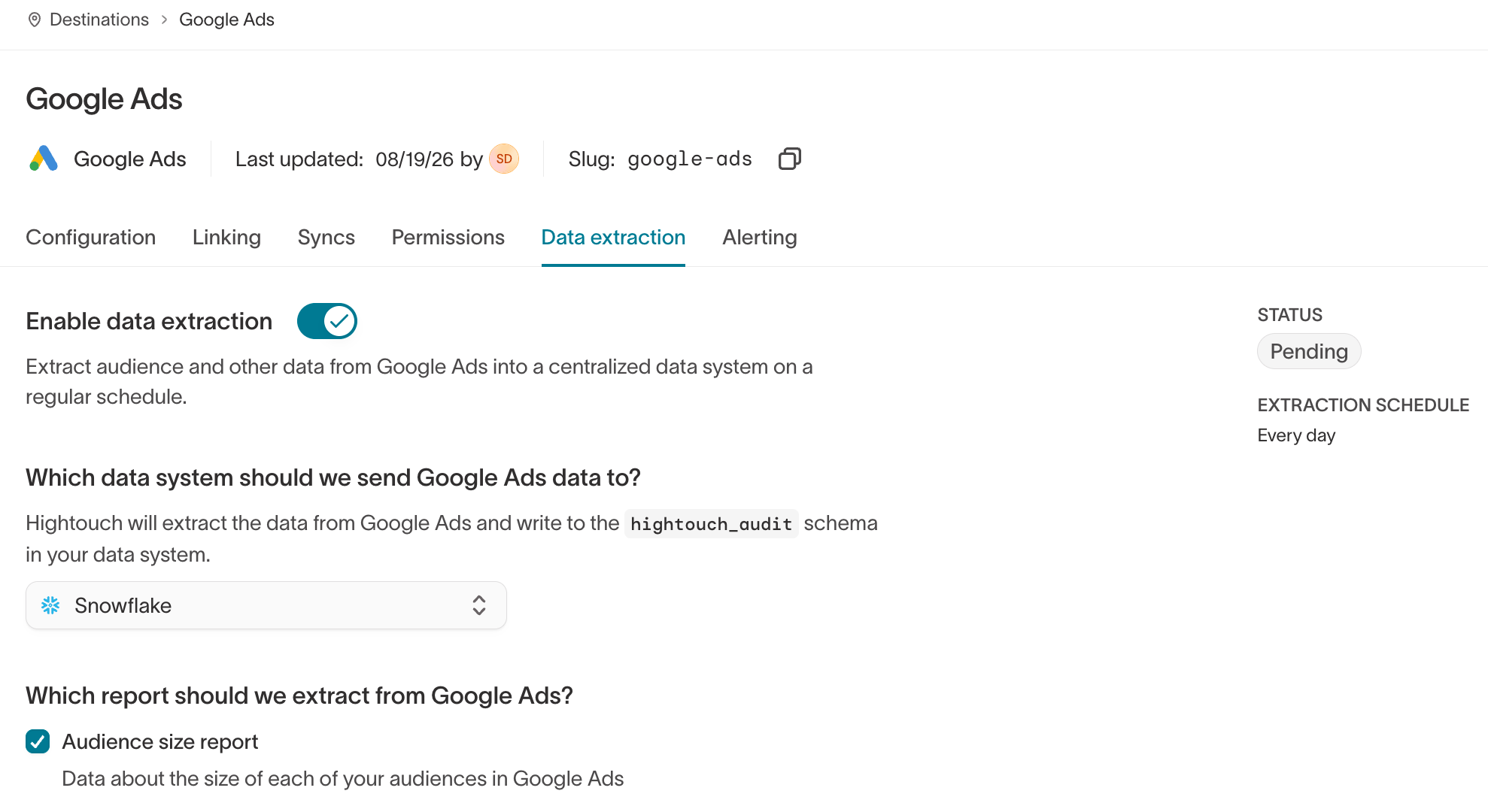
Data extraction is configured per destination.- Go to the destination’s page and open the Data extraction tab.
- Turn on Enable data extraction.
- Under Which data system should we send this data to?, select the source Hightouch writes the report to. Hightouch writes to the
hightouch_auditschema in that source.
What lands in your warehouse
Hightouch writes to thehightouch_audit schema in the source you selected.
Per-destination tables
Each enabled destination gets its own table, named{destination_type}_{destination_id}_audiences. Dashes in the destination type become underscores, so a Google Ads destination writes to google_ads_{id}_audiences. Each table’s columns mirror the ad platform’s API response as closely as possible, so you can transform the data to fit your needs.
Combined view
Hightouch also builds a view,external_audiences_metadata_v1, that unions every destination table into one standardized schema:
The view is versioned. Schema changes ship as a new version, such as
external_audiences_metadata_v2, and earlier versions keep working.
How the daily job behaves
- Hightouch runs one job per enabled destination, once a day.
- Each job pulls every audience from the ad accounts the connected user authorized — not only the audiences Hightouch syncs to.
- Each run appends a new snapshot. Hightouch doesn’t update or delete earlier snapshots, so the tables build a historical record over time.
Verify it worked
After the first daily run, query the combined view in the source you selected:ht_fetched_at.
Supported destinations
Limitations
- The only available report is the Audience size report.
- Audience sizes are the ad platform’s estimates, not exact counts.
- The report runs once a day.