

Experiments are only available on Business tier plans.
How a holdout measures lift
A holdout group is a random share of the audience that doesn’t get the campaign. Because Hightouch picks both groups at random, the campaign is the only systematic difference between them. If the treatment group orders more than the holdout by more than chance explains, that difference is the campaign’s lift. In Hightouch, you set this up as an experiment on a saved audience. The experiment splits the audience into groups and sends each group’s members only to the syncs you assign it. Holdout members aren’t synced anywhere. Intelligence then compares a metric you choose across the groups. Experiment groups receive their treatment through syncs, such as to your ESP or an ad platform. To test messages you send with Delivery inside a journey, use an A/B split tile instead.Before you begin
- A schema set up by your data team, with the events you want to measure, such as purchases.
- Audience snapshots turned on for your source. Results don’t appear without them. Ask your platform admin to enable audience snapshots.
- A saved audience that isn’t a realtime audience, and a sync that delivers the campaign to it.
Run the experiment
Choose what you'll measure
Decide on one outcome that tells you whether the campaign worked, before you set anything up. For a win-back email, that might be orders in the 30 days after someone enters the audience.Check that the outcome exists as a metric in Intelligence > Metrics. If it doesn’t, create it from the event, such as a count of completed orders. See Create a metric.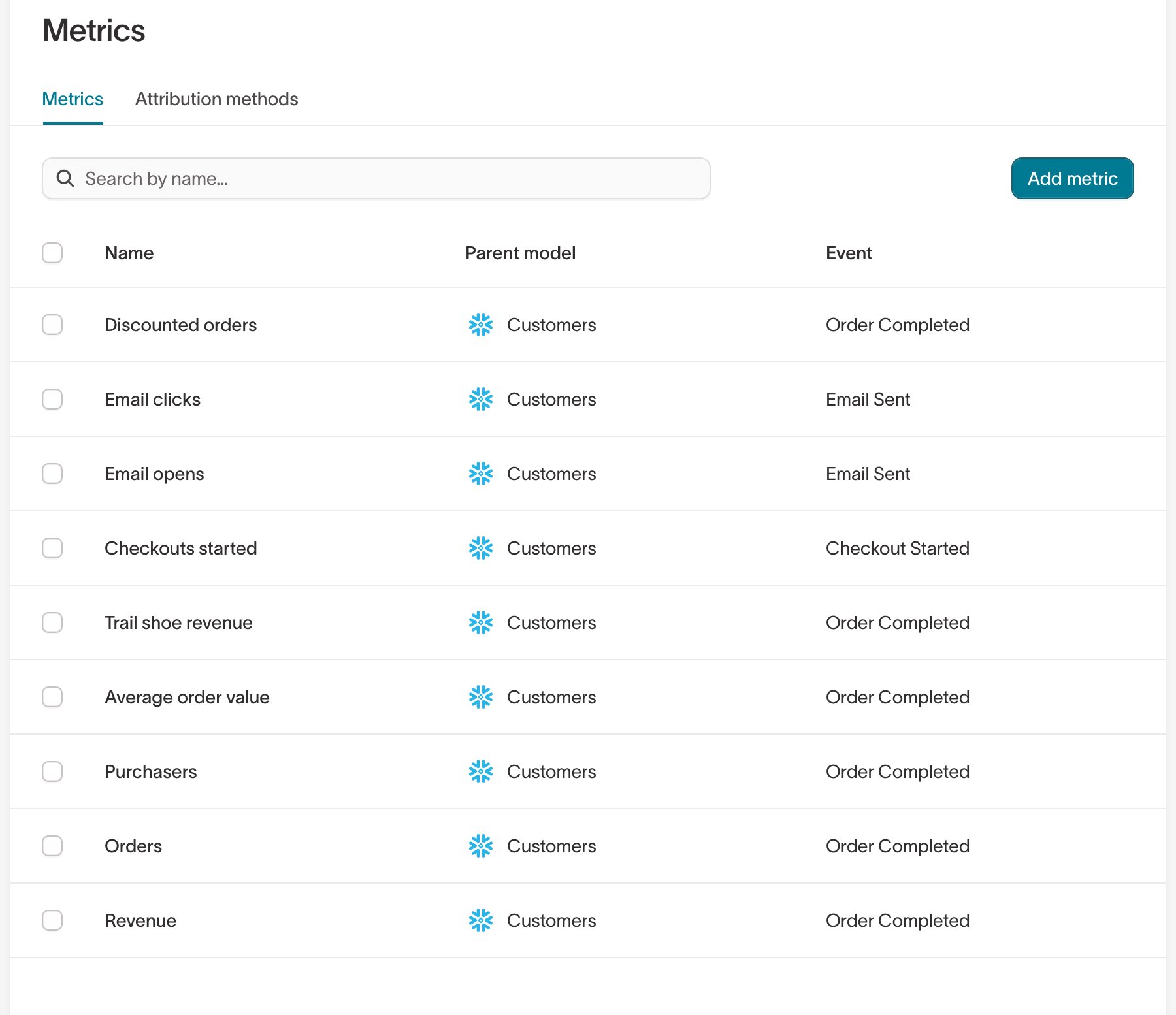
Create the experiment
Open the saved audience, go to its Experiment tab, and select Create experiment.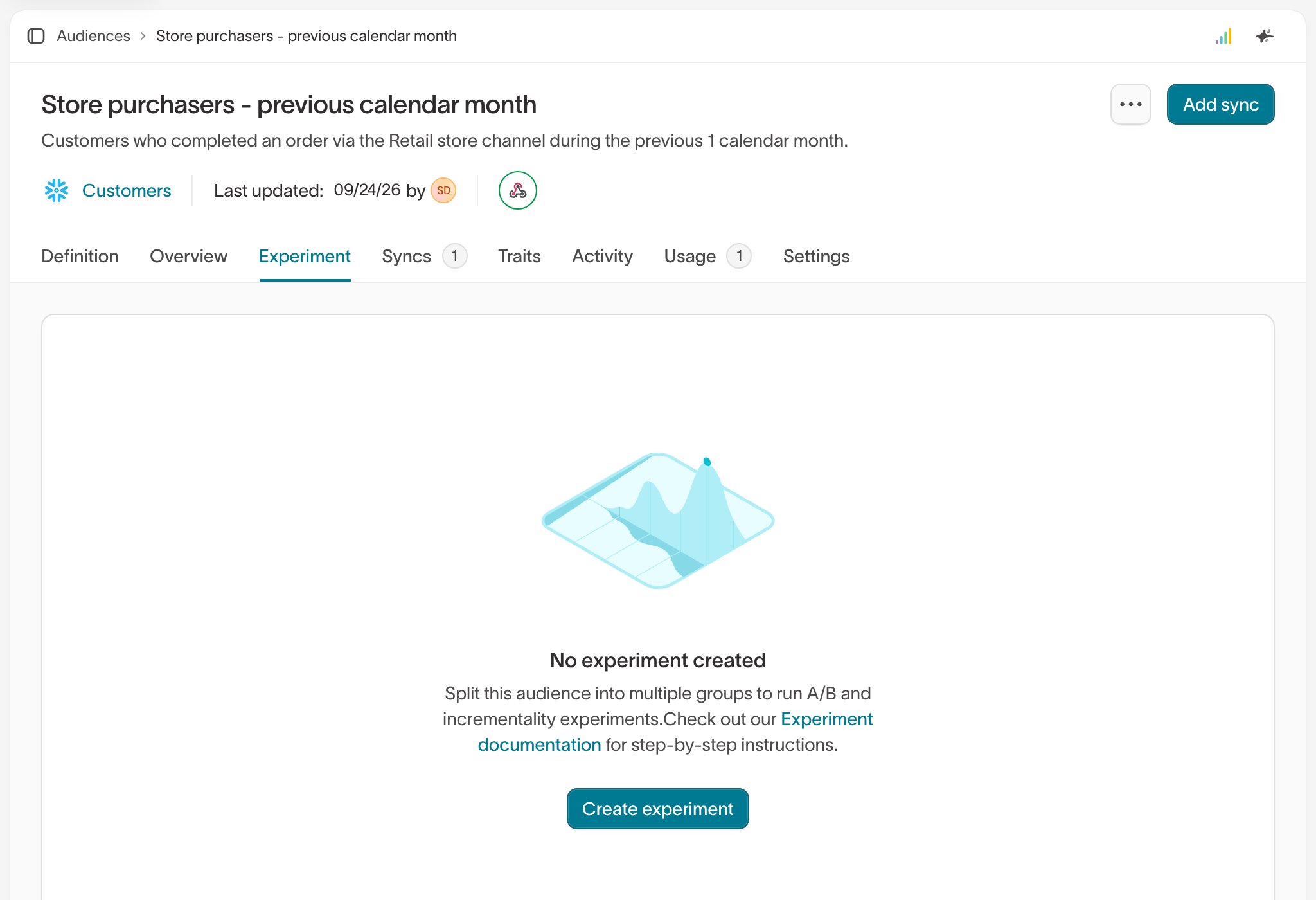
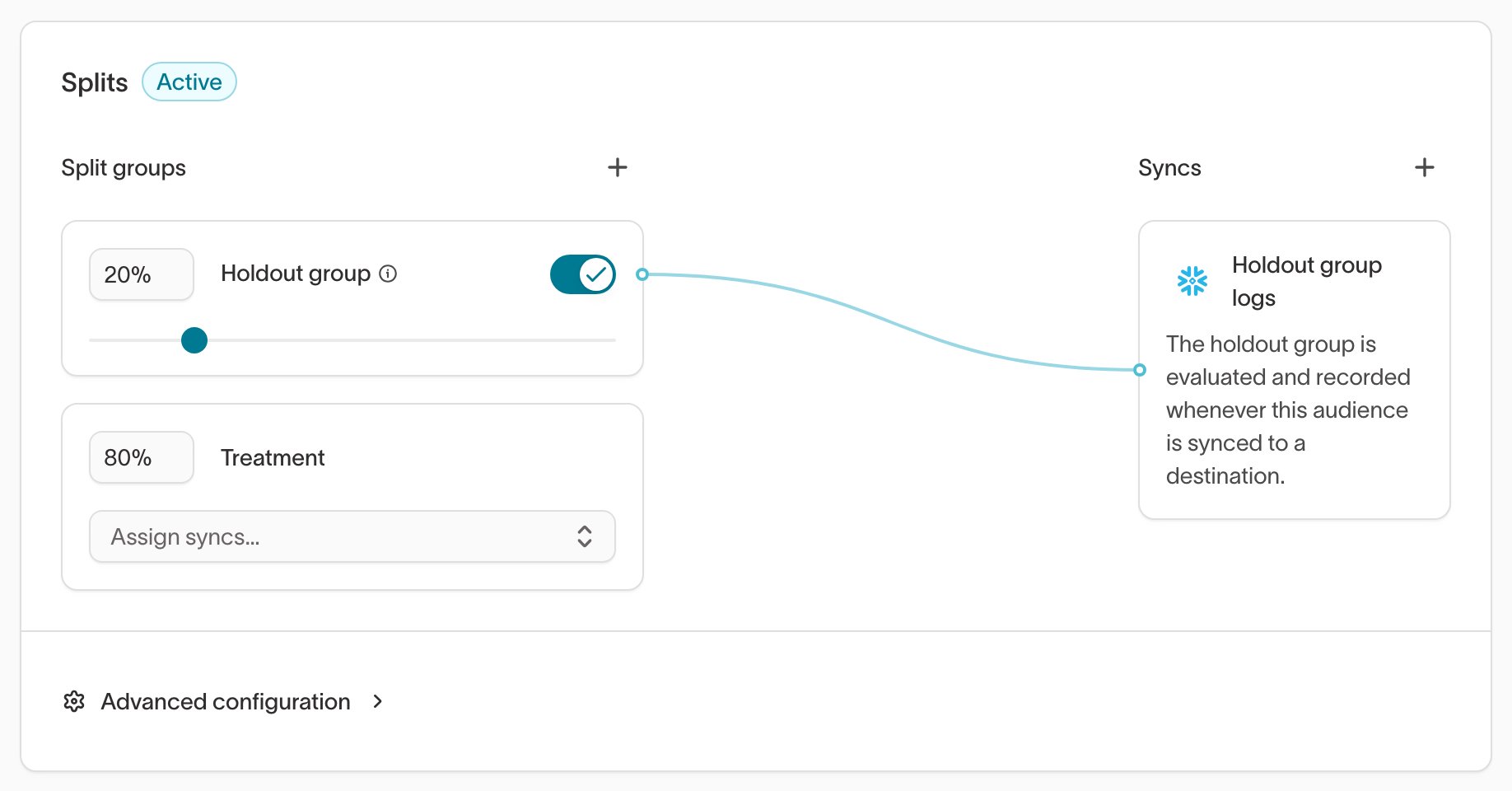
Set up measurement
Under Measurement configuration, on the same tab: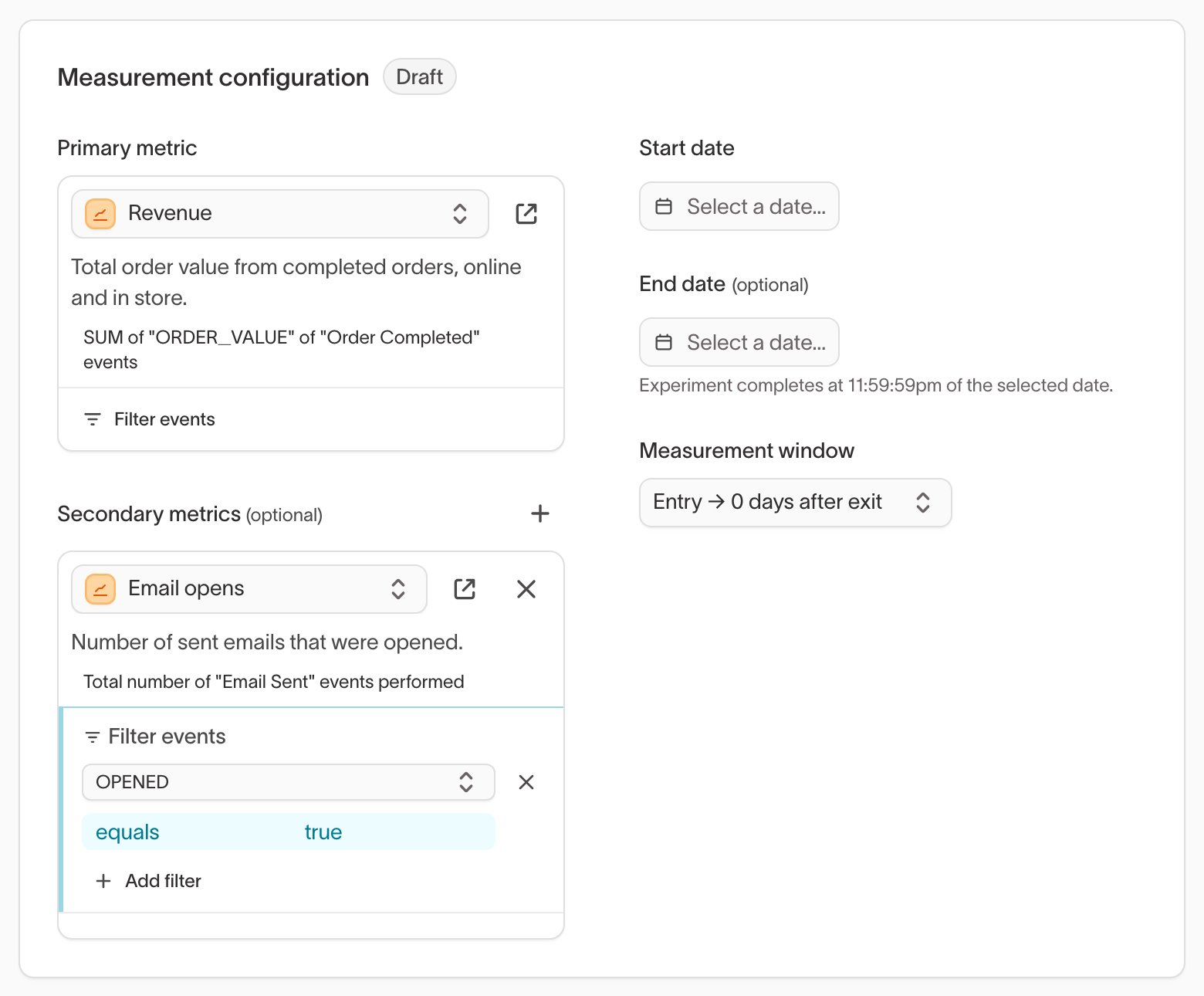
- Primary metric: the metric from step 1.
- Secondary metrics: other outcomes worth watching, such as revenue or unsubscribes. Optional.
- Start date: the day the campaign launches. Measurement doesn’t count events from before the start date.
- End date: when to stop measuring. Leave it empty to keep measuring until you set one.
- Measurement window: how long after a member enters the audience their events still count, such as 30 days.
Launch the campaign
Save the experiment, then run the treatment syncs, or let them run on their schedules. To run one now, go to the audience’s Syncs tab and click Run sync. Results need at least one sync run after you create the groups.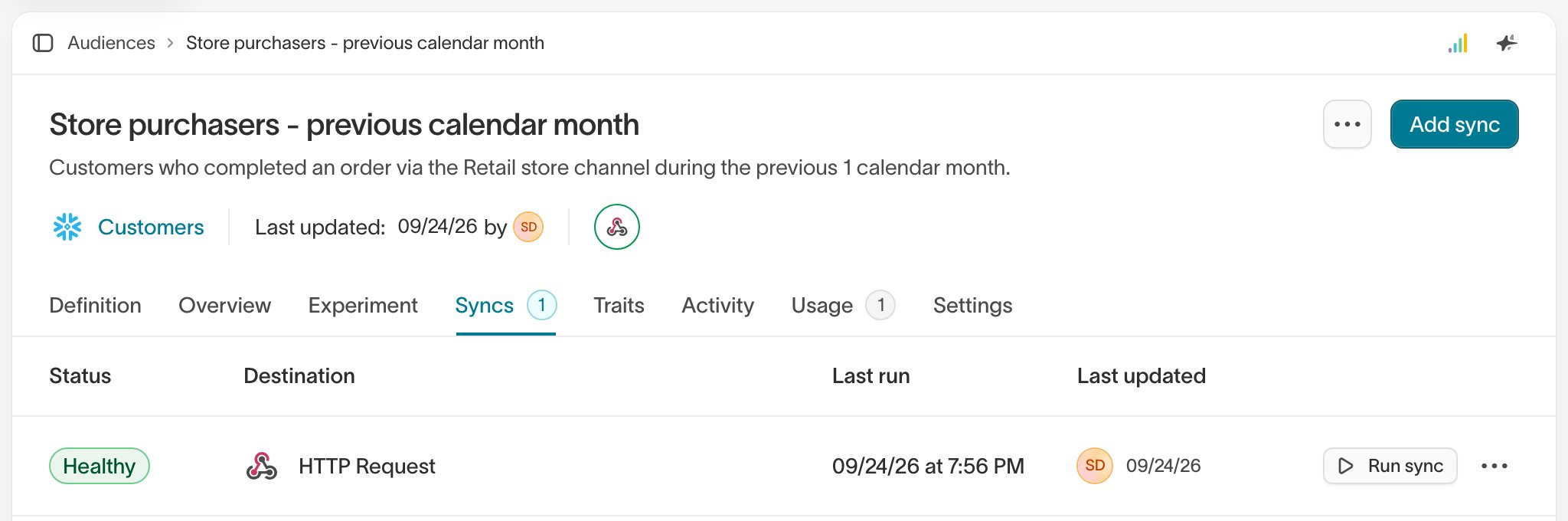
Read the result
On the audience’s Experiment tab, select View results to open the experiment in Intelligence. The button is unavailable until the experiment is running.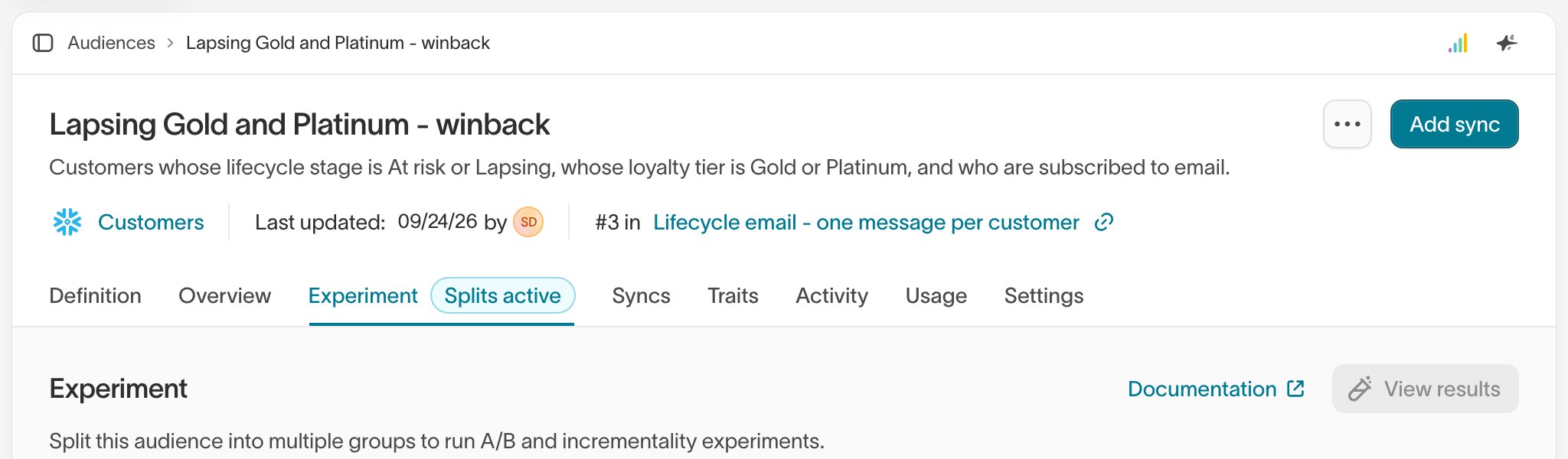
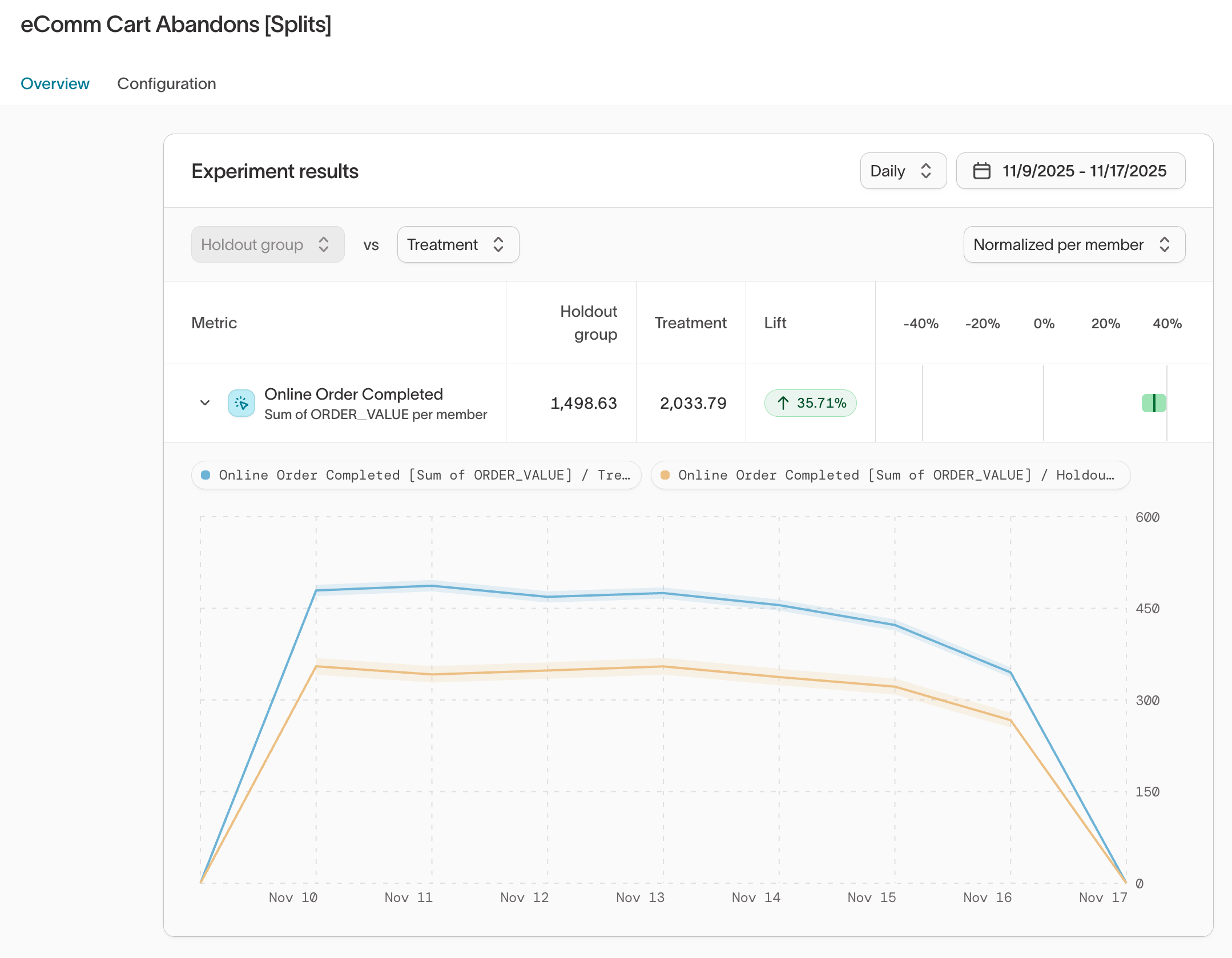
- Lift %: how much better or worse the treatment group did than the holdout on your metric.
- The lift interval bar: green means the campaign made a significant positive difference, red means a significant negative one, and gray means the result isn’t significant yet.
- Performance lines: each group’s metric over time, with shaded 95% confidence intervals.
Decide what to do next
- Green: the campaign improved the metric. Check that the lift is big enough to matter for the business. After the end date, turn off the holdout group on the audience’s Experiment tab so everyone gets the campaign, or lower it to a small share so you can tell if the campaign stops working.
- Gray: you can’t tell yet. Let the experiment run longer, or run it again with a larger holdout.
- Red: the campaign hurt the metric. Stop it, or change the treatment and test again.
Launch checklist
- Audience snapshots are on for the source
- The primary metric measures the outcome the campaign is meant to change
- The experiment has a holdout group, and each treatment group has its sync
- The start date is the launch date, and the measurement window fits how long the campaign takes to work
- The treatment syncs ran at least once after you created the groups
- You checked results in Intelligence and recorded the lift
Next steps
- Experiments for stratified sampling and holdout group logs in your warehouse.
- Experiment charts for experiment statuses and normalizing results.
- Dashboards to track experiment results alongside your other campaign metrics.