

Before you begin
Overview
Insights is the analytics hub for AI Decisioning. It shows you not only how your agents perform, but also why, so you can make data-informed creative and scheduling decisions.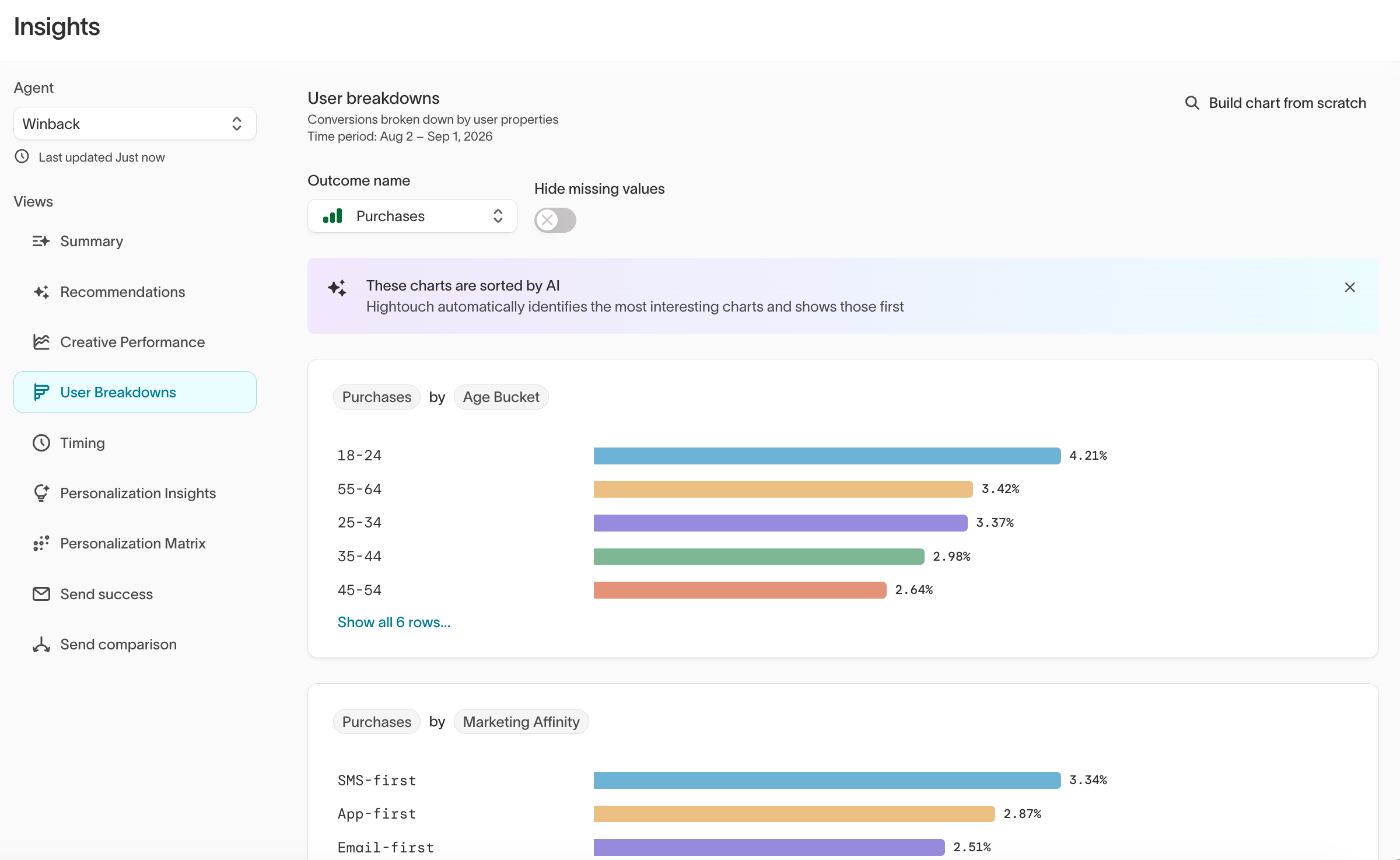
- After launching an agent to track performance in real time
- During optimization to identify top-performing segments or messages
- Before making changes to content or targeting
- For reviews and reporting to measure lift and summarize learnings for stakeholders
Hightouch automatically prioritizes the most relevant charts so you can focus
on the trends that matter most.
Navigate to Insights
In the Hightouch app, go toAI Decisioning > Insights
Insights views
Each view highlights a different aspect of campaign performance.Explore each view
1. Summary
Get an at-a-glance view of your agent’s overall performance and top insights.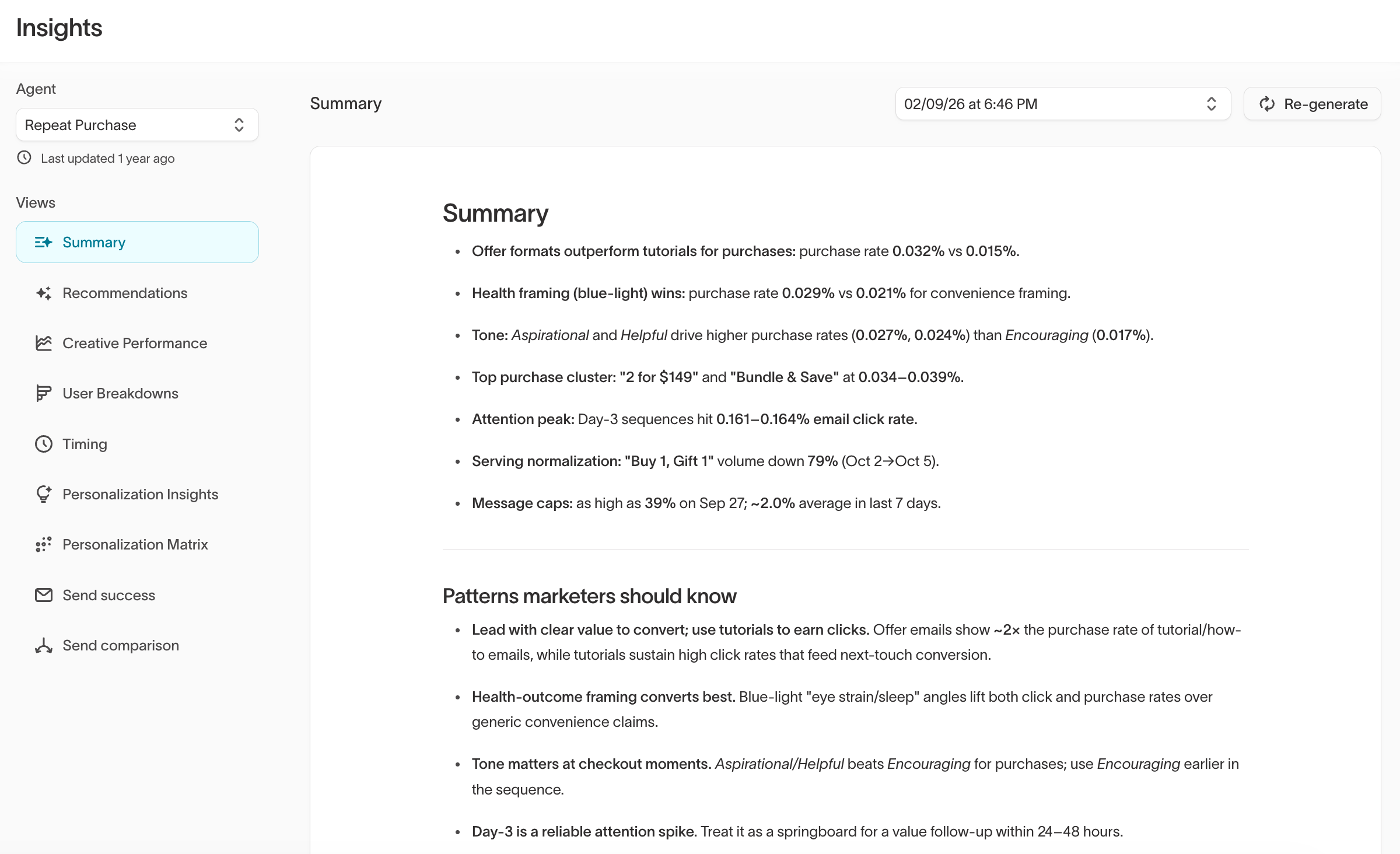
- Performance highlights showing top-performing creative and audience signals
- Patterns marketers should know, based on behavior and conversion data
- Creative examples that illustrate what’s driving performance
Recommendations
The Recommendations view surfaces AI-generated suggestions for improving your content mix, based on how your messages and variants are performing. Suggestions are grouped into categories such as expanding proven winners, filling coverage gaps, refreshing fatiguing content, and retiring underperformers. Review each recommendation and decide whether to act on it. Hightouch doesn’t change your messages automatically.2. Creative Performance
Compare all message variants side by side across your key performance metrics.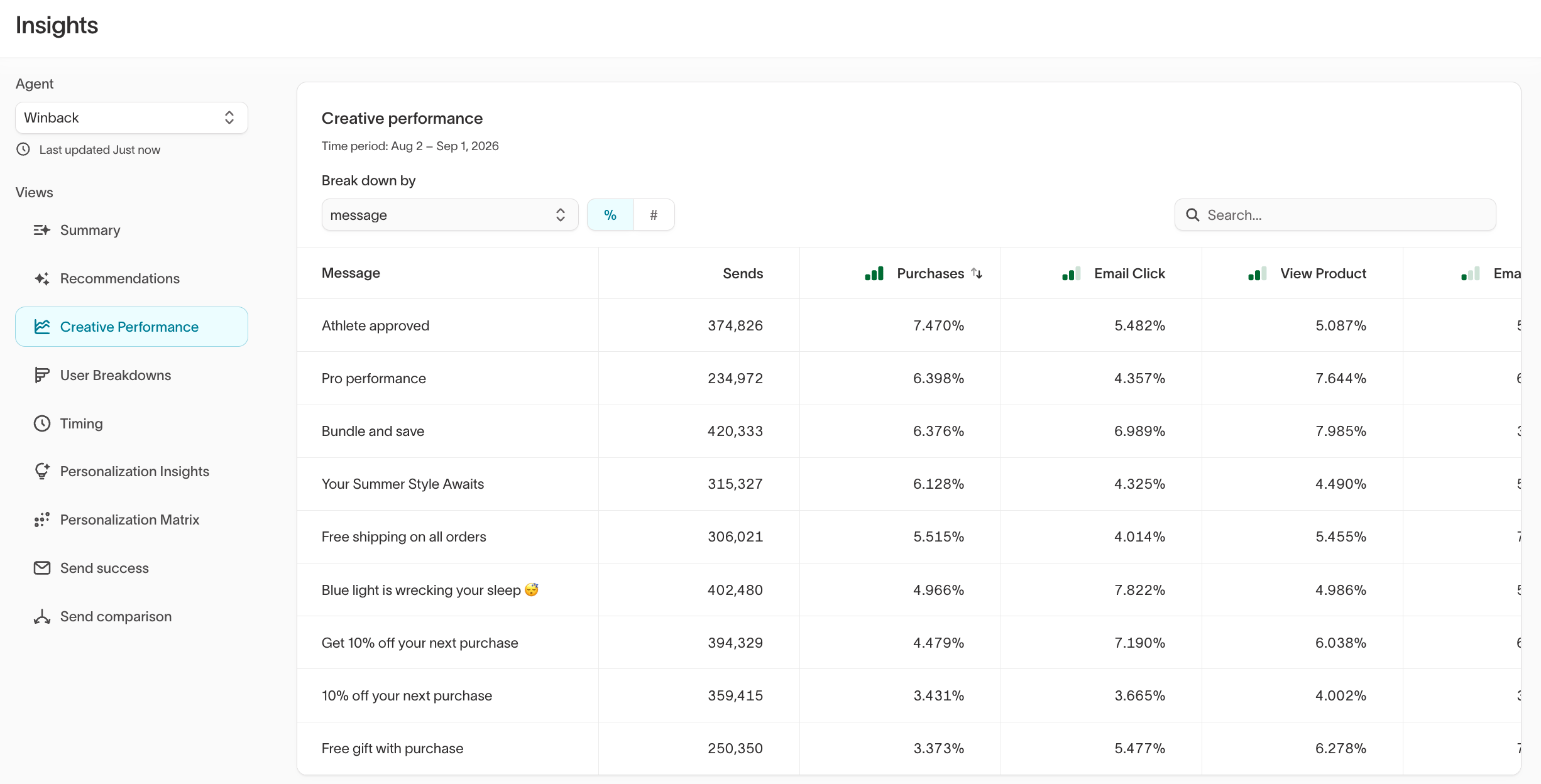
3. User Breakdowns
Understand which user segments are driving conversions and which are underperforming. Breakdowns include attributes like age, region, loyalty tier, and device type.Charts are sorted automatically by AI to surface the most relevant differences
first.
4. Personalization Insights
Discover which creative elements perform best for specific user segments. This view helps you understand how audience attributes and creative choices interact to drive conversions.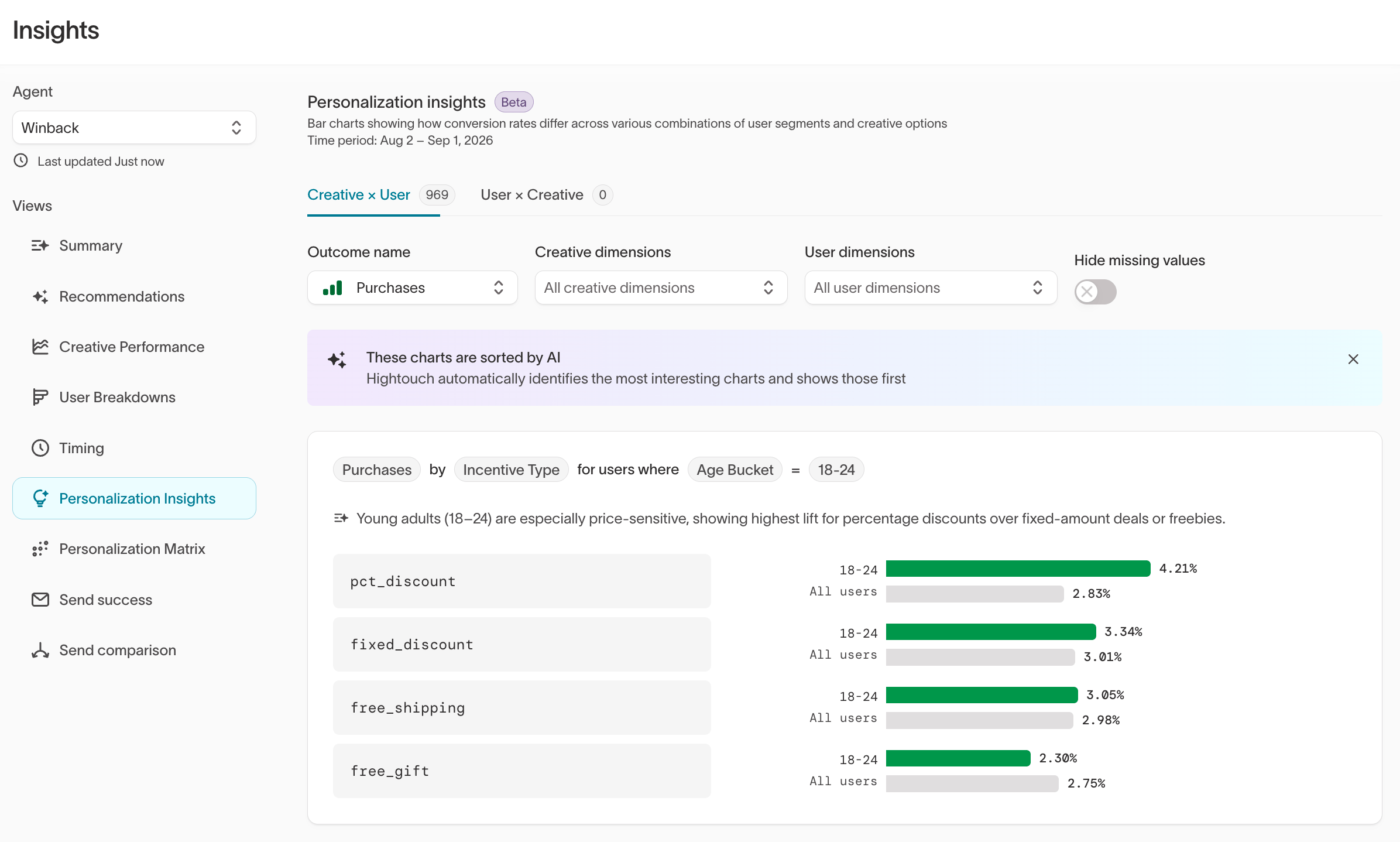
- An Outcome name to define what success looks like (for example,
Second purchase) - Creative dimensions to compare what performs best (such as subject lines, incentive types, or tags)
- User dimensions to compare who it performs best for (such as age buckets, loyalty tiers, or device types)
5. Timing
Analyze when users are most likely to convert or engage, visualized as a heatmap by day and time of day.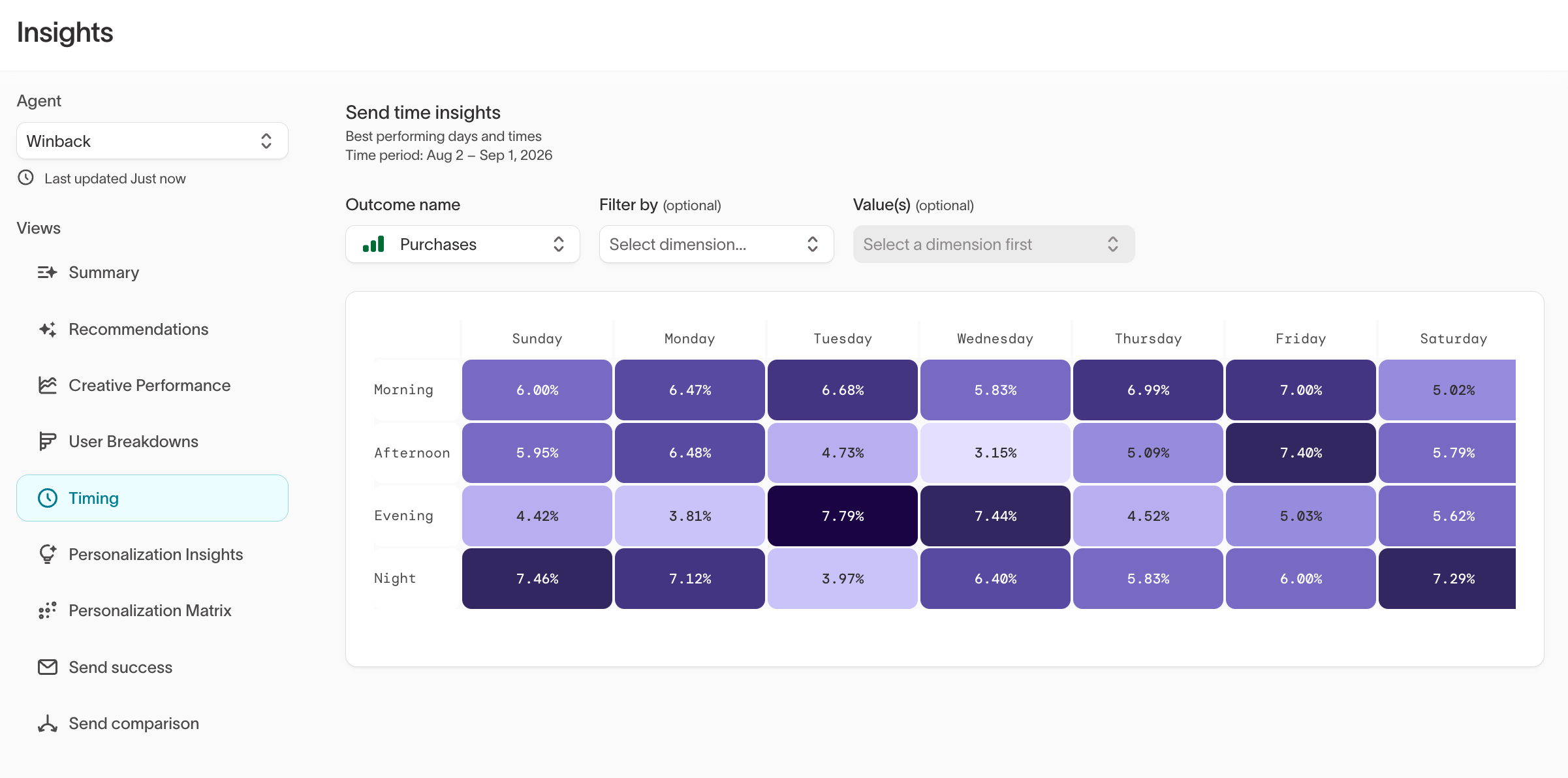
6. Personalization Matrix
The Personalization Matrix displays a heatmap of conversion rates across user segments and creative options, highlighting where personalization has the most impact.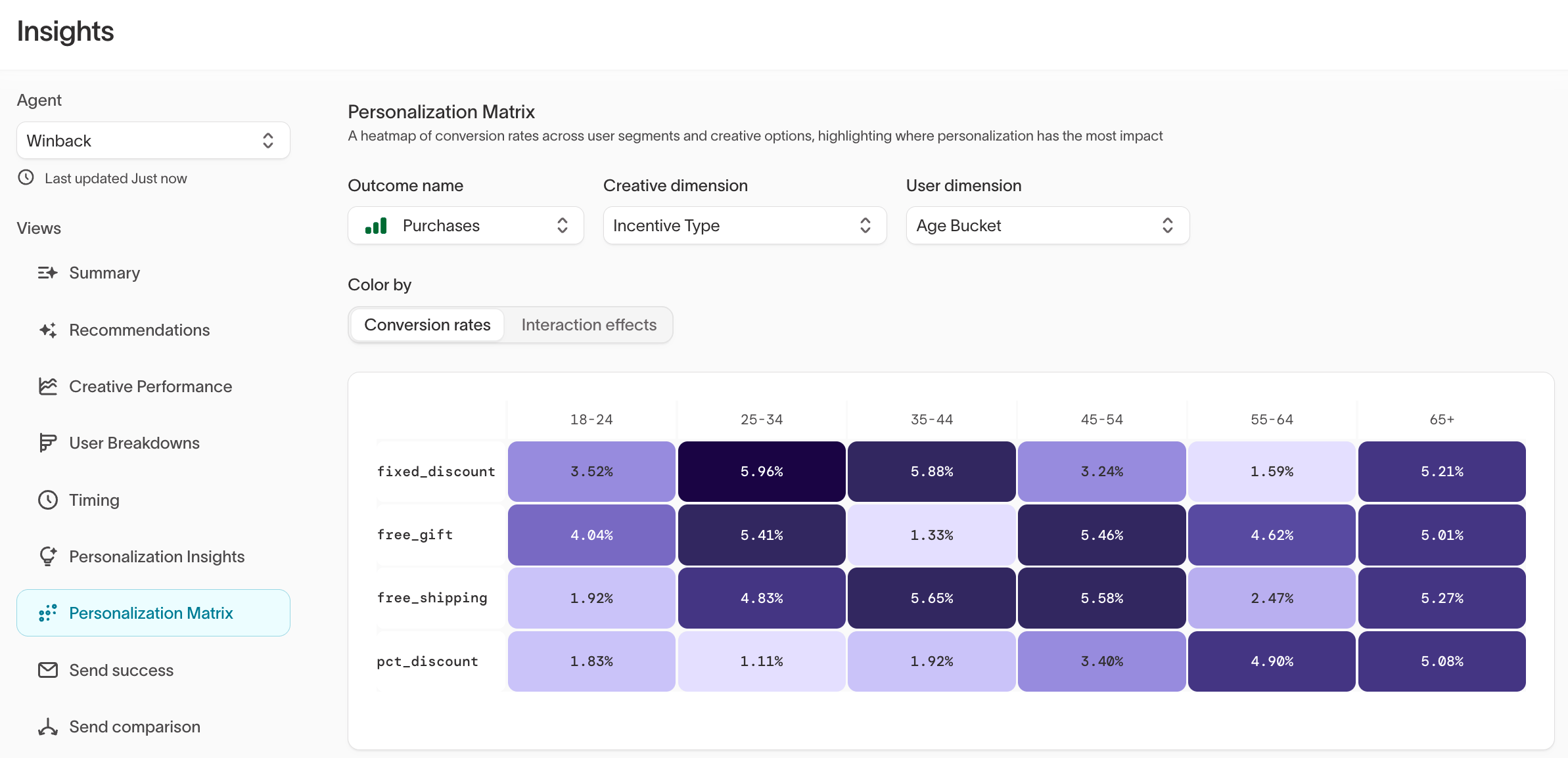
- Outcome name: The goal to measure (for example,
Purchases) - Creative dimension: The creative variable to compare (for example,
Incentive Type) - User dimension: The user attribute to segment by (for example,
Age Bucket)
7. Send success
Send event tracking must be enabled by Hightouch. to turn it on.
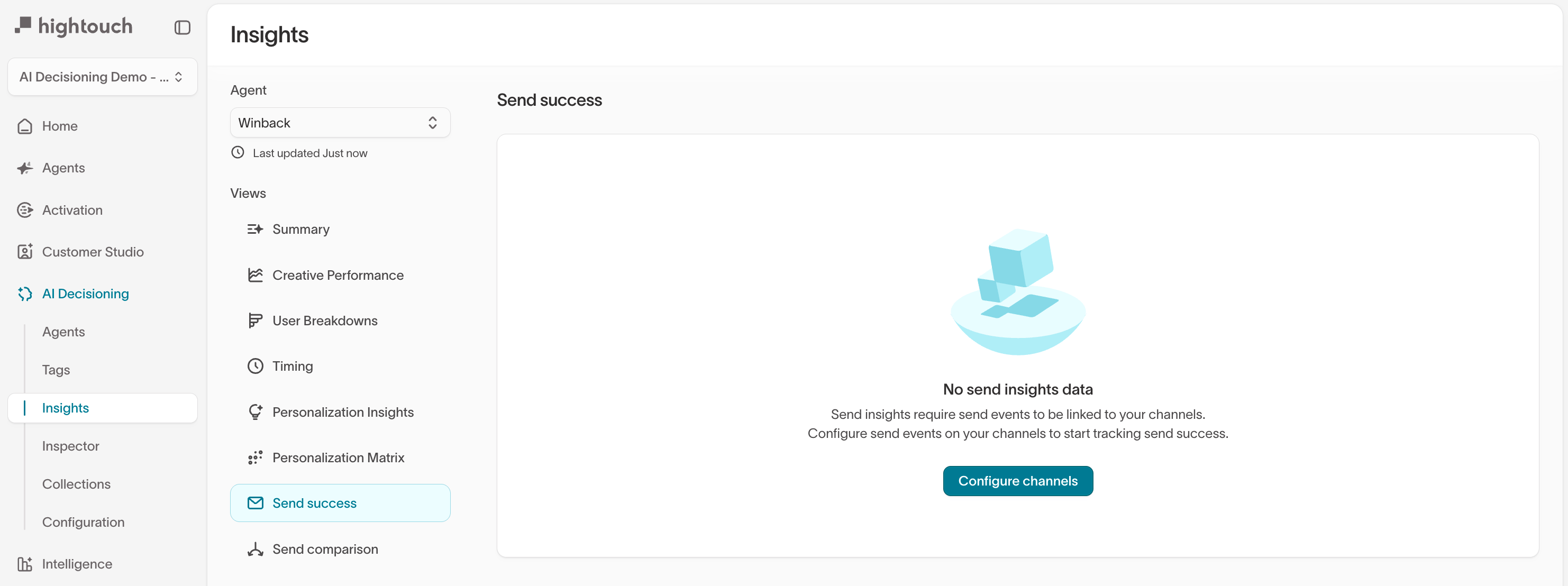
Send success tracking requires send events to be linked to your channels. See
Send event tracking
for setup instructions. Without this, send success and send comparison data
will not populate.
8. Send comparison
Send event tracking must be enabled by Hightouch. to turn it on.
Like Send success, the Send comparison view requires send events to be
configured on your channels. See Send event
tracking for setup
instructions.
Apply insights to improve performance
Once you’ve reviewed your results, use them to guide your next optimization cycle.Example weekly optimization checklist
✔️ Review Summary for top and bottom performers✔️ Check unsubscribe and fatigue signals in Creative performance
✔️ Compare lift vs. holdout for each goal or segment
✔️ Identify 1–2 test ideas (e.g., new variant or timing window)
✔️ Check Send success to confirm channels are delivering correctly
✔️ Review Send comparison to verify experiment groups are shifting volume as expected
✔️ Share findings with your team to inform future content and campaign planning