

Viewing sync errors
Sync errors can be found under the sync run page. The run summary page provides a quick summary of the types of errors that are keeping your data from being synced.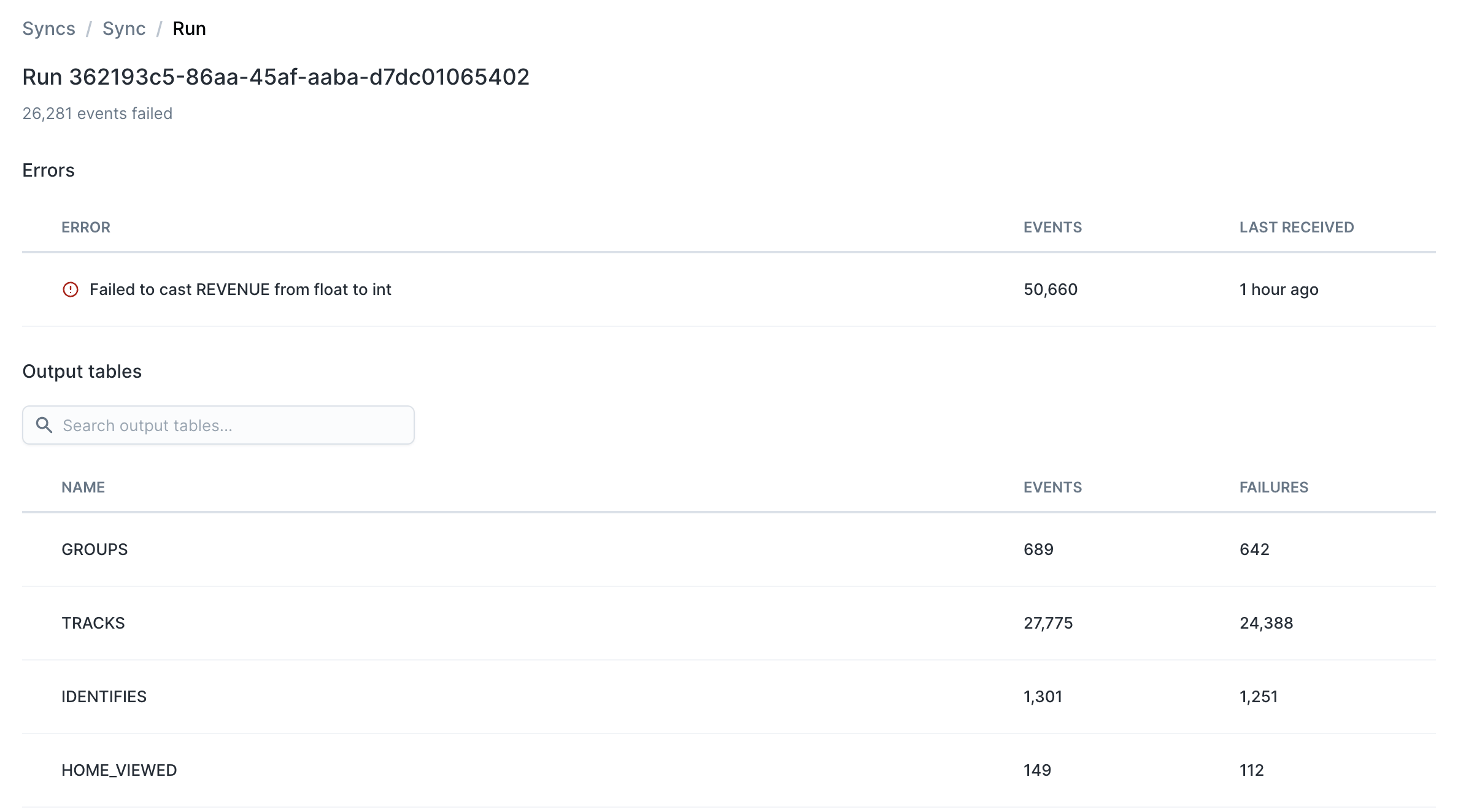
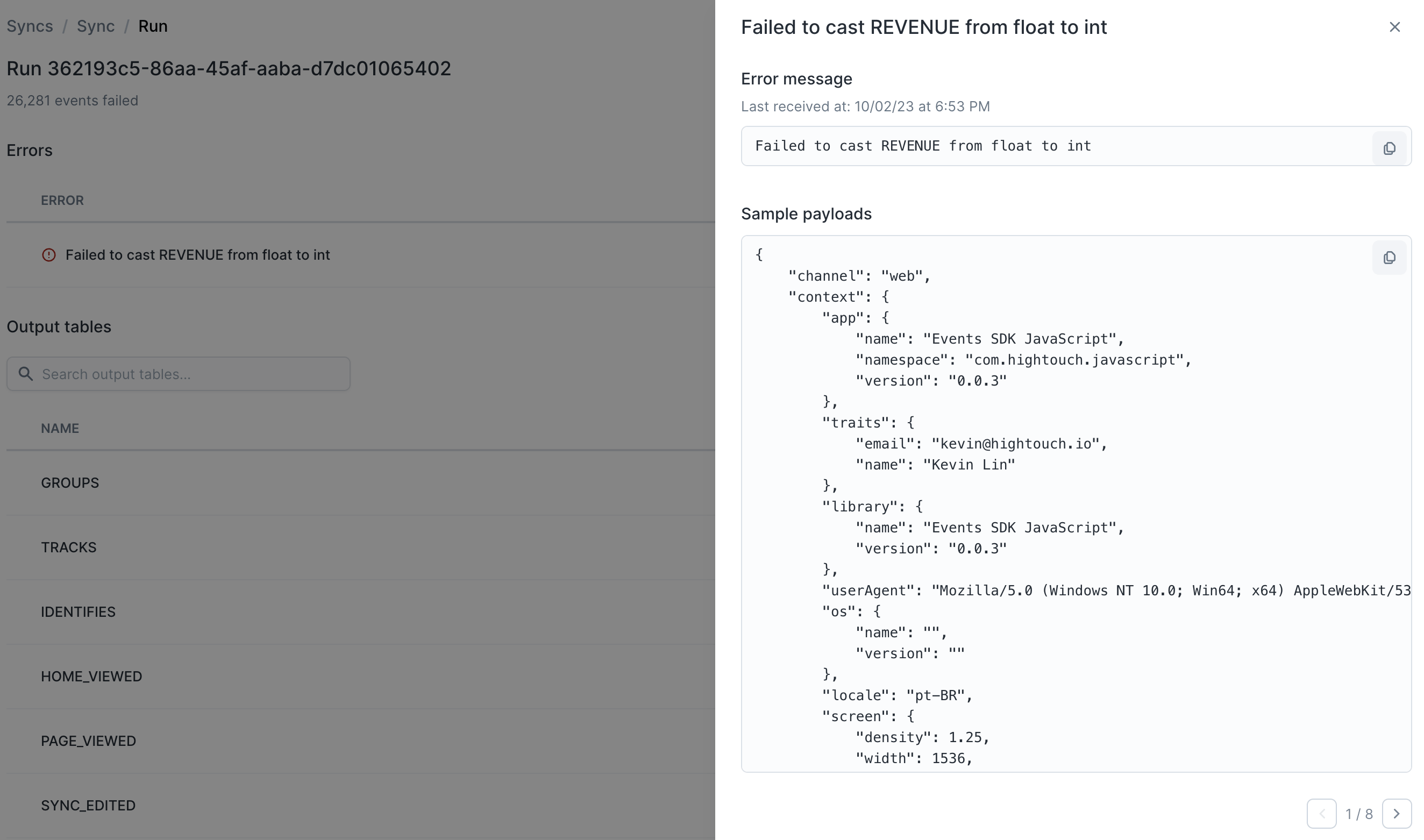
Retrying data
Invalid data is automatically retried for at least 48 hours. If the data issue has still not been resolved, the invalid events are stored so that they can be replayed at a later date. Replaying events is done via the “Archived Failures” screen.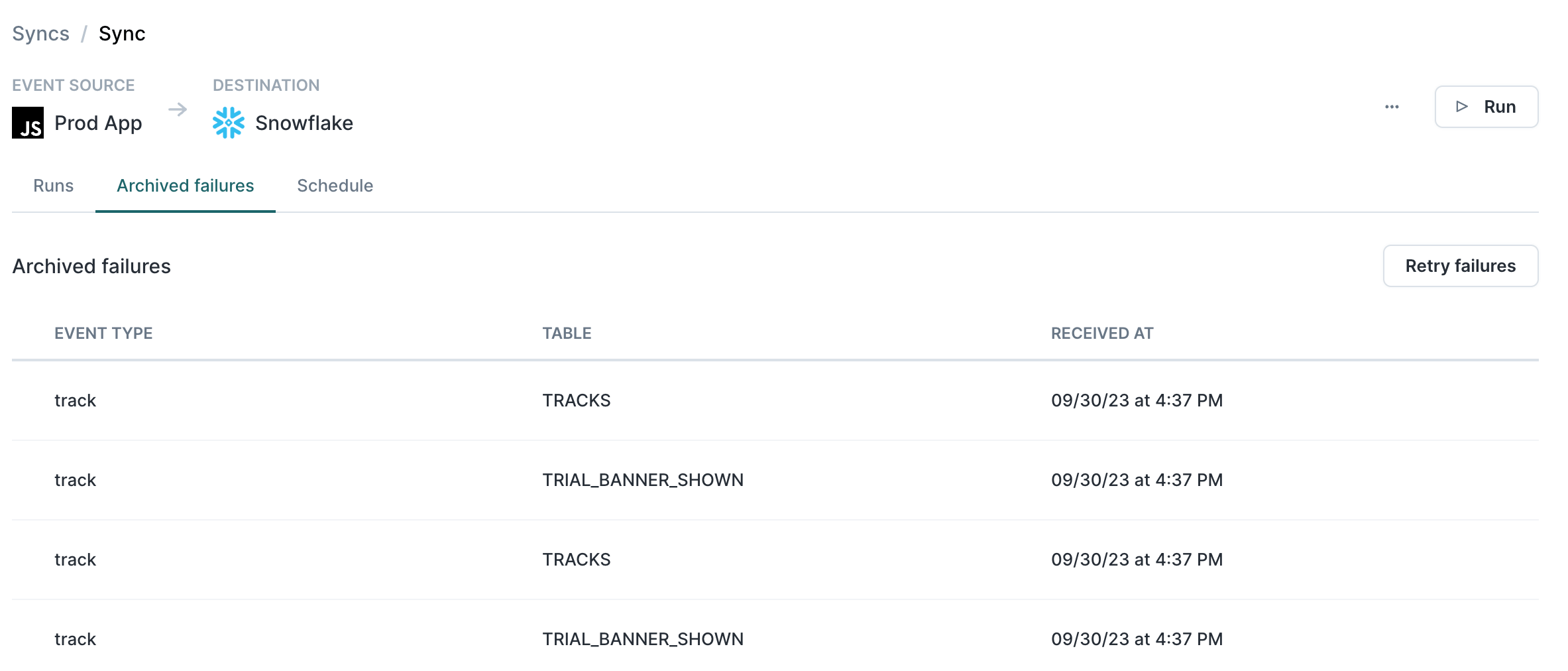
Fixing column types
To change an existing column type, you can create a temporary version of the column with the new format. For example, the following query may used on Snowflake to change theprice
column on the product_ordered table from an INT to a FLOAT: