

- Per-source volume graph
- In-app debugger
- Per-sync configurable alerts
Monitor event volume
Teams can get a quick overview of event volume over time with Hightouch’s built-in visualization. Each event source page shows a graph of event volume at 1, 3, and 7 day time periods.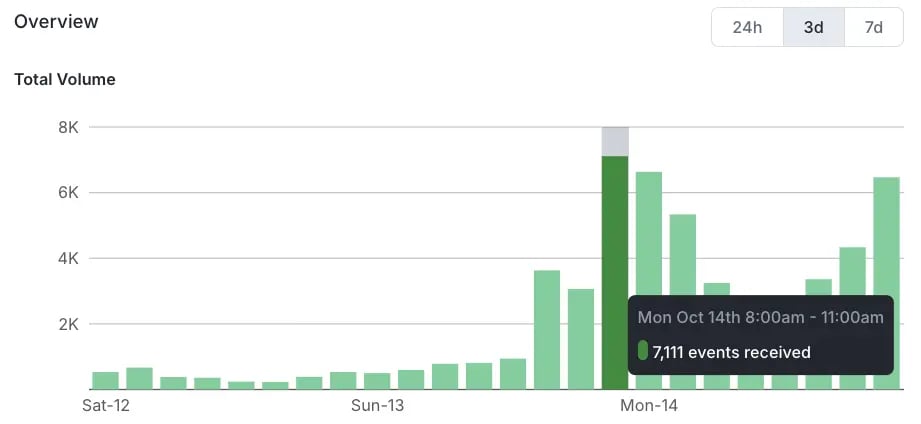
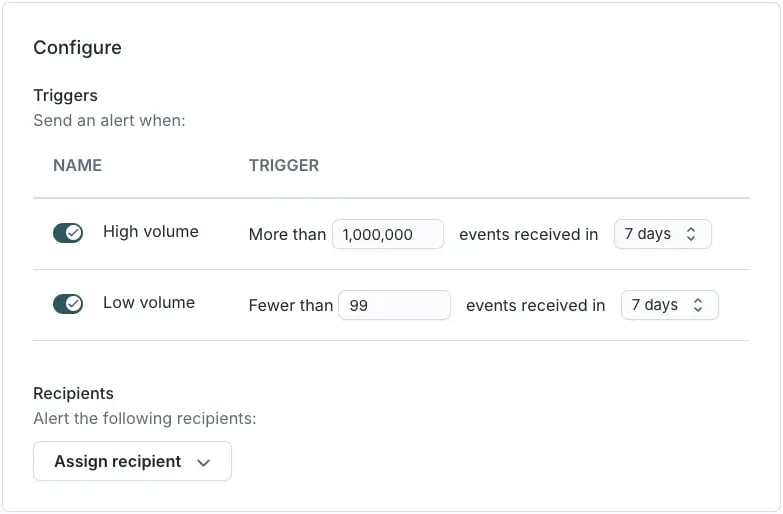
Detect event violations
Hightouch also supports alerting based on your event contracts. Contracts can send invalid events to a violations table in your warehouse. That sync to the warehouse can send an alert when violations exceed a threshold in a given time period for particular types of violations. To understand a particular set of violations, use the debugger on each event source. The debugger lets you inspect individual events and their data to see why they failed schema or contract checks. This event-level view complements volume monitoring and gives teams the detail they need to fix errors.Alert on sync issues
Hightouch supports row and sync-level alerting for reverse ETL syncs, and treats event syncs the same way. You can set up alerts for an elevated row rejection rate, such as a percentage of rows failing during a sync to your warehouse. You can also be notified when a series of consecutive syncs fails with fatal errors. Both alerts let your engineering and analytics teams investigate and fix sync errors quickly.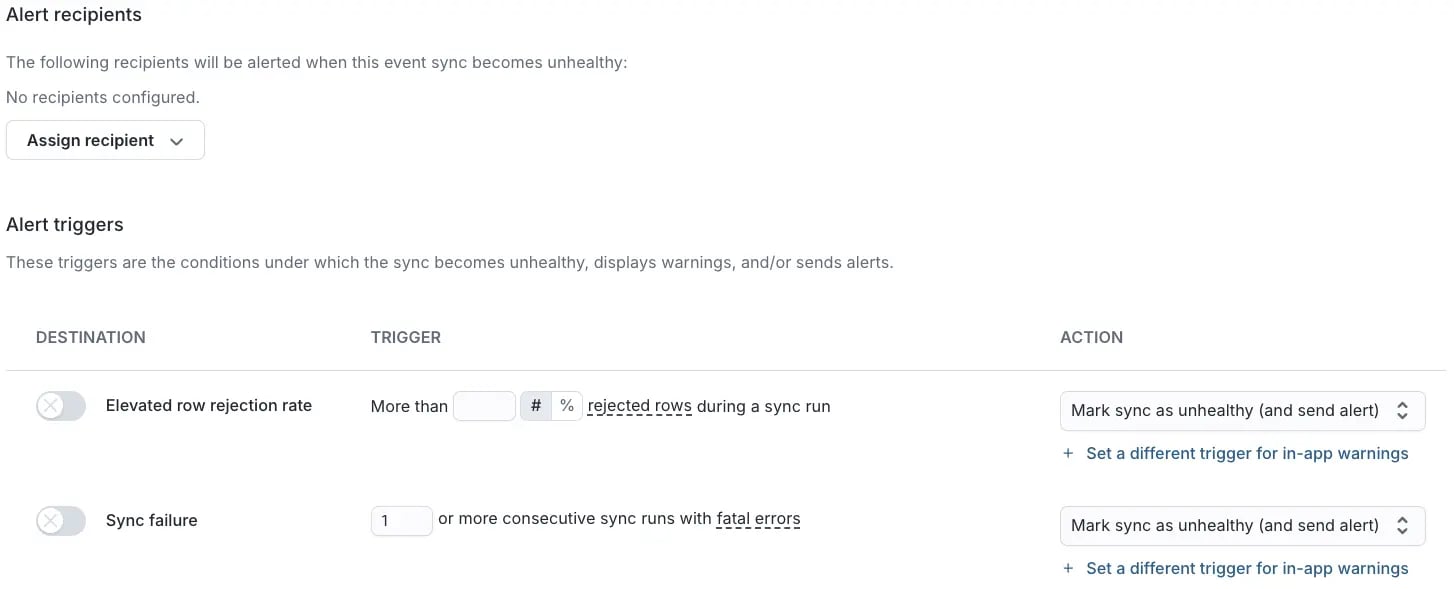
Some advanced alerting capabilities may require enablement for your workspace.
If you don’t see the event-specific alert triggers described here, to enable them.