This extension uses Sigma as a modeling method, not a data source. In
other words, Sigma provides the SQL query, not the query results. Before
enabling this extension, you must first create a
source in Hightouch that
connects to the same data warehouse used by Sigma.
Supported sources
You can create models based on Sigma workbooks for the following sources:Connect to Sigma
In Hightouch, go to the Sigma configuration page in Extensions. Enter the following fields:- Sigma cloud - Follow these instructions to find your Sigma cloud.
- Client ID - Follow these instructions to find your client ID.
- Client secret - Follow these instructions to create a secret tied to your client ID. Make sure to create an API token rather than Embed secret.
Build models
After configuring your Sigma credentials, you can create a model using a source that supports Sigma. Select your source and then choose Import Model from Sigma as your modeling method. On the next screen, you can select which Sigma Workbook, Page, and Element to build your Hightouch model off of. Click View SQL to see the query that Hightouch executes on your data warehouse. Make sure to click Preview to preview your results before finishing your model setup.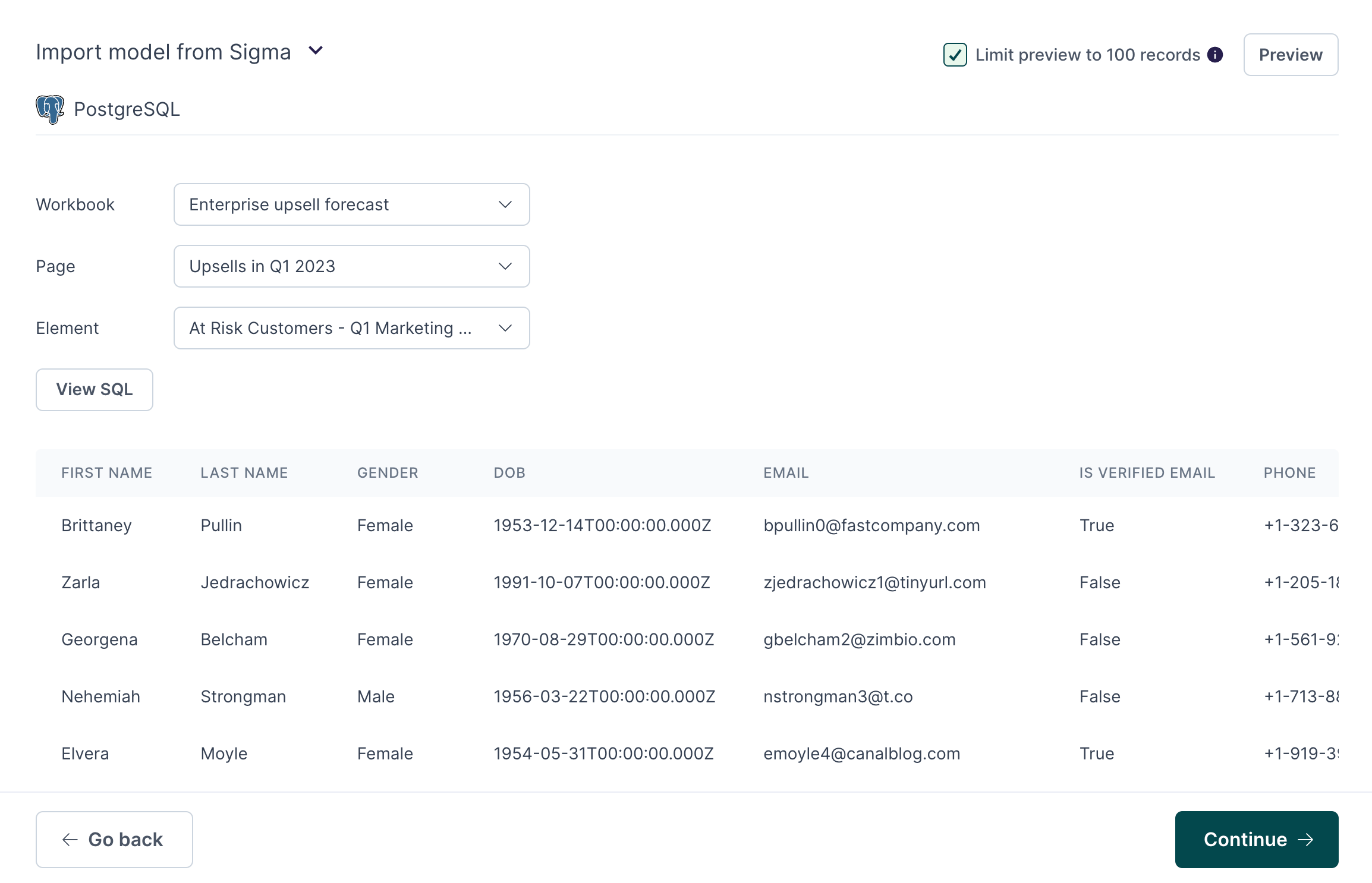
Tips and troubleshooting
Worksbooks aren’t visible in Hightouch
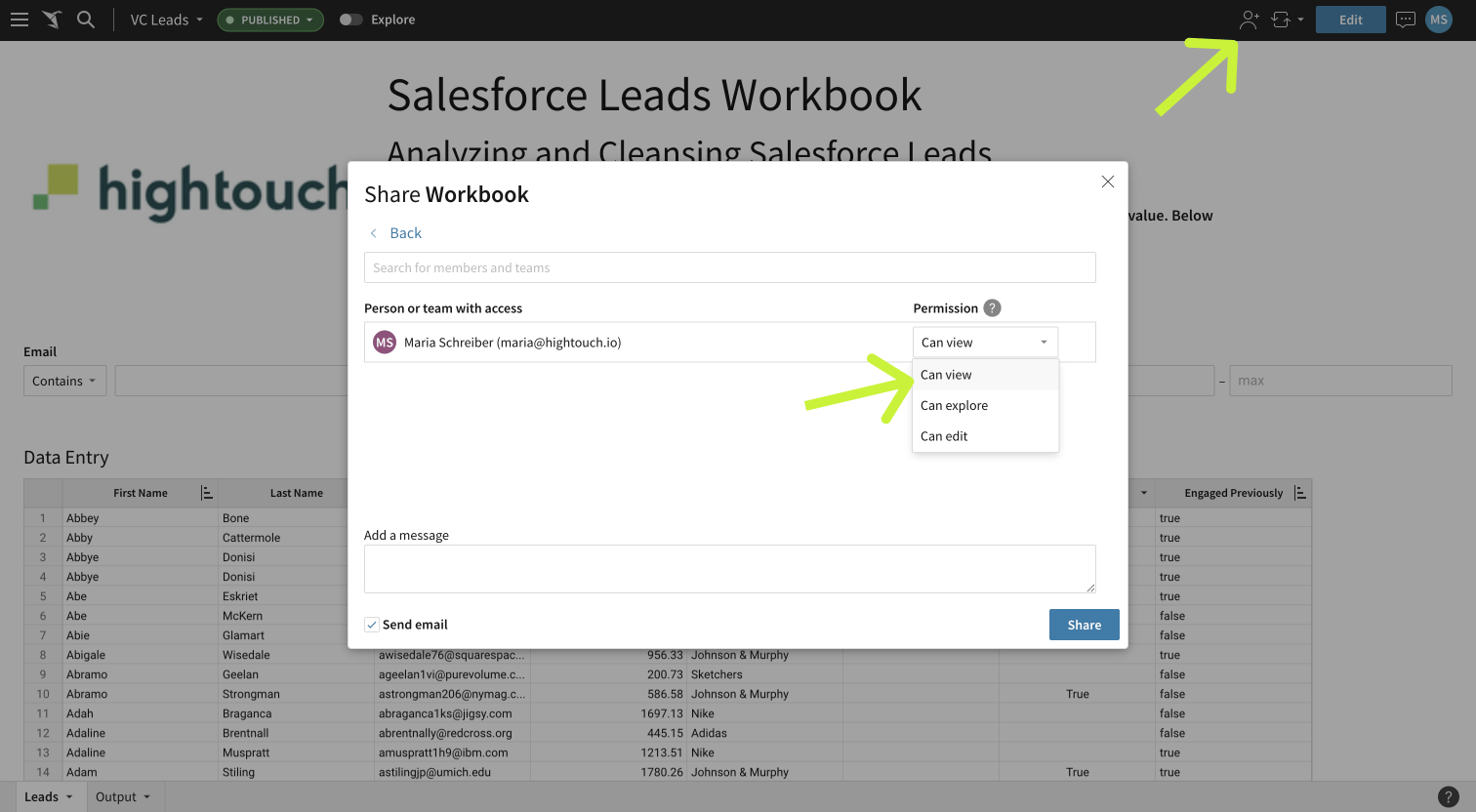
Hightouch only displays published Sigma workbooks, to which the credentials you entered into Hightouch have access. If you don’t see all the workbooks you expect in Hightouch, make sure:- The workbook is published (not in draft mode).
- The user whose credentials you used to connect to Sigma has at least view access to the workbook; if they don’t, share it with them and give them at least view access.